

 Reply With Quote
The process I am trying to implement is the most logical and generalised one, so please suggest something along the line.


Not feasible, since I already have a Debian 6.0.3 system, it resets the bios according to my localisation values set there, aided by ntpdate. So you have to please suggest another alternative. I have tried TZ cheatcode but that does not work either. I had also run tzselect (=asia/kolkata) here in knoppix, but that too does not work.Originally Posted by Werner P. Schulz

The process I am trying to implement is the most logical and generalised one, so please suggest something along the line.
Well, I will read up on it and see what you are talking about. Thanks for all of the help. I still have a lot to learn, so, and time to learn it. Wish I had more time to spend reading this stuff, but, I have to do other things too. I really haven't figured out the Micro Re-Mastering, but, I suppose I will eventually. I will be posting other issues as well.
The UNIX/ LINUX way is:
- always BIOS time = UTC
With Debian I use the crontab:
With dual boot Windows installation you have to register:Code:40 10,15,20 * * * /usr/sbin/ntpdate -v de.pool.ntp.org; /sbin/hwclock -u --systohc
Code:Windows Registry Editor Version 5.00 [HKEY_LOCAL_MACHINE\SYSTEM\CurrentControlSet\↲ Services\W32Time\TimeProviders\NtpClient] "SpecialPollInterval"=dword:00000e10 [HKEY_LOCAL_MACHINE\SOFTWARE\Microsoft\Windows\↲ CurrentVersion\DateTime\Servers] @="1" "1"="de.pool.ntp.org" "2"="time.nist.gov" [HKEY_LOCAL_MACHINE\SYSTEM\CurrentControlSet\Control\↲ TimeZoneInformation] "RealTimeIsUniversal"=dword:00000001
Why configure crontab? My system automatically updates the time when I log in to the internet. The ntpdate client listens to the network time servers by itself.
I don't use windoze, so I would not be interested in its registry codes.
Okay, this is one thing that we have got to look into in Knoppix.
But that the BIOS is updated by ntpdate is absolutely confirmed. In doze, if you change time the BIOS time is affected too.
Why not?Why configure crontab?Why do you think so? From man ntpdate:But that the BIOS is updated by ntpdate is absolutely confirmed.ntpdate sets the local date and time by polling the Network Time Protocol (NTP) server(s) given as the server arguments to determine the correct time.
.
I have a nice Dell laptop which came equipped with Windows 7.
I rarely use Windows 7, but it allows the laptop to be very close
to 'Observatory time' since it syncs up my hardware clock with an
ntp server every time it IS used. I also corrects for daylight
savings time, if allowed a peek at the internet. The hardware
clock in question is set to local Eastern US time. I also set
my Knoppix desktop to local 12-hour am/pm format.
I don't use ntpdate or any other Knoppix time correction.
The consequences of this are two as far as I can tell.
1. The result of a date command will erroneously append UTC to
the otherwise very nearly correct local time.
2. There is a small error, currently about 15 seconds, which I
observe by occasionally checking against the USNO.
See: http://tycho.usno.navy.mil/simpletime.html.
If I wanted to tweak the small error, I could spend a few
minutes with Window 7.
If I wanted to tweak the erroneous UTC, I could use an alias
date="date | sed 's\UTC\EST\'" or date="date | sed 's\UTC\EDT\'"
I rarely find the need to do either.
Nor do I care to disturb my Windows 7 which works ok for what it is.
Because I have seen that happening with my BIOSLet us not be hasty. We can solve this issue universally if we think hard.
I am sorry, I should have been more elaborate. Actually, I have a localised system, as explained earlier. ntpdate sends that process the ntp data( time and date), and it localises the date time according to my settings(Asia/Kolkata) and rewrites the BIOS on that basis.
Please tell us the output fromCode:cat /proc/driver/rtc; date
- from Debian
- from Knoppix
My values are with Debian
with KnoppixCode:rtc_time : 07:38:25 rtc_date : 2013-01-28 alrm_time : 00:00:00 alrm_date : ****-**-** alarm_IRQ : no alrm_pending : no 24hr : yes periodic_IRQ : no update_IRQ : no HPET_emulated : yes DST_enable : no periodic_freq : 1024 batt_status : okay Mo 28. Jan 08:38:25 CET 2013Timezone for me is "Europe/Berlin"Code:cat /proc/driver/rtc; date rtc_time : 07:41:11 rtc_date : 2013-01-28 alrm_time : 00:00:00 alrm_date : 2013-01-29 alarm_IRQ : no alrm_pending : no update IRQ enabled : no periodic IRQ enabled : no periodic IRQ frequency : 1024 max user IRQ frequency : 64 24hr : yes periodic_IRQ : no update_IRQ : no HPET_emulated : no BCD : yes DST_enable : no periodic_freq : 1024 batt_status : okay Mon Jan 28 08:41:11 CET 2013
 Posting Permissions

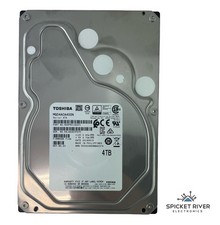
Toshiba MG04ACA400N 4TB SATA 6 Gb/s 7200 RPM 3.5" Enterprise Hard Drive HDD
$65.00
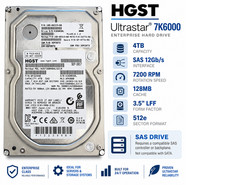
HGST Ultrastar 4TB SAS 12Gb/s 7200RPM 3.5" HDD HUS726040AL5214 4Kn
$56.00

Seagate BarraCuda ST5000LM000 5TB 5400RPM SATA III 6Gb/s 2.5" Internal Hard
$169.99

Western Digital HUS726T4TAL5204 4TB 7.2K SAS 12Gb/s 3.5" 512e HDD NetApp X375A
$84.00

Seagate ST6000NM0115 6TB 256MB 7200RPM 3.5" SATA 6.0Gb/s Enterprise Hard Drive
$159.99
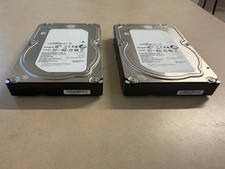
Lot of 2 Seagate Constellation ES.3 ST2000NM0023 2TB 7200RPM SAS 6Gb/s 3.5" HDD
$34.99

Hitachi / HGST Travelstar HTS541010B7E610 1TB 2.5" SATA III HDD
$29.99

HITACHI ULTRASTAR 2TB 7.2K 6G 3.5INCH SATA HDD HUS724020ALA640 | TESTED WIPED
$34.95

Seagate 14TB Exos X14 7200RPM SATA 6Gb/s 256MB 3.5" Enterprise HDD ST14000NM0408
$354.99

New Western Digital WD40EFPX 68C6CN0 4TB 3.5" SATA III Internal NAS Red Plus HDD
$137.59