-
Senior Member
registered user
How to Start in Console Mode
I'm trying to install Nvidia 4363 Driver. You have to go to
Console mode to install.
I tied inittab - setting runlevel to 1, had to use rescue disk
to get knoppix to load again. Aklso tried runlevel 3 - but it just
booted XFree86.
Any help appreciated!
Thanks...
-
Senior Member
registered user
Ok - I got it to load Console mode.
I went into Control Center>Login Manager and deselected
auto login.
Still have an problem, Nvidia 4363 driver could not build
kernel.
You appear to be compiling the NVIDIA kernel module with
a compiler different from the one that was used to compile
the running kernel. This may be perfectly fine, but there
are cases where this can lead to unexpected behaviour and
system crashes.
One Nvidia install link said to do an CC=gcc2.95 , something like this. I did an gcc -v once before and it showed gcc 2.95 and gcc 3.2.3. It now shows only
gcc 3.2.3.
So, I guess I will have to find that command and set it to gcc 3.23.
That's what I get for reading nividia_installer.log!
-
Senior Member
registered user

Originally Posted by
TheCyberDude
Ok - I got it to load Console mode.
I went into Control Center>Login Manager and deselected
auto login.
Still have an problem, Nvidia 4363 driver could not build
kernel.
You appear to be compiling the NVIDIA kernel module with
a compiler different from the one that was used to compile
the running kernel. This may be perfectly fine, but there
are cases where this can lead to unexpected behaviour and
system crashes.
One Nvidia install link said to do an CC=gcc2.95 , something like this. I did an gcc -v once before and it showed gcc 2.95 and gcc 3.2.3. It now shows only
gcc 3.2.3.
So, I guess I will have to find that command and set it to gcc 3.23.
That's what I get for reading nividia_installer.log!
I just did this last night, follow the instructions here except do not edit the /etc/modules just the aliases file and then run update-modules then when you restart you will see an Nvidia splash screen to tell you everthing went well.
-
Senior Member
registered user
Re: How to Start in Console Mode
--I'm assuming you are hd-installed... When the LILO prompt comes up, you type ' linux 1 ' (or whatever the name for your default boot image is) to pass the runlevel.
Originally Posted by
TheCyberDude
I'm trying to install Nvidia 4363 Driver. You have to go to
Console mode to install.
I tied inittab - setting runlevel to 1, had to use rescue disk
to get knoppix to load again. Aklso tried runlevel 3 - but it just
booted XFree86.
Any help appreciated!
Thanks...
Similar Threads
-
By xuejm1225 in forum General Support
Replies: 1
Last Post: 09-21-2004, 05:05 AM
-
By edlsoft in forum General Support
Replies: 3
Last Post: 04-30-2004, 01:42 AM
-
By mpeters13 in forum General Support
Replies: 1
Last Post: 11-10-2003, 12:45 PM
-
By tnarg in forum General Support
Replies: 7
Last Post: 08-08-2003, 10:55 PM
-
By oracleman in forum Hdd Install / Debian / Apt
Replies: 1
Last Post: 03-10-2003, 09:38 PM
 Posting Permissions
- You may not post new threads
- You may not post replies
- You may not post attachments
- You may not edit your posts
-
Forum Rules


Vintage Timbuk2 Crossbody Messenger Bag Forest Green/ Black Y2k USA Made
$85.00

Vintage Computer - PC Innovation Intel 486DX2 - Dos Ver 6.2 Windows 3.1
$250.00

Vintage Jetway J-620BF Socket 370 Celeron AT Motherboard SiS 620 Brand New
$75.00

Vintage HP Hewlett Packard 2112A 21MX 1000 M-Series 16-Bit Minicomputer
$419.99

Vintage Cherry W. Germany G80-0486H/05 Mechanical 25-Pin D-Sub Keyboard M8
$170.99

Vintage cross Apple computer branded pen rainbow logo In original box
$100.00
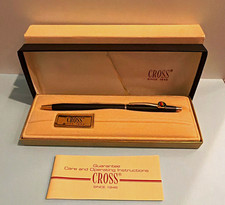
Vintage Apple computer Cross Metal Ballpoint Pen Black Ink Gold Trim
$125.00
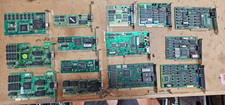
Lot 14 Vintage ISA VGA Video Cards Trident CHIPS UMC 8-Bit 16-Bit 286 386 486
$199.95
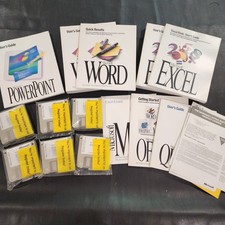
Vintage Microsoft Office 4.2 for Windows Original Floppy Disks & Manuals 1994
$119.99
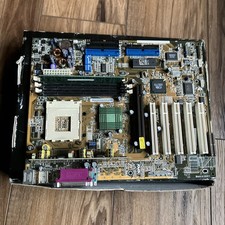
ASUS A7V333 Vintage Motherboard | Untested | For Parts
$44.89



 Reply With Quote