-
Sync Time at boot
For me this is important. My clients pxe boot at times specified within the bios but I need them to shutdown at a certain time also. To accomplish this the time must be correct. Here is how I sync time.
Install ntpdate, edit /etc/init.d/knoppix-autoconfig and /etc/default/ntpdate.
Within knoppix-autoconfig edit the section that starts with #Set timezone, the next line under this, KTZ="America/Chicago" (for my time zone, edit to meet your zone).
Within ntpdate add the # to the begining of the 5th line (#NTPDATE_USE_NTP_CONF=yes) next edit the 8th line that states NTPSERVERS="192.168.1.253" (my internal time server is 192.168.1.253 edit that to match your time server needs, ip or name will do)
Now each time your knoppix boots it will sync / set time with the server you specified.
Enjoy!
 Posting Permissions
- You may not post new threads
- You may not post replies
- You may not post attachments
- You may not edit your posts
-
Forum Rules


RAM-HOL-SAM52CPU RAM USB-C Powered Dock Samsung Tab Active4 Pro & Tab Active Pro
$81.99

Samsung 32GB DDR4-2666 PC4-21300 288-Pin DIMM RAM M393A4K40CB1CRC0Q
$185.00
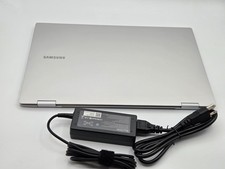
Samsung Galaxy Book2 Pro 360 15.6 i7-1260P 16GB 1TB SSD Laptop FAST SHIP
$349.99

New Samsung 512GB FIT Plus USB 3.2 Gen 1 Type-A Flash Drive MUF-512AB/AM NEW
$120.00

RAM-HOL-SAM60CPU RAM USB-C Powered Dock for Samsung Tab Active5 - 3 - 2
$81.99

RAM-GDS-SKIN-SAM54-NG-1 RAM Mounts IntelliSkin® Next Gen for Samsung Tab Active4
$93.99

Samsung Galaxy Tab SCH-1800 7" 4GB Wi-Fi + Verizon Tablet Working
$30.00

RAM-GDS-DOCK-SAM88CPU RAM GDS® Tough-Dock™ for Samsung Tab A9+
$174.99
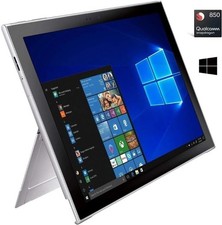
Samsung Galaxy Book2 12inch Silver FHD+ TOUCH Snapdragon 850 2.96 GHz 4GB 128GB
$160.00

Original for Samsung NP950QCG-K01US LCD Screen Touch Full Top Assembly FHD Blue
$299.00



 Reply With Quote