

Hi, for more than one month I've been using Knoppix 7.0 DVD persistent on a pendrive, without major problems. But every time I log in I have to type "knoppix keyboard=es xkeyboard=es" because I communicate in English and Spanish, but have a Spanish keyboard. I don't use "lang=es" because I prefer OS messages to be in English. Is there some way to avoid this typing? I enter Knoppix several times per day because my machine is shared with my Windows-speaking family. Thanks!
Micro-Remastering says "Boot options like "adriane" can easily be preset by changing '/mnt-system/boot/syslinux/syslinux.cfg'". Please, @Werner, say me what may I do with syslinux.cfg and with the files in /mnt-system/boot/syslinux/ for being able to use my Spanish keyboard?
Just now I've supplemented Micro Remastering
Last edited by Werner P. Schulz; 02-08-2013 at 11:39 AM.
Thanks, Werner, it works well!
I've tried to use Micro Remastering to set my keyboard to 'uk' but there are multiple lines relating to the headings 'LABEL knoppix and KERNEL linux' in the the syslinux.cfg file. Is it enough to simply change the Default reference at the start of the file?
Use only the APPEND line following the line with "LABEL Knoppix".No, only the value of the first line is important! But Knoppix doesn't take care of the third line; therefore it isn't of no use to change something within the third line.Is it enough to simply change the Default reference at the start of the file?
Thanks for that Werner.
I should mention that I'm using Knoppix 7.0.5 with persistence and an encrypted overlay partition.
The make sure that the "£@# characters are available in their customary positions I had to amend file /home/knoppix/Desktop/KNOPPIX/boot/syslinux/syslinux.cfg as follows:
Part1
LABEL knoppix
KERNEL linux
APPEND ramdisk_size=100000 lang=gb keyboard=gb vkeyboard=gb apm=power-off initrd=minirt.gz nomce libata.force=noncq hpsa.hpsa_allow_any=1 loglevel=1 tz=localtime
Part2
replace "lang=nn" with "lang=gb" throughout the file.
Hope this helps any other Brits facing the same problem.
Why do you think, Knoppix will take care of '/home/knoppix/Desktop/KNOPPIX/boot/syslinux/syslinux.cfg'?
Use '/mnt-system/boot/syslinux/syslinux,cfg'! Of course, you can do your locale settings throughout all the APPEND lines.
I checked out where syslinux.cfg was located using the file system gui and then used the same path in a terminal. However, I'll use your preferred path in future.Originally Posted by Werner P. Schulz

 Posting Permissions


Crucial MX500 1TB 2.5" SATA III Internal SSD CT1000MX500SSD1
$102.99

Samsung 2.5" 870 EVO SSD SATA III 250GB 500GB 1TB Internet Solid State Drive Lot
$90.00

Samsung 860 EVO 250GB SSD MZ-76E250 2.5" SATA III Solid State Drive
$39.99

Samsung 860 PRO 2TB 2.5" SATA III V- NAND SSD MZ-76P2T0 86%-90% Health
$187.00

Western Digital PC SN740 256GB M.2 2280 NVMe Internal SSD (SDDPNQD-256G)
$34.99

Netac 2TB 1TB 512GB 256GB Internal SSD 2.5inch SATAIII Solid State Drive lot
$549.00

Fanxiang 1/2/5/10Pcs 2.5'' SATA SSD Lot 1TB 2TB 4TB 512GB 256GB TLC Internal SSD
$129.99
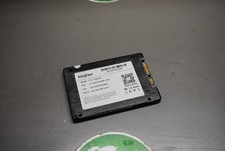
KingFast F10 256GB 2.5� SATA III SSD Tested Working 2710DCS23BF-256
$22.89

Samsung New SSD 970 EVO Plus 2TB 1TB 500GB 250GB NVMe M2 Internal Hard Drive Lot
$79.99

SSD 2.5" SATA Hard Drive for Laptop Desktop Windows 10 pro 64 Pro Pre-installed
$42.00


 Reply With Quote