-
Unable to mount iPhone
I'm running Knoppix 6.7 off a 4GB USB stick on an Acer Aspire 5520 laptop. My iPhone is a 3GS on iOS 5.1.1, jailbroken. On connecting the phone via USB it is recognised by File Manager, but I get error report 'Unhandled Lockdown error (-4)' Below is Terminal output:
Code:
knoppix@Microknoppix:~$ lsusb | grep Apple Bus 002 Device 005: ID 05ac:1294 Apple, Inc. iPhone 3GS
knoppix@Microknoppix:~$ sudo mkdir /media/iPhone
knoppix@Microknoppix:~$ sudo ifuse /media/iPhone/ -s Failed to connect to lockdownd service on the device. Try again.
If it still fails try rebooting your device. knoppix@Microknoppix:~$ I think I'm missing a fundamental step or is this an iOS constraint? Can someone here help me to connect this device? All I need to do is manipulate audio and photos
----------------------
Formatted by mod
wps
Last edited by Werner P. Schulz; 02-11-2013 at 05:23 PM.
-

Originally Posted by
dataworx22

I'm running Knoppix 6.7 off a 4GB USB stick on an Acer Aspire 5520 laptop. My iPhone is a 3GS on iOS 5.1.1, jailbroken. On connecting the phone via USB it is recognised by File Manager, but I get error report 'Unhandled Lockdown error (-4)' Below is Terminal output:
Code:
knoppix@Microknoppix:~$ lsusb | grep Apple Bus 002 Device 005: ID 05ac:1294 Apple, Inc. iPhone 3GS
knoppix@Microknoppix:~$ sudo mkdir /media/iPhone
knoppix@Microknoppix:~$ sudo ifuse /media/iPhone/ -s Failed to connect to lockdownd service on the device. Try again.
If it still fails try rebooting your device. knoppix@Microknoppix:~$ I think I'm missing a fundamental step or is this an iOS constraint? Can someone here help me to connect this device? All I need to do is manipulate audio and photos
----------------------
Formatted by mod
wps
So 4 days later I'm still struggling with this. I'm a Linux noob so I can understand if this is such a basic question that nobody can be bothered to answer. Or is it really so difficult that nobody can assist me?
I've posted this same query to http://libiphone.lighthouseapp.com/p...connect-iphone, and no luck, seems Apple keeps changing things with new releases of iOS.
-
Senior Member
registered user
Greetings, dataworx22!
In the wiki at debian.org http://wiki.debian.org/iPhone you can read that you should upgrade your libimobiledevice.
If your iPhone has a recent version of iOS (5 or later? Maybe 4.3? 4.2.1?) then you will need libimobiledevice 1.1.1 or later, available in Wheezy. Squeeze has libimobiledevice 1.0.2, which will not work with recent versions of iOS.
I hope that helps.
-
Originally Posted by
klaus2008
Greetings, dataworx22!
In the wiki at debian.org
http://wiki.debian.org/iPhone you can read that you should upgrade your libimobiledevice.
I hope that helps.
Greetings and salutations klaus 2008
That wiki page is most enlightening.
So currently I have installed: libimobiledevice-utils, libimobiledevice2 v 1.1.1-4, gvfs-backends, gvfs-bin, gvfs-fuse, and ifuse.
Also edited /etc/fuse.conf as instructed and verified that user knoppix is a member of the fuse group.
The iPhone shows up in File Manager, any attempt to mount it is still met with 'Unhandled Lockdown error (-4)'.
It seems I may have to configure the phone itself?
-
Senior Member
registered user
sudo ifuse /media/iPhone/ -s
What is the meaning of the option '-s'?
If you issue you should get
Usage: ifuse <mount_point> [OPTIONS]
Mount filesystem of an iPhone/iPod Touch.
-o opt,[opt...] mount options
-u, --uuid UUID mount specific device by its 40-digit device UUID
-h, --help print usage information
-V, --version print version
--root mount root file system (jailbroken device required)
--debug enable libimobiledevice communication debugging
Example:
$ ifuse /media/iPhone --root
This mounts the root filesystem of the first attached device on
this computer in the directory /media/iPhone.
-
What is the meaning of the option '-s'?
I copied the instruction from this site - see comment from forumite Helge.
http://www.ghabuntu.com/2009/09/ifus...-touch-in.html
I see from the help above that -s is not a known/valid switch, so I tried:
sudo ifuse /media/iPhone --root
which returned
knoppix@Microknoppix:~$ sudo ifuse /media/iPhone --root
Failed to connect to lockdownd service on the device.
Try again. If it still fails try rebooting your device.
-
Senior Member
registered user
There are people who advise to issue the following commands after having connected the iPhone.
Code:
idevicepair unpair
idevicepair pair
idevicepair validate
Does this solve the issue or do you still receive the same (or a new) error message?
-
Hi Klaus, thanks again for taking the time to help with this. I've previously tried the pair/unpair commands, this is the output:
knoppix@Microknoppix:~$ idevicepair unpair
QueryType failed, error code -256
knoppix@Microknoppix:~$ idevicepair pair
QueryType failed, error code -256
knoppix@Microknoppix:~$ idevicepair validate
QueryType failed, error code -256
-
Senior Member
registered user
There are two more commands you could try out.
Code:
idevice_id -l
ideviceinfo
Maybe you should update your bug report at http://libiphone.lighthouseapp.com Tell them that you upgraded the libraries and still cannot connect.
-
"idevice_id -l" returns the iPhone's UUID, and "ideviceinfo -s" returns general info
"ideviceinfo" does nothing
I'll update my bug report as you suggest. Thanks Klaus
 Posting Permissions
- You may not post new threads
- You may not post replies
- You may not post attachments
- You may not edit your posts
-
Forum Rules


(New) AMD Ryzen 7 5700X 8 Core 16 Thread AM4 Unlocked 3.4 GHz CPU OEM Tray
$174.99
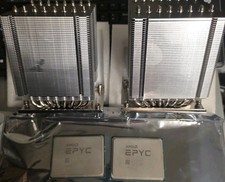
Pair ID-COOLING A8-SP3 CPU Heatsink Coolers and AMD EPYC 7601 32 Core Processors
$290.00

AMD Ryzen 7 PRO 8700GE 8-Core/16-Thread Up to 5.1GHz AM5 (FL1)
$189.00

Dell OptiPlex 5070 SFF i7-9700 (8-Core) 3.0GHz 16GB 256 SSD Windows 11
$250.00

AMD Ryzen 7 7800X3D 4.20GHz Quad Core 100-000000510 8 Thread AM4
$279.99

Apple Macbook Pro 13" M1 8-Core 16GB 512GB - Good
$464.99

Intel Xeon E5 - 2667V2 / SR19W 3.30GHz 25MB 8-Core CPU Socket LGA2011
$30.00

AMD Ryzen 7 9800X3D 8-Core 16-Thread AM5 CPU Processor Brand New Unused
$395.95

SGIN 17.3" Laptop Intel Quad-Core Up to 2.4 GHZ 8GB RAM 256GB SSD HD
$229.99
Dell OptiPlex 7060 Intel Core i7-8700 3.2GHz 8GB RAM 256GB Windows 11 Pro FAST
$159.99



 Reply With Quote