-
Senior Member
registered user
There are (at least) two ways to do this.
Open the KDE control center.
Go to Peripherals
Go to Printers
Right click anywhere in the upper pane of the Printer window.
Choose Add Printer.
You should be able to take it from there.
The second way is much shorter. The printer wizard isn't gone from your system, just from your k menu. To run it just type "kaddprinterwizard" from a shell or in the dialog box you get when you press Alt + F2.
Hope that helps.
Similar Threads
-
By petrotraficante in forum Networking
Replies: 0
Last Post: 12-30-2004, 11:13 PM
-
By rec9140 in forum General Support
Replies: 0
Last Post: 02-27-2004, 05:24 PM
-
By stukennedyuk in forum Networking
Replies: 12
Last Post: 10-07-2003, 10:36 PM
-
By eco2geek in forum The Lounge
Replies: 1
Last Post: 09-15-2003, 03:38 PM
-
By batteryman in forum Hardware & Booting
Replies: 2
Last Post: 07-30-2003, 04:53 PM
 Posting Permissions
- You may not post new threads
- You may not post replies
- You may not post attachments
- You may not edit your posts
-
Forum Rules


Dell PowerEdge M630 Blade Server 2x Xeon E5-2680 v4, 2F3MP , 4GDP5 ,R10KJ ,JVFVR
$95.20

Dell PowerEdge M640 Blade Barebone Server Dell P/N: HHB006 Tested Working
$149.99

Cisco UCS 5108 Blade Server Chassis Enclosure N20-C6508 4x PSU 8x Fans 2x Fabric
$174.99

AS IS READ DESCRIP. Supermicro SuperServer 6026TT-HIBQRF 12-Bay 4x X8DTT-HIBQF
$215.00

Datto S4P10 1U Blade Rack Server Intel Xeon D-2143IT 2.20GHz 48GB DDR4 4-Bay PSU
$197.76

Dell PowerEdge M620 Blade Server 2x Xeon E5-2680v2 2.8ghz 20-Cores | 128GB
$149.99

Dell PowerEdge VRTX 2.5"x25 Bay Blade Enclosure 4x1600W + 4X M640 (4X Blades)
$1599.99

Dell Poweredge C6400 24x 2.5’’ 2x 2400W 4x C6420 Nodes H330 | 2x SFP | 8x Trays
$799.99

Dell Poweredge VRTX 25Bay 2.5" 2x PERC 8, 2xCMC, I/O 1GB Pass Through, 4x PS
$578.08
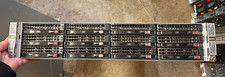
AS IS Supermicro SuperServer 6026TT-HIBQRF 12-Bay 4x X8DTT-HIBQF
$410.00



 Reply With Quote