

 Reply With Quote
You have to be root if you want to uninstall kernel modules. Therefore issueinstead of 'make uninstall'.Code:sudo make uninstall


Prerequisites as listed in the install.txt of the ndiswrapper-1.58.tar.gz
You need a recent kernel, at least 2.6.14, with header files for the kernel. Make sure there is a link in the kernel source from the modules directory.
This is what I get:
Code:knoppix@Microknoppix:~$ ls /lib/modules/`uname -r`/build arch firmware Kconfig mm security block fs kernel Module.symvers sound crypto include lib net tools debian init linux-headers.revision samples usr drivers ipc Makefile scripts virt knoppix@Microknoppix:~$ cd ~knoppix/ndiswrapper-1.58 knoppix@Microknoppix:~/ndiswrapper-1.58$ make uninstall rm -f /usr/share/man/man8/ndiswrapper.8 rm -f /usr/share/man/man8/loadndisdriver.8 make -C driver uninstall make[1]: Entering directory `/home/knoppix/ndiswrapper-1.58/driver' rm -f /lib/modules/3.6.11/misc/ndiswrapper.ko /sbin/depmod -a 3.6.11 ERROR: openat(/lib/modules/3.6.11, modules.dep.tmp, 1101, 644): Permission denied ERROR: openat(/lib/modules/3.6.11, modules.dep.bin.tmp, 1101, 644): Permission denied ERROR: openat(/lib/modules/3.6.11, modules.alias.tmp, 1101, 644): Permission denied ERROR: openat(/lib/modules/3.6.11, modules.alias.bin.tmp, 1101, 644): Permission denied ERROR: openat(/lib/modules/3.6.11, modules.softdep.tmp, 1101, 644): Permission denied ERROR: openat(/lib/modules/3.6.11, modules.symbols.tmp, 1101, 644): Permission denied ERROR: openat(/lib/modules/3.6.11, modules.symbols.bin.tmp, 1101, 644): Permission denied ERROR: openat(/lib/modules/3.6.11, modules.builtin.bin.tmp, 1101, 644): Permission denied ERROR: openat(/lib/modules/3.6.11, modules.devname.tmp, 1101, 644): Permission denied make[1]: Leaving directory `/home/knoppix/ndiswrapper-1.58/driver' make -C utils uninstall make[1]: Entering directory `/home/knoppix/ndiswrapper-1.58/utils' rm -f /sbin/loadndisdriver rm -f /usr/sbin/ndiswrapper rm -f /usr/sbin/ndiswrapper-buginfo make[1]: Leaving directory `/home/knoppix/ndiswrapper-1.58/utils' knoppix@Microknoppix:~/ndiswrapper-1.58$
You have to be root if you want to uninstall kernel modules. Therefore issueinstead of 'make uninstall'.Code:sudo make uninstall
Per the Install instructions I first typed in:
I ignored the error with "make uninstall" then proceeded with instructions.Code:make uninstall make
"Login as root then run"
.Code:make uninstall
I then followed next instructions "Then install windows driver with"
Returned error "command ndiswrapper not found".Code:ndiswrapper -i driver.inf
Also tried
Got the same error.Code:ndiswrapper -i Driver/LSTINDS.INF
Note: "Driver" is the name of the folder with the LSTINDS. INF file.
Last edited by AndyOpie150; 03-29-2013 at 10:01 PM.
I would issue'Driver/LSTINDS.INF' is the path of your INF file.Code:cd /home/knoppix/ndiswrapper-1.58 sudo make uninstall make clean make sudo make install cd /home/knoppix sudo ndiswrapper -i Driver/LSTINDS.INF sudo ndiswrapper -m sudo modprobe ndiswrapper
Thanks. Will give it a try and edit this post with results.
Cant seem to edit my posts now. klaus2008: Was having to many errors with that install to flash drive (-C command not found, /home/knoppix/ndiswrapper-1.58 not a valid directory, etc). Re-installed knoppix 7.0.5 CD version to flash drive and followed advice in post 4. Everything is working great and I'm posting this thru the provided Iceweasel browser. Should have did that before, sorry, thought it was some limitation with the .iso so didn't mention it before. At least we now know that the ndiswraper-1.58 works great on the 7.0.5 CD version. Sorry again about everything else between your 4th post and this one. I don't know a whole lot, just enough to mess things up. Thanks very much for having patience with me and sticking with me, even through my bought of overthinking.
Last edited by AndyOpie150; 03-30-2013 at 06:57 PM.
The ndiswrapper-1.58 works great, but, every time I boot into the USB drive I have to open up a CLi and type in
to get my wireless card to power up.Code:sudo modprobe ndiswrapper
I have tried:
but this just makes my wireles card power on and off whenever I try to connect to the internet.Code:sudo su echo ndiswrapper >> /etc/modules exit
I have since re-installed and set up drivers due to lack of knowledge on how to fix my mistake.
What is the command I need to issue to get the ndiswrapper to work without having to type in the above mentioned command every time I boot into Knoppix?
 Posting Permissions


Lenovo ThinkStation P520 Intel Xeon W-2123 3.6GHz 900W - NO RAM/ GPU/ HDD/ OS
$189.98

Dell EMC PowerEdge R440 Xeon silver 4215 2.5GHz 16 GB ram 2x 550W PSU No HDD
$275.00

Intel Xeon E5-2697 V2 LGA2011 Server CPU Processor 2.7GHz 12 Core SR19H 130W
$35.00

Dell Precision T5820 950W Workstation 4.00GHz W-2125 No RAM/ GPU/ HDD/ OS
$144.98

Intel Xeon E5-2699 V4 2.20GHz 55M 22-CORES LGA2011-3 Server Processor 145W SR2JS
$84.49

Intel Xeon E5-2690v2 SR1A5 10-Core 3.00GHz 25MB 130W LGA2011 CPU *km
$11.99

Intel Xeon W-2255 SRGV8 3.7GHz 10-Core LGA2066 Server CPU Processor
$199.99

Intel Xeon E5-2698 V4 20CORE 2.2GHz 50M Processor SR2JW *km
$38.99
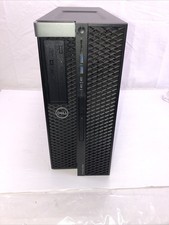
Dell Precision 5820 Xeon w-2235 3.8 Ghz 16 Ram No HDD/OS - Working
$199.95

Dell PowerEdge R420 Rack Server Intel Xeon 1.90GHz Six-Core 8GB DDR3 RAM
$95.00