

 Reply With Quote
Linux users like the command line within the terminal
But alternately you can use the "Reload" icon or "Edit =>Reload package information" within Synaptic.


I open the terminal window and issue the command:
"sudo apt-get update"
This takes a while to run if I haven't updated in a while and runs pretty fast if I've updated recently.
Seems strange to do this with a terminal command rather than a button or maybe something associated with the Synaptic Package Manager.
New user Q.
Linux users like the command line within the terminal
But alternately you can use the "Reload" icon or "Edit =>Reload package information" within Synaptic.
Last edited by Werner P. Schulz; 03-10-2013 at 01:50 PM.
Thanks for the information about the reload button within Synaptic Package Manager accessed from the menu "Preferences" item.
 Posting Permissions

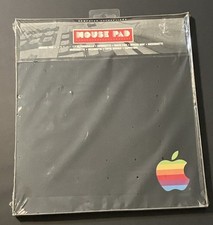
vintage Rainbow Apple Logo Mouse Pad-Sealed New
$99.00
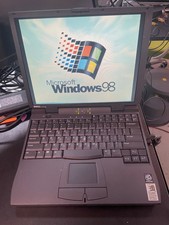
Vintage Dell Latitude CPi A366XT Win 98SE w/USB Support 256MB 60GB HD FDD Serial
$109.99
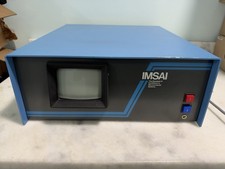
Vintage IMSAI S-100 Computer CRT System w/ Boards Nonworking Parts/Repair
$2699.00
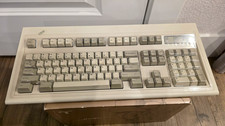
$80.00
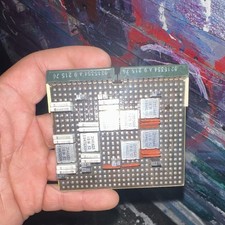
Vintage IBM SLT Logic Circuit Card – Solid Logic Technology – 2541625 / 2392392
$100.00

Vintage Shuttle K48 Small Form Factor Pc FOR PARTS OR REPAIR
$100.00
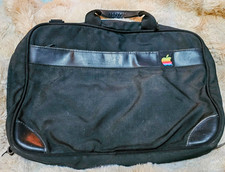
Vintage IBM Iconic Apple Rainbow Logo Black Nylon Padded Briefcase Bag
$75.00
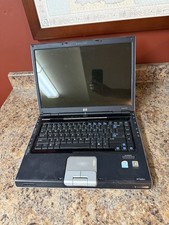
HP Pavilion dv4000 15.4” Vintage Laptop Untested No AC Adapter Parts Repair
$20.00
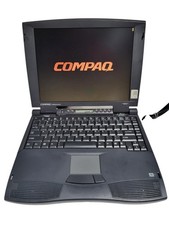
Compaq Presario 1640 Laptop HP 2940A Vintage Computer, Power Supply and mouse
$159.95
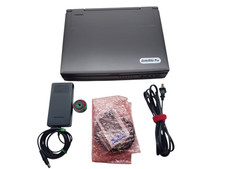
Toshiba Satellite Pro 400CDT Vintage Laptop Computer Retro Windows PC Parts Only
$125.00
