-
Manually setting your IP for setting up devices with fixed IP addresses
Hi all, I often set up routers and other devices that start off with default IP addresses that aren't in the "normal" range of private addresses. For example, a Linksys WPG54G device has the default fixed address of 192.168.1.200, but my network has addresses on 192.168.0.* range with DHCP. So how to access the web configuration when you're on a "different" network? Easy peasy. Just launch a terminal, and type "sudo ifconfig 192.168.1.1 up" to assign yourself a address in the 192.168.1.* range. Then you should be able to "ping 192.168.1.200" and get a response. Now you can launch a web browser and do the web configuration on the router or other device. When you want to go back to your normal DHCP, just type "sudo ifconfig down" and wait until the icon on the notification area says "network disconnected", then "sudo ifconfig up" and you will get your DHCP assigned ip address back.
 Posting Permissions
- You may not post new threads
- You may not post replies
- You may not post attachments
- You may not edit your posts
-
Forum Rules


Mini Computer Vacuum USB Keyboard Cleaner PC Laptop Brush Dust Cleaning Kit NEW
$13.89

LEVOIT Cordless Vacuum Cleaner, Stick Vac with Tangle-Resistant Design, Up to...
$162.04

2-in-1 Compressed Air Duster & Vacuum, Brushless Motor, 320000RPM
$37.99

Cordless Air Duster & Vacuum Cleaner for Keyboard & PC Cleaning - 110000RPM Powe
$53.99

US Mini Computer Vacuum USB Keyboard Cleaner PC Laptop Brush Dust Cleaning Kits
$13.89

2 in 1 Compressed Air Duster Air Blower & Vacuum Cleaner Cordless Duster Blower
$16.99

Multifunctional Handheld Vacuum Cleaner & Blower for Keyboard/PC US SELLER
$39.99
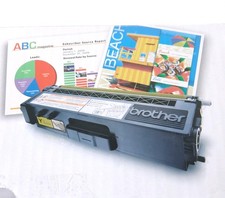
Genuine Brother TN310Y Yellow Toner Cartridge - Open Box - Vacuum Sealed
$37.99

Electric Air Duster Blower High Power Cordless Cleaner for PC Laptop Keyboard
$17.99

Cordless Vacuum Cleaner for 20V Battery, 7-in-1 Lightweight Stick Vacu...
$149.15



 Reply With Quote