-
Senior Member
registered user
Here are the two entries in legacy grub's menu.lst I use for the versien I am currently running:
Code:
title Knoppix 7.0.5r2 64 bits DVD cloop version  sda2
      kernel (hd0,2)/boot/knx705/linux64 fromhd=/dev/sda2 knoppix_dir=KNOPPIX705_clr2 nosound keyboard=no ramdisk_size=100000 lang=no apm=power-off initrd=minirt.gz nomce libata.force=noncq hpsa.hpsa_allow_any=1 loglevel=1 tz=localtime
      initrd (hd0,2)/boot/knx705/minirt.gz

title Knoppix 7.0.5r2 32 bits DVD cloop version  sda2
      kernel (hd0,2)/boot/knx705/linux fromhd=/dev/sda2 knoppix_dir=KNOPPIX705_clr2 nosound keyboard=no ramdisk_size=100000 lang=no apm=power-off initrd=minirt.gz nomce libata.force=noncq hpsa.hpsa_allow_any=1 loglevel=1 tz=localtime
      initrd (hd0,2)/boot/knx705/minirt.gz
To get 64-bits kernel, I use the linux64 kernel.
The most important other options used here:
* Booting from a separate partition that is nomally not mounted (/dev/sda3 = (hd0,2) for legacy grub )
* Using a separate boot subdirectory (/media/sda3/boot/knx705) for the Knoppix 705 files
* Using the main Windows partition for Knoppix system (/dev/sda2)
* Using KNOPPIX705_clr2 as Knoppix-dir instead of KNOPPIX (Denotes cloop remastering #2 of 7.0.5)
For experimentation, entries for other Knoppix subdirectories, other kernels other minirt versions etc can be added.
How to work with other bootloaders - i don't exactly know.
-
Senior Member
registered user
Ah!... Now I got it, it's Linux64, not Knoppix64! Really, highly knowledgeable people don't tend to go back to what they have written! And mere mortals like us die of choking in the water bucket!
-
Senior Member
registered user

Originally Posted by
rajibando

Ah!... Now I got it, it's Linux64, not Knoppix64! Really, highly knowledgeable people don't tend to go back to what they have written! And mere mortals like us die of choking in the water bucket!
Yes, it can be really confusing - knoppix64 is the name of a standard option in the default CD/DVD/USB booting of Knoppix. Those options can be edited/added in "micro-remastering". Using grub, we refer to the actual booting files. (I think that applies for all grubs, but I only use legacy so far.) Good luck 
-
Senior Member
registered user
Please follow the link for solution to this post
The following link explains the reason why the emulation does not happen, thanks to able and patieint guidance by the Debian forum members pdespite my dumbheadedness. http://forums.debian.net/viewtopic.p...103157&start=1
 Posting Permissions
- You may not post new threads
- You may not post replies
- You may not post attachments
- You may not edit your posts
-
Forum Rules

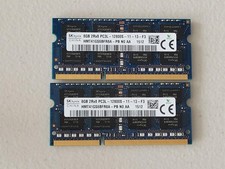
16GB Total of SK hynix PC3L-12800S 2 sticks of 8GB each = 16GB Laptop Memory
$27.95
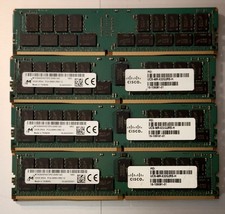
(LOT of 8) Samsung 32GB 2Rx4 PC4-2666V-RB2-12 DDR4 Cisco Server RAM Tested 100%
$1299.99

SMART(Micron)SafeStor 32GB(1X32GB) 1RX4 NN4-3200AA(DDR4) HPE Server Memory
$159.98

TF/SD Card Adapter Camera Reader Android Type-c For iPhone17 Pro Max Plusm lot
$573.98

USB 3.0 Flash Drive 32GB 64GB 128GB Memory Stick Thumb Stick Lot Pack
$826.09

Server Memory: Samsung 32GB 4DRx4 PC4-2133P ECC LRDIMM DDR4 M386A4G40DM0-CPB
$124.95
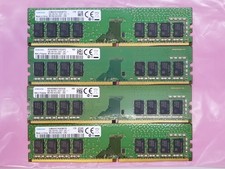
Samsung 32GB (4x8GB) DDR4 1Rx8 PC4-2400 288 Desktop RAM Memory M378A1K43CB2-CRC
$94.95
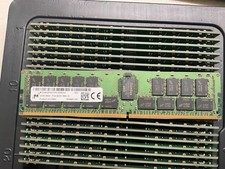
MTA36ASF4G72PZ-2G9E2 MICRON 32GB (1X32GB) 2RX4 PC4-2933Y MEMORY
$229.00

Micro SD Adapter To SD HC SDHC Memory Card Adapter Reader NEW
$1.39

5 in 1 Memory Card Reader USB 3.0 OTG Adapter SD Card Reader For iPhone/iPad LOT
$9.99



 Reply With Quote