-
Senior Member
registered user
First, I want to make it clear that I, too, am looking forward to post-FAT32 days! 
I'm just trying to keep everything in a practical perspective - disregarding most other aspects. But this has also to do with what to focus on - in short, what are the most important problems to solve right now? And partitioning, booting and file systems is in a state of change right now. We know quite a bit about the new emerging standards, and a lot of things will have to change. Media-wise. I'm unsure about what should replace FAT32, too. (How to avoid feeding patent trolls, among other issues.) I'm not even sure if it has to be replaced, as long as basic Knoppix systems in practice mostly uses with loop-mounted images, and we use an overlay-type file system. (UNIONFS).
As for reformatting FAT32, I wonder about why it should be necessary, and then why it should matter anyway. I don't really want to spend time discussing with people having to protect files on USB media - they are trivially recovered from backup, and perople living without routinely performed backup better shut up, IMHO. Formatting FAT32 is mostly a matter of rewriting the FAT files AFAIK, so one formatting more or less isn't really practically significant for me.
And as long as minirt init handles the cloop overlays, why bother about what is overkill and what is not?
Over the years, I have tried out both bigger cloop/squashfs images and bigger persistent stores - those files don't live their daily lives on FAT32 anyway with me, so it doesn't matter if I break the 4GB limit. I have returned to the defaults, even with pure 64-bits versions of Knoppix, where files sizes are somewhat bigger. Because I don't see large advantages for me. A ca 14GB system (10 GB cloop/squashfs-compressed + 4 GB loop-mounted) is still big enough for me, but with program sizes increasing, a standard Knoppix compressed image will eventually outgrow FAT32 (and the DVD format). And I don't know if using several overlays is a very good solution, generally. Especially when remastering is factored in, and remastering is essential in my Knoppix use, typically doing 2-4 successive remasterings with each release. (I'm at 2 with 7.0.5)
 Posting Permissions
- You may not post new threads
- You may not post replies
- You may not post attachments
- You may not edit your posts
-
Forum Rules


Dell 6P85J 4TB ST4000NM0063 7.2k 6Gb/s 3.5” SAS SED Hard Drive with Tray
$39.99

Western Digital HUS726T4TAL5204 4TB 7.2K SAS 12Gb/s 3.5" 512e HDD NetApp X375A
$64.00
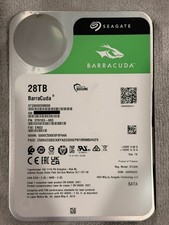
Seagate BarraCuda 28TB 7.2K SATA 6Gb/s 3.5in Internal HDD ST28000DM000 - Tested
$670.00

Seagate ST12000NM0127 12TB 256MB 7200RPM 3.5" SATA 6.0Gb/s Enterprise Hard Drive
$318.99

Seagate ST4000NM0034 Enterprise 4TB 7200RPM SAS 12Gb/s HDD v4
$39.00

Seagate ST500DM009 BarraCuda 500 GB 3.5" SATA III Desktop Hard Drive
$14.99

HGST HUS724040ALA640 HDD 4TB SATA 6Gb/s 7.5K 3.5" 0F19459 512 b/s
$78.00

Toshiba 14TB MG07 MG07ACA14TEY 7.2K RPM SATA 6Gb/s 512e 3.5" Enterprise HDD
$329.00

DELL 2TB Enterprise HDD (7200RPM, 3.5", SATA III, 128MB Cache) HUS722T2TALA600
$49.95

Seagate ST8000NM0075 Enterprise Capacity 3.5 HDD 8TB SAS Hard Drive 8TB EXOS
$184.99



 Reply With Quote