

 Reply With Quote
Hi, Denver Dave!
Which version of Knoppix and which desktop environment do you use?


I've downloaded an application and created a short-cut to the application on the desktop.
(1) Right clicking on the desktop short-cut, I don't see a way to add the application icon.
(2) I can see how to edit items in the toolbar menu of applications, but don't see a way to add or delete application short-cuts from the menu.
Suggestions?
Hi, Denver Dave!
Which version of Knoppix and which desktop environment do you use?
I'm running knoppix 7.0.5 from a USB drive built from a DVD disk from Osdisc.com
When I do echo $DESKTOP_SESSION
from a terminal window, it returns
LXDE
However, at this point I'm not necessarily tied to a particular desktop environment if another would be better to use.
If you want to set an icon for your application you can right click on the desktop short-cut and select 'Open with ...' -> leafpad. The desktop entry file of your short-cut will be loaded into the leafpad text editor. Then you can append a line describing the icon you want to use. Example:If you want to add a new menu entry to the main menu you should use 'Accessories' -> 'Main Menu'Code:Icon=/home/knoppix/firefox/browser/icons/mozicon128.png
After you have created a new menu entry you are able to add it to the 'Application Launch Bar'.
Thank you! Changing the icon on the desktop short-cut and adding a menu item with Accessories / Main Menu (great utility) worked great.
The new menu item was created at the bottom of the menu list. For some reason when I highlight the menu item in Accessories / Main Menu the Move Up or Down does not seem to do anything with any menu item. Is there something I need to do to unlock the menu?
Thanks.

Take a look at:
http://knoppix.net/forum/threads/290...ight=icon+menu
Thanks - I added a note to the referenced thread.
 Posting Permissions


GIGABYTE A520M DS3H AC AMD AM4 Motherboard mATX
$59.99

Corsair RMe RM850e 850W 80 Plus Gold Fully Modular Low Noise Certified Refurb
$58.99

Gigabyte GA-B85M-D3H Motherboard
$54.99

ASUS PRIME Z890-P WIFI Z890 LGA 1851 ATX motherboard, Intel® Core™ Ultra Series
$235.99

Asus Prime B660M-A AC D4 Motherboard Intel LGA 1700 14th 13th 12th Gen DDR4
$79.99

GIGABYTE B365 HD3 LGA1151 Intel 9th Gen motherboard
$59.99

Intel H81 Motherboard M.2 NVMe LGA 1150 mATX w/ IO Shield (Random Slot Color)
$29.90

ASUS PRIME H410M-K LGA 1200 Intel 10th Gen H410 DDR4 USB3.2 Motherboard M-ATX
$59.99
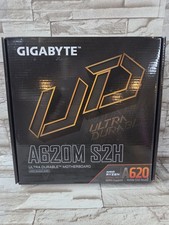
GIGABYTE - A620M S2H AM5 DDR5 M-ATX Motherboard
$65.00

HP Z440 WorkStation LGA 2011-3 DDR4 Desktop Motherboard 710324-002
$39.99