

 Reply With Quote
Add "sshd" not "start sshd"


I've installed knoppix 3.2 a few days ago, completely configgured everything. I accidently set the "start sshd" option during the install to NO
Now i want to start sshd at boot time but can't get it working. :cry:
Tried by adding sshstart into the /etc/init.d/bootmisc.sh but it requeres a enter :(
Someone help me out Thx!
Add "sshd" not "start sshd"
' ls /etc/rc5.d/*ssh* -l '
lrwxrwxrwx 1 root root 13 Mar 22 15:45 /etc/rc5.d/S20ssh -> ../init.d/ssh
Howto:
' cd /etc/rc5.d; ln ../init.d/ssh S20ssh -sfn '
--Interesting, there is no "Kill" entry for it... (correction: yes there is, in runlevels 0 and 6)
--Don't forget to take your mod out of bootmisc.sh.
--If you *really* want to set up a bootmisc, this is what I did:
' ln /etc/init.d/boot.local /etc/rc5.d/S98bootlocal -sfn '
--Then you make a script called /etc/init.d/boot.local; here's mine:
#BEGIN boot.local
Code:#!/bin/bash echo '= Executing boot.local...' #source $0 # Can you say "infinite loop!?" source /etc/profile.local /usr/sbin/gpm -k #/usr/sbin/gpm -m /dev/input/mice -R raw -t imps2 /usr/sbin/gpm -m /dev/psaux -t imps2 # -R raw /sbin/ifconfig setterm -blank 0 # Only do this if you have a Squid proxy #export ftp_proxy=http://10.0.0.2:3128/ #export http_proxy=http://10.0.0.2:3128/ # This is sys-wide path export PATH=/sbin:~/bin:/usr/local/bin:/usr/local/sbin:/usr/sbin:/bin:/usr/bin:/usr/X11R6/bin:/usr/games: # Some of this is now in profile.local #alias ..='cd ..' #alias ...='cd ../..' alias debsort='dpkg -l >~/DEBInstalled.list ' #alias deldeb='apt-get remove --purge ' # We don't want ALL users to have this!! alias edlocal='jstar ~/localinfo.dat' #alias edgo='jstar ~/bin/gonow; echo PK to REAL; read; real' #alias l='ls -al ' #alias real='source /etc/profile; source ~/bin/gonow' #alias scrn='screen -aA ' # Get rid of stuff we don't need killall ypbind killall nmbd killall smbd # Note - you don't have to do this if you edit /etc/modules - it's just to free up memory. rmmod efs rmmod hfs rmmod ntfs rmmod xfs #rmmod ext3 #rmmod jbd # cdtemp is now ext3 # USB 2.0 - removed ##modprobe ehci-hcd # Some stuff taken from suse's init.d/boot.local: ##modprobe usb-storage # para Zippy = sde if ide-floppy + scsi(3 disks) exists modprobe ppa ##hdparm -a 32 -c 1 -d 1 -u 1 /dev/hdd # This is needed for SCSI LVM (re-do) - from ' man lvm ' /sbin/vgscan vgchange -a y swapon -a && swapon -s mount -a cdrecord -scanbus #df #fdisk -l # Start squid #/usr/local/bin/ squid -z && squid -D # For UPS 20020318 ##/usr/local/bulldog/upsd ##/usr/local/bulldog/S98bulldogupsd # For sound ##modprobe sb #df # dsl echo 'ooo Dont forget to pon dsl-provider...' # XXX added 2002.1210 - due to runlevel not ==5; not nec anymore #/bin/rm /etc/nologin #/bin/rm /etc/nologin.boot # Done in scripts #/etc/init.d/ssh start echo '= Done with '$02003.1231 + Edit, added proper 'ln' syntaxOriginally Posted by Xam_nl
My bash/shell scripting is not upto full speed, yet . . .
So whats the best way and place to edit bootmisc.sh to accomplish this since I made the same wimpconvert newbie mistake and chose not to start SSH when I did the HD install.
I managed to get Samaba to work to share the MP3's and html sources for my site(s) that are on the converted box to the rest of my HLAN. This is my minor accomplishment of the day.
Thanks in advance.
dpkg-reconfigure ssh as root.
Thanx for the Info, it works fine now.
But the problem now is that the boot.local file isn't loaded at boot time so i still have to use bootmisc.sh as boot script.
Ok, I know some of you might not like this but an easy way to manage services via the gui is to install gnome control center. It will let you easily control what services start at what runlevels.
apt-get install gnome-control-center
Of cource you may need some gnome stuff installed first. I found that everything works in the gnome control center except the networking configuration tool...at least on my box.
' ln /etc/init.d/boot.local /etc/rc5.d/S98bootlocal -sfn ' and reboot. That should fixit.
 Posting Permissions

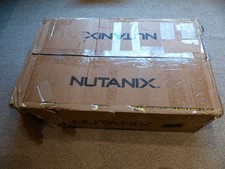
SUPERMICRO CSE-827 SERVER 4* E5645 2.4GHZ 12* 8GB PC3 RAM 11* 2TB SATA HDD 2*PSU
$679.99

Dell PowerEdge M630 Blade Server 2x Xeon E5-2680 v4, 2F3MP , 4GDP5 ,R10KJ ,JVFVR
$96.60

Dell PowerEdge M640 Blade Barebone Server Dell P/N: HHB006 Tested Working
$149.99

Dell PowerEdge M620 Blade Server 2x Xeon E5-2680v2 256GB DDR3 RAM NO HDD
$349.99

Dell PowerEdge VRTX 2.5"x25 Bay Blade Enclosure 4x1600W + 4X M640 (4X Blades)
$1599.99

NETAPP HCI NAF-1701 SuperMicro Server 4X BLADE H410C 8X GOLD 5120 4 NODE SERVER
$1499.97
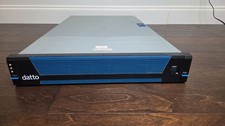
Datto S3E12000 RACK SERVER 2U 2x Xeon E5-2670 v3 2.30GHz 32GB RAM 2x PSU 14 BAY
$399.95
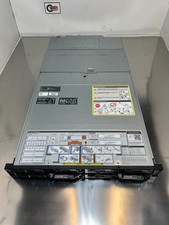
Dell Poweredge FC640 480GB FX2s Server Removed from Working System
$5250.00
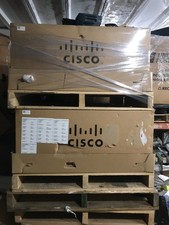
NEW Cisco UCSB-5108-AC2 Blade Server Chassis 8 Slot 6RU Chassis 4 X PSU - DW
$599.40
NEW DELL TRUSTED PLATFORM MODULE TPM 2.0 POWEREDGE T430 T630 G13 SERVERS K98XH
$225.00

