

 Reply With Quote
I found Universal-USB-Installer - Easy as 1 2 3_USB PenDrive Linux.htm which describes how to do it and has a link to download the application.
It worked well.


I have a copy of Knoppix_V7.0.4DVD-2012-08-20-EN.iso which I downloaded and used to create a boot DVD using Nero. It works fine on both an older ASUS computer and a recent Gateway machine. The ASUS BIOS does not allow USB boot but the Gateway does. How should I go about creating a boot USB flash drive on a 16GB CoreMicro flash drive
I found Universal-USB-Installer - Easy as 1 2 3_USB PenDrive Linux.htm which describes how to do it and has a link to download the application.
It worked well.
Nothing against Tools like Universal-USB-Installer, LiLi or unetbootin - But it's better to use the flash-knoppix program included with Knoppix. That one can create a LiveUSB-Installation on a big enough flash storage device. This means: Using a persistent overlay file system on the flash storage, one can have a portable system, remembering all changes (i.e. data files, user-installed Debian software) across reboots and computers!
By choosing to boot from such a flash storage device without the overlay file system mounted, one can still use it like a LiveCD or LiveDVD system (without personal changes). The persistent overlay file system can even be password-protected/encrypted, making a flash storage device with private data sharable with other people.
This works even better with newer Knoppix releases, allowing one to fill a >= 16 GB flash storage device with the 4.3 GiB KnoppixLiveDVD + 10 GiB personal stuff (by using flash-knoppix2, the experimental installer).
Today I purchased a new Lexar 64GB USB 3.0. I can build the Knoppix 7.05 DVD + a 10GB persistence?... Then in WinXP I created a Hold directory on the USB. My goal is to carry my audio and pdf book library (but it is currently using 99% of remaining space). Does this now mean I am using the 10GB space I created with Flash-Knoppix2? Question: Can I make a compressed area in the remaining 40+GB space and use it for storage? How many areas can we put on a USB stick? Thank you. PS. The 3.0 USB in a 3.0 Port is noticeably nice.Originally Posted by STraute

Please open a terminal. typeand tell us the output from it.Code:df -h
By the way, you can use the "Go Advanced" button to have more abilities to format the posting; use the icon "Wrap [CODE] tags .." and insert the output within the tags.
If "noscript" is active for http://knoppix.net/forum/ disable it for this website; otherwise you cannot use the format abilities.
Last edited by Werner P. Schulz; 06-23-2013 at 07:47 AM.
 Posting Permissions


🔀 Juniper Networks EX2300-C-12P 12× Gigabit PoE+ • 2× 10G SFP+ Compact Switch ⚡
$149.00

Juniper EX2300 12-Port Gigabit PoE+ Managed Network Switch P/N: EX2300-C-12P
$149.99

Juniper Networks EX2300-48P 48-Port Gigabit PoE Managed Ethernet Switch
$79.99
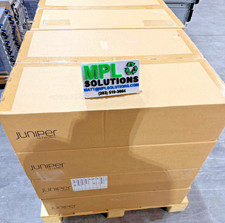
Juniper QFX5100-48T-AFI 48-port 1G/10G RJ-45 ports 6 QSFP ports BRAND NEW SEALED
$899.97

Juniper SRX320 8-Port Security Services Gateway Appliance w/ AC Adapter
$59.99
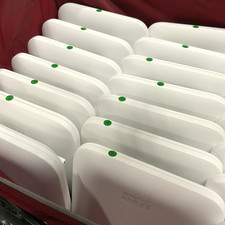
Lot of 15 - JUNIPER Wi-Fi 6E Indoor Access Point 802.11ax | Unclaimed | AP45-US
$1100.00

Juniper EX2300-C 12 Port Compact Gigabit Switch EX2300-C-12p
$99.99
Juniper NFX250-S2 Network Services Platform
$199.89
Juniper Networks SRX340 16x1GbE Ports Service Gateway Security Appliance W/ Ears
$79.99
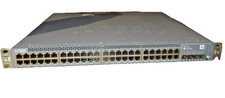
Juniper EX3400-48T Ethernet Switch, 12-Port, Gigabit, Rack Mount
$184.99