-
How to install HP_LaserJet_1020 Printer in Knoppix?
Hallo,
I have the above mentioned printer I used to use in Win2000 and Debian Lenny. After my machine crashed I've got another one (second hand) and I've installed Knoppix 7.0 to HD everything is OK I can do a lot of things but printing is impossible!!!
At the very moment I have the Printer which is "seen" at the system as
HP_LaserJet_1020_USB_FN2J3XV_HPLIP HP LaserJet 1020 Local Printer HP LaserJet 1020 Foomatic/foo2zjs (recommended) Idle
and nothing more happens. No single word is printed however "Jobs" are "sent to printer" and they are "finished".
I've searched FAQ at knoppix forum with keywords "Installing HP LaserJet 1020" and the answer was "Sorry - no matches. Please try some different terms."
I've tried to Install the printer in very different ways and the last attempt was as INSTALL file in "foo2zjs" driver I've downloaded from foo2zjs.rkkda.com/foo2zjs.tar.gz says,
there are procedures for different distros and I took "Debian Notes" as one most alike to Knoppix
DEBIAN NOTES
------------
Install build-essential, tix, foomatic-filters, groff, cupsys, dc FIRST:
$ su
# apt-get install build-essential tix foomatic-filters groff dc
# apt-get install cups # For all others
OR
# apt-get install cupsys # For lenny and earlier
$ wget -O foo2zjs.tar.gz http://foo2zjs.rkkda.com/foo2zjs.tar.gz
$ tar zxf foo2zjs.tar.gz
$ cd foo2zjs
$ make
$ ./getweb 1020
OR other printer
$ su
# make install install-hotplug cups
$ firefox http://localhost:631
I have tried to follow above mentioned procedure and 
Code:
knoppix@Microknoppix:~$ su
root@Microknoppix:/home/knoppix# apt-get install build-essential tix foomatic-filters groff dc
Reading package lists... Done
Building dependency tree
Reading state information... Done
Package tix is not available, but is referred to by another package.
This may mean that the package is missing, has been obsoleted, or
is only available from another source

E: Package 'tix' has no installation candidate
E: Unable to locate package dc
root@Microknoppix:/home/knoppix#
so there is no "dc package" in my system and without it the procedure from foo2zjs will not work.
I must admit that searching Knoppix forum gives no result: "The following words "dc" are either very common, too long, or too short and were not included in your search:"
and searching "dc packages" gave no usable results for it search for "Keyword(s): Package"
So can anyone say whether it is possible to use HP Laser Jet 1020 with Knoppix 7.0 and if YES please specify the procedure how to get it. Or I should buy another printer
Every Help is Appreciated
 Posting Permissions
- You may not post new threads
- You may not post replies
- You may not post attachments
- You may not edit your posts
-
Forum Rules


5 Port Gigabit Unmanaged Ethernet Switch, Home Network Hub, Office Ethernet S...
$9.64

NETGEAR GS308EP Essential Series 8-Port Gigabit PoE+ Unmanaged Switch
$49.99

Cisco Catalyst 2960-48TT-L 48-Port Fast Ethernet Managed Rackmount Switch
$46.99

5Ports Gigabit Network Switch w/ 4 PoE+ Ports Total 52W each port 30W Plug&Play
$31.99

TP-Link TL-SG105 5-Port Gigabit Ethernet Unmanaged Metal Desktop Network Switch
$19.99

10-Port Gigabit PoE Network Switch with 8 PoE+ Ports with 2 Combo SFP Slots 125W
$39.99

TP-Link TL-SG105, 5 Port Gigabit Unmanaged Ethernet Switch, Network Hub, Ethern
$15.25

Arista DCS-7010T-48-R 48P 1GbE 4P 10GbE SFP+ RA Switch with rack mounts
$69.00
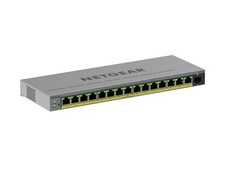
NETGEAR GS116EPP 16-Port Gigabit PoE+ Easy Smart Switch 231W SFP
$304.00

D-Link DGS-1210-28P 28-Port PoE Gigabit Web Smart Switch With Cord
$49.99



 Reply With Quote