-
Within your "Step by step"
Now we need to make a script.sh file that reflects the settings from the .desktop file we created.
Keep Terminal emulator open.
Right click on desktop in GUI, and select create New->Blank file. Name the file myscript.sh. (no period)
Do not muddle things! If you are in the chroot, remain in the chroot.
I did the enviroment settings for the chroot in "krhowto_2" of the HowTo so that you can use graphical tools within the chroot not only as user knoppix but also as root. Therefore type in your terminal "leafpad", create your file and save it where you need it.
Just create an empty txt file and make your changes. After making changes, save the file to:
/KNOPPIX-DATA/home/knoppix/.config/autostart
Don't edit anything within '/KNOPPIX-DATA/'. '/KNOPPIX-DATA/' is only used by the system to display you the content of the persistent memory. If you miss a file within '/home/knoppix/' in your remastered version, you did a mistake; perhaps you don't store it at the right position or you forgot to run the script "krhowto_4" once more.
 Posting Permissions
- You may not post new threads
- You may not post replies
- You may not post attachments
- You may not edit your posts
-
Forum Rules


Intel Core i7-3770K 3.5 GHz Processor
$39.00

Intel Core i7-9700 3.0 GHz Octo-Core (SRG13) Processor
$79.00
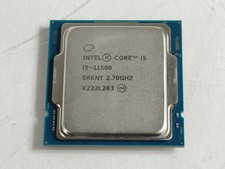
Intel Core i5-11500 2.70 GHz LGA 1200 Desktop CPU Processor SRKNY
$94.99

Corsair RM750e 750W Fully Modular 80 Plus Gold ATX 3.1 PSU Certified Refurbished
$44.99

Intel 4th Gen Core i7-4790 SR1QF 3.60GHz (Turbo 4.00GHz) 8M 4-Core LGA-1150 CPU
$39.99

Intel Core i7-7700T 2.9GHz 8MB Socket LGA1151 Quad Core Processor SR339
$39.99

Intel i7-8700 Coffee Lake 3.2GHz 6-Core Max Turbo 4.6GHz Processor
$69.99
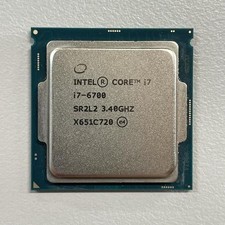
Intel Core i7-6700 3.40 GHz QUAD Core (4 Core) Desktop Processor 8MB LGA 1151
$29.99

LAST BATCH *Brand New-Sealed* AMD Ryzen 9 9950X3D2 Dual Ed. 4.3GHz 16Core AM5
$798.00
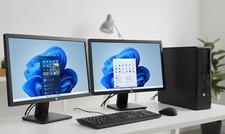
hp Desktop PC Computer Quad Core 16GB RAM DUAL 22" LCDs Wi-Fi BT Windows 11 SSD
$219.99



 Reply With Quote