-
Copying customizations from USB to USB; backing up customizations
Until recently, I was using Knoppix on a USB key with a persistent data store as a large normal file, which I would back up frequently so that if I screwed something up, I could just restore that one file and get back to where I was without having to redo all my customizations from scratch. However, I'm now interested in experimenting with VirtualBox, which uses files that are larger than can be contained in a FAT32 filesystem, let alone a virtual filesystem file within that filesystem.
I tried using the "experimental" script to make a new USB key with large file capabilities, but now I realized that 1) I don't know how to transfer my customizations to this new type of persistent data store, and 2) once I figure out how to do this, backing up these customizations will go from being a minor inconvenience to being a major chore, since most of my computers cannot natively read this new filesystem. Does anyone here have any suggestions for a simple backup procedure I could use?
And why does the script use this "ReiserFS" filesystem, anyway? From the little I've read about it, development on it has ground to a halt. Wouldn't it be better to have the install script ask the user what filesystem it should use?
I also tried pre-formatting the new USB with NTFS, only to find that Knoppix won't install on NTFS. Why not? Is there an easy way for me to get it onto an NTFS USB key?
-
ad 1) You can try to start your Knoppix - with persistent memory in an overlay file - without activating the persistent memory (cheatcode: knoppix noimage). To get access to the content of the persistent memory you have to create a directory on a partition with available free space; I used in this example '/mnt/repair'. Start in a terminal:
Code:
su
mkdir /mnt/repair
losetup /dev/loop1 /mnt-system/KNOPPIX/knoppix-data.img
mount /dev/loop1 /mnt/repair
Copy all of '/mnt/repair' to partition#2 of the other USB stick you've already prepared to use persistent memory in an overlay partition.
Don't forget to shutdown your stick with:
Code:
umount /dev/loop1
losetup -d /dev/loop1
ad 2) http://www.wp-schulz.de/summary/summary-backup.html
And why does the script use this "ReiserFS" filesystem, anyway? From the little I've read about it, development on it has ground to a halt.
ReiserFS is a proven Linux filesystem since many years; which development do you exspect?
 Posting Permissions
- You may not post new threads
- You may not post replies
- You may not post attachments
- You may not edit your posts
-
Forum Rules


Crucial MX500 1TB 2.5" SATA III Internal SSD CT1000MX500SSD1
$99.99

Samsung 2.5" 870 EVO SSD SATA III 250GB 500GB 1TB Internet Solid State Drive Lot
$90.00

Samsung 860 EVO 250GB SSD MZ-76E250 2.5" SATA III Solid State Drive -
$39.99

Samsung New SSD 970 EVO Plus 2TB 1TB 500GB 250GB NVMe M2 Internal Hard Drive Lot
$79.99

Netac 2TB 1TB 512GB 256GB Internal SSD 2.5inch SATAIII Solid State Drive lot
$549.00

Fanxiang 1/2/5/10Pcs 2.5'' SATA SSD Lot 1TB 2TB 4TB 512GB 256GB TLC Internal SSD
$129.99
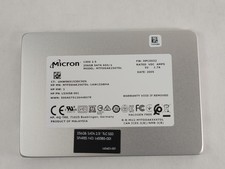
Micron 1300 MTFDDAK256TDL 256 GB SATA III 2.5 in Solid State Drive
$24.99

2 PACK 128 GB SSD M.2 2280 SATA Solid State Drive Major Brands, Samsung, LiteON
$28.00

Micron MTFDDAK256TBN 256 GB, Internal ,2.5" SSD
$23.00

SSD 2.5" SATA Hard Drive for Laptop Desktop Windows 10 pro 64 Pro Pre-installed
$42.00



 Reply With Quote