-
ad 1) You can try to start your Knoppix - with persistent memory in an overlay file - without activating the persistent memory (cheatcode: knoppix noimage). To get access to the content of the persistent memory you have to create a directory on a partition with available free space; I used in this example '/mnt/repair'. Start in a terminal:
Code:
su
mkdir /mnt/repair
losetup /dev/loop1 /mnt-system/KNOPPIX/knoppix-data.img
mount /dev/loop1 /mnt/repair
Copy all of '/mnt/repair' to partition#2 of the other USB stick you've already prepared to use persistent memory in an overlay partition.
Don't forget to shutdown your stick with:
Code:
umount /dev/loop1
losetup -d /dev/loop1
ad 2) http://www.wp-schulz.de/summary/summary-backup.html
And why does the script use this "ReiserFS" filesystem, anyway? From the little I've read about it, development on it has ground to a halt.
ReiserFS is a proven Linux filesystem since many years; which development do you exspect?
 Posting Permissions
- You may not post new threads
- You may not post replies
- You may not post attachments
- You may not edit your posts
-
Forum Rules


USB 3.0 Flash Drive 32GB 64GB 128GB Memory Stick Thumb Stick Lot Pack
$826.09

1/ 10/ 100pcs USB 2.0 2GB, 4GB ,8GB ,16GB ,32GB ,64GB 128GB USB Flash Drives Lot
$269.10

Microsoft Windows 11 Pro 64bit - New Sealed – Flash USB 1 PC
$49.99

2021 Full Version Office Professional Plus for 1 PC Flash USB Drive
$59.99

Kingston 32GB 64GB 128GB 256GB USB 3.0 Flash Drive Thumb Memory Stick Pen lot
$285.90

USB Type-A Flash Drive Metal Memory Stick High Speed USB Drive 128GB 256GB 512GB
$8.47
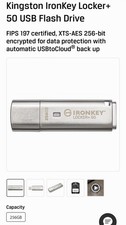
Kingston IronKey Locker+ 50 USB Flash Drive 256GB
$150.00

LOT 10x SanDisk 32GB ULTRA USB 3.0 flash drive SDCZ48-032G 32 GB read 100 MB/s
$39.80

128GB USB 14-in-1 MacOS bootable Installer repair recovery tech support service
$39.99

Windows 11 Pro Install/Recovery/Repair USB Flash Drive
$35.00



 Reply With Quote