

 Reply With Quote
You can change
- '../KNOPPIX/knoppix-logo-medium.png' and/or '../KNOPPIX/knoppix-logo-small.png'
- '../boot/isolinux/boot.msg'
- '../boot/isolinux.cfg' => value of TIMEOUT
- '../minirt/minirtdir/init' => value of WELCOME and/or area nearby line 354


Hello everybody, First of all I will introduce myself. I work on the networking/computing department of my faculty and we use here knoppix a lot as tool for networking exercises. We use a customized live CD, but it's quite old, 4.0. And well since I'm the "linux guy" here I have been told to update this CD. My intention is to use this guide: http://knoppix.net/wiki/Knoppix_Remastering_Howto And I do know how to do all I want with two exceptions. They are not mandatory but I would be a nice detail. The first one is to add a small disclaimer. Just ramarking that this is a version modified by the department "wahtever" at the faculty "whatever". Where and how do I put such a message, the idea is making it appear once while booting and that's it. The second one is to bypass the menu that boots at start. I really don't know where it comes from and I need my live CD to boot directly to the shell. And that's it, hope to get some help. Thanks a lot
You can change
- '../KNOPPIX/knoppix-logo-medium.png' and/or '../KNOPPIX/knoppix-logo-small.png'
- '../boot/isolinux/boot.msg'
- '../boot/isolinux.cfg' => value of TIMEOUT
- '../minirt/minirtdir/init' => value of WELCOME and/or area nearby line 354
Thanks for the quick relply.
First of all I want to apologize for my message I will make some tests.
By the way my apologize for my former message. I don't know why it didn't saved the space between lines, and full stops.
Use double "new line" for new section.
You can use the "Go Advanced" button to have more abilities to format the posting; before sending your posting use "Preview" to see how it looks like.
If "noscript" is active for http://knoppix.net/forum/ disable it for this website; otherwise you cannot use the format abilities.
Last edited by Werner P. Schulz; 06-27-2013 at 12:58 PM.
 Posting Permissions


Yealink T48S VoIP/SIP Phone, 2 x Gigabit Ports PoE 7" Color SIP-T48S | TESTED
$34.95

Lot of 4 USED IPitomy IP620-B with IPX-32 DSS Expansion Module VoIP Phone POE
$225.00

Grandstream VoIP Phone Adapter ATA 1-Line Black Ethernet (RJ-45) Micro USB
$27.07

Poly CCX 400 Desktop Business Media Phone VoIP 2200-49700-019
$49.99

Yealink SIP-T33G IP Phone 4-LineSpeakerphone VoIP Desk Phone Black w/ Power Sply
$25.00

Lot of 4 Cisco CP-8841-3PW-NA-K9 8841 MPP Multiplatform VoIP IP Phone NEW
$450.00

Grandstream HT701 1-Port FXS Analog Telephone Adapter ATA VoIP Gateway -Free S/H
$19.99

Grandstream WP810 Portable Cordless Wi-Fi IP Phone
$49.28
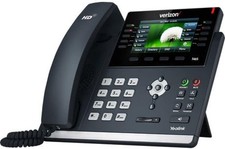
Verizon Yealink SIP-T46S T46S IP Desk Phone Bluetooth Ready (Open Box)
$74.99

Set of 5 USED IPitomy IP620-B HD VoIP 6-Line IP Phone Speakerphone Ethernet POE
$149.00