-
No. It doesn't. As I go to Preferences -> Printer Configuration then (on the CUPS page) Administration -> Manage Printers then choose my printer and (on printer page) I press Administration button and from the drop-down menu I choose "Set As Server Defaults" everything is fine for the current session. After restarting I have to repeat the procedure.
Anyhow the success is the printer is usable, and the firmware is loaded at the system booting (the printer must be "on"). That is great!
It would be nice to set it as Default Printer, but... maybe later on I'll try to do it.
 Posting Permissions
- You may not post new threads
- You may not post replies
- You may not post attachments
- You may not edit your posts
-
Forum Rules


USB 3.0 Flash Drive 32GB 64GB 128GB Memory Stick Thumb Stick Lot Pack
$826.09
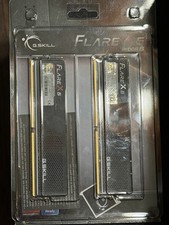
G.Skill Flare X5 DDR5-6000 RAM/Memory 32GB(2x16GB) 36-36-36-96 1.35V
$385.00
SK HYNIX 32GB 2RX4 PC4 2666V ECC SERVER RAM
$199.00

TF/SD Card Adapter Camera Reader Android Type-c For iPhone17 Pro Max Plusm lot
$573.98
M386A8K40DM2-CVF SAMSUNG 64GB (1X64GB) 4DRX4 PC4-2933Y SERVER MEMORY
$1400.00

USB 3.0 Micro SD SDHC TF Card Reader Memory Adapter for PC Laptop Camera lot
$3.75

A-Tech 8GB DDR3 1600 PC3-12800 Laptop SODIMM 204-Pin Memory RAM PC3L DDR3L 1x 8G
$21.68

Intel Optane NMA1XXD128GPS DDR4 2666 4Rx4 ECC 128GB Server Ram
$80.00

Windows 11 Pro Install/Recovery/Repair USB Flash Drive
$35.00

5 in 1 Memory Card Reader USB 3.0 OTG Adapter SD Card Reader For iPhone/iPad LOT
$9.99



 Reply With Quote