

 Reply With Quote
Unfortunately, this is nothing new. IIRC, the solution is to compile and install ALSA from source as the Debian build is a POS.


Hello,
PC and monitor with speakers (ASUS VE258Q, 25in.). HDMI and 3.5mm inputs.
PC audio connected (temporarily) over the 3.5mm M-M cable known and loved
by PC users for decades.
nVidia card [GeForce GT 430 (Fermi), 1GB 128-bit DDR3, PCIe]
connected (as it should) to the monitor over an HDMI cable.
Video and Audio (expected to be) handled by the nVidia card.
PROBLEM
Perfect video, but NO HDMI sound whatsoever on 7.2 Knoppix CD.
SOME DETAILS
1. Windows 7: HDMI (video _and_ sound) works perfectly (and with ease).
2. K-7.2: Analog sound (over the little green PC cable) works.
3. K-7.2: No HDMI sound.
4. K-7.2: "aumix" settings at their max (full blast), including "Digital1"
and "IGain".
5. K-7.2, Card 0:
'aplay -D plughw:0,0 <wav file>' works. No surprise here (the green cable).
6. K-7.2, Card 1:
aplay -D plughw:1,x <wav file>' does NOT work. Dead (_the_ PROBLEM).
x=3, 7, 8 or 9.
I hope the many experts on this forum will come with helpful comments.
However, in your generosity, willingness and enthusiasm to help,
please DO NOT
7. Question the HDMI cable. Good. Solid. Works fine, as mentioned, with Win 7
under the same, immutable physical configuration.
8. Question the nVidia card audio. See item 7. above. It just works.
9. Question my use of the nVidia as video/audio output. The internal, built-in
Intel module is older and performs at lower capability than nVidia.
10. Ask me to check if the HDMI sound works on Intel. See item 9. above.
Also, that would just detract and sidetrack from the task at hand:
making the K-7.2 work digitally (HDMI - like Win 7) on the nVidia card.
Maybe it works (who knows or care?). I payed a lot for the _nVidia_ adapter
and at least on Windows, I got my money's worth.
With thanks in advance,
Alphonsu
-------------------------------------------------------------------------------
FULL (and gory) DETAILS
aplay -l
**** List of PLAYBACK Hardware Devices ****
card 0: Intel [HDA Intel], device 0: ALC883 Analog [ALC883 Analog]
Subdevices: 1/1
Subdevice #0: subdevice #0
card 0: Intel [HDA Intel], device 1: ALC883 Digital [ALC883 Digital]
Subdevices: 1/1
Subdevice #0: subdevice #0
card 0: Intel [HDA Intel], device 3: HDMI 0 [HDMI 0]
Subdevices: 1/1
Subdevice #0: subdevice #0
card 1: NVidia [HDA NVidia], device 3: HDMI 0 [HDMI 0]
Subdevices: 1/1
Subdevice #0: subdevice #0
card 1: NVidia [HDA NVidia], device 7: HDMI 0 [HDMI 0]
Subdevices: 1/1
Subdevice #0: subdevice #0
card 1: NVidia [HDA NVidia], device 8: HDMI 0 [HDMI 0]
Subdevices: 1/1
Subdevice #0: subdevice #0
card 1: NVidia [HDA NVidia], device 9: HDMI 0 [HDMI 0]
Subdevices: 1/1
Subdevice #0: subdevice #0
------------------------------------------------------
aplay -L
null
Discard all samples (playback) or generate zero samples (capture)
default:CARD=Intel
HDA Intel, ALC883 Analog
Default Audio Device
sysdefault:CARD=Intel
HDA Intel, ALC883 Analog
Default Audio Device
front:CARD=Intel,DEV=0
HDA Intel, ALC883 Analog
Front speakers
surround40:CARD=Intel,DEV=0
HDA Intel, ALC883 Analog
4.0 Surround output to Front and Rear speakers
surround41:CARD=Intel,DEV=0
HDA Intel, ALC883 Analog
4.1 Surround output to Front, Rear and Subwoofer speakers
surround50:CARD=Intel,DEV=0
HDA Intel, ALC883 Analog
5.0 Surround output to Front, Center and Rear speakers
surround51:CARD=Intel,DEV=0
HDA Intel, ALC883 Analog
5.1 Surround output to Front, Center, Rear and Subwoofer speakers
surround71:CARD=Intel,DEV=0
HDA Intel, ALC883 Analog
7.1 Surround output to Front, Center, Side, Rear and Woofer speakers
iec958:CARD=Intel,DEV=0
HDA Intel, ALC883 Digital
IEC958 (S/PDIF) Digital Audio Output
hdmi:CARD=Intel,DEV=0
HDA Intel, HDMI 0
HDMI Audio Output
hdmi:CARD=NVidia,DEV=0
HDA NVidia, HDMI 0
HDMI Audio Output
hdmi:CARD=NVidia,DEV=1
HDA NVidia, HDMI 0
HDMI Audio Output
hdmi:CARD=NVidia,DEV=2
HDA NVidia, HDMI 0
HDMI Audio Output
hdmi:CARD=NVidia,DEV=3
HDA NVidia, HDMI 0
HDMI Audio Output
------------------------------------------
lspci
...
00:1b.0 Audio device: Intel Corporation 82801I (ICH9 Family) HD Audio Controller (rev 02)
...
01:00.0 VGA compatible controller: nVidia Corporation Device 0de1 (rev a1)
01:00.1 Audio device: nVidia Corporation Device 0bea (rev a1)
...
Unfortunately, this is nothing new. IIRC, the solution is to compile and install ALSA from source as the Debian build is a POS.
The Lightning Stalker:
Can you spell out please what you mean by "this is nothing new"? What is "this"?
 Posting Permissions


Dell T7910 Workstation Tower Homelab AI Server PC - Xeon CPU - NO HDD/RAM/GPU
$279.99

Lenovo ThinkStation P520c Intel Xeon W-2133 6-Core 3.60GHz -NO RAM/ HDD/ GPU/ OS
$127.54

Dell Precision T1700 Workstation Intel Xeon 16G Ram 256GG SSD Nvidia 600 Win 10
$109.99

Dell EMC PowerEdge R440 Xeon silver 4215 2.5GHz 16 GB ram 2x 550W PSU No HDD
$275.00

Intel Xeon E5-2699 V4 2.20GHz 55M 22-CORES LGA2011-3 Server Processor 145W SR2JS
$84.49

Dell Precision T5820 Workstation 3.70GHz W-2135 No RAM/ GPU/ HDD/ OS
$179.98

Intel Xeon E5-2680 V2 2.8GHz 10-Core 25MB 8GT/s SR1A6 LGA2011 B Grade Server CPU
$7.95
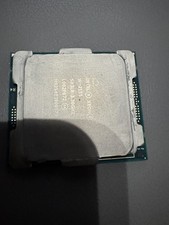
Intel Xeon W-2155 SR3LR 3.30GHz, 10 Cores Processor.
$99.00

Dell Precision Tower 7810 Xeon E5-2630 v3 @ 2.40GHz , 32GB Ram, NO HDD, NO OS
$239.99

Intel Xeon Phi 5110P 60-Core 1.053GHz Coprocessor
$50.00