-
Knoppix 7.2 Poorman's Install boot failure
I read the two wiki articles on HD install. The older seems to be somewhat dated, while the newer does not have much detail. So, I improvised. Clearly, I am still doing something wrong. Pointers would be appreciated.
I found that the /tohd=/dev/sda1 cheat code did not populate the C:/KNOPPIX directory on a USB live boot.
I then manually copied the linux (4.3 MB) and minirt.gz (930.8 KB) files to the C:/KNOPPIX directory, along with the background.jpg, knoppix-cheatcodes.txt, both logo files, and index_en.html.
Next, I booted Crunchbang (Debian Wheezy) and prepared a 40_custom file in /etc/grub.d. Contents --
Code:
menuentry "Knoppix 7.2" {
set root=(hd0,1)
linux /KNOPPIX/linux no3d nostartsound tz=America/New_York
initrd /KNOPPIX/minirt.gz
}
I then did "update-grub" and rebooted. I selected the Knoppix line in the grub menu and got lots of boot message lines followed by --
Code:
Searching for Knoppix 7.2
Waiting (USB)...
Could not mount disk to /mnt-system.  Starting debugging shell.
Note that I used "/KNOPPIX" rather than "(KNOPPIX" on the minirt.gz line, which differs from the wiki. I believe that the wiki is wrong -- http://knoppix.net/wiki/Category:Har...e_Installation
Code:
menuentry "Knoppix" {
set root=(hd0,1)
linux /KNOPPIX/linux (.. other boot-parameter ..)
initrd (KNOPPIX/minirt.gz
}
-
Solved by directly booting Knoppix .iso file
The reason that the tohd cheatcode did not populate the directory was that I forgot that hda1 was invalid on the target machine and that sda1 was required. Regardless, I could not sort out how to get Grub2 to start a Poorman's install.
However, Grub2 can boot directly from an .iso file. So, I set up an /Iso/Knoppix directory in the root of my Windows XP C: drive -- NTFS formatted. I copied the Knoppix CD .iso file to the /Iso/Knoppix directory.
I then used my Crunchbang Debian Wheezy to configure Grub2. I updated the /etc/grub.d/40_custom file --
Code:
#!/bin/sh
exec tail -n +3 $0
# This file provides an easy way to add custom menu entries.  Simply type the
# menu entries you want to add after this comment.  Be careful not to change
# the 'exec tail' line above.
#
#
menuentry "Knoppix 7.2 CD ISO" {
set iso_path="/Iso/Knoppix/KNOPPIX_V7.2.0CD-2013-06-16-EN.iso"
loopback loop (hd0,msdos1)$iso_path
echo "Loading linux"
linux (loop)/boot/isolinux/linux bootfrom=/dev/sda1$iso_path no3d nostartsound lang=us tz=America/New_York
echo "Loading minirt"
initrd (loop)/boot/isolinux/minirt.gz
}
After running the "update-grub" coomand, rebooting, selecting Knoppix in the Grub2 menu, I was in Knoppix.
Tip: There is some excellent documentation in https://help.ubuntu.com/community/Grub2/ISOBoot
-
Thank you for the two postings and the pointing to my errors within this HowTo
http://knoppix.net/wiki/Category:Har...e_Installation
I've worked over "Poor man's install" and inserted "ISO install to HD"
 Posting Permissions
- You may not post new threads
- You may not post replies
- You may not post attachments
- You may not edit your posts
-
Forum Rules


SFP TO RJ45 TRANSCEIVER SFP MODULE COPPER SFP OPTICAL PORT TO RJ45 ETHERNET PORT
$7.99
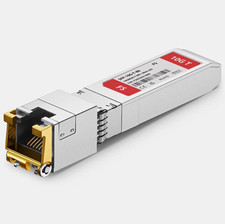
Dell FS SFP-10G-T 10GBASE-T SFP+ Copper RJ45 Transceiver Module – 80m
$30.00

Dell Intel X710-DA2 5N7Y5 Dual-Port 10GbE SFP+ PCIe 3.0 x8 Network Adapter
$27.50

NEW Sealed Cisco SFP-10G-LR 10GBASE-LR SFP+ 1310nm 10km *US Shipping*
$24.00

Genuine Cisco SFP-10G-SR 0-2415-03 10 Gigabit Transceiver
$5.40

HP 560SFP+ 10GB 2-port PCIe NIC Ethernet ADAPTER 669279-001 w/ (2) 10GB SFP+
$16.99
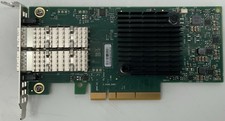
Dell Mellanox ConnectX-4 Lx CX4121C Dual 25GbE SFP28 LP | 20NJD
$25.00

HPE 560SFP 2x 10Gb SFP+ PCIe Both Profile Network Card 669279-001 665247-001
$14.90

Cisco Meraki MA-SFP-1GB-SX Network Tranceiver Module
$89.00
HP 557SFP+ ETHERNET 10GB 2 PORT 792834-001 788991-001 HIGH LOT OF 10
$70.00



 Reply With Quote