-
Normally additional cloop files are numbered after base KNOPPIX(3.9gb) file.
This is when the newer cloop file KNOPPIX2 contain only new applications.
General process is to cloop`pify the persistent file content (this process is well known)
What I am trying:
1. Install minimalistic debian(cli only).
2. Add all your application needed, for me, its most likely the ones not in knoppix.
3. upgrade to same kernel as knoppix.
4. Cloop`pify the whole system.
5. Drop is as KNOPPIX, before renaming KNOPPIX->KNOPPIX2
Cons:
Lots of extra/duplicate files get in cloop.
Pros:
I can create a small standalone specialized installs like rescue/diagnostic,
then drop it in current knoppix or use separately.
Well. tried the above and it works, though some minor tweaking needs to done before.
What I was thinking was if knoppix had option like:
knoppix_list=KNOPPIX,KNOPPIX3
This would allow to switch my system or mix match application during booting.
Another neat thing would be to have a base KNOPPIX(150mb cloop), and other cloops just application.
 Posting Permissions
- You may not post new threads
- You may not post replies
- You may not post attachments
- You may not edit your posts
-
Forum Rules


DEC Digital DECmate III PC238 PDP-8 6120 RX50 Dual Floppy Vintage Computer
$649.95

Vintage Digital VR241-A color CRT monitor, powers on, DEC Rainbow or terminal
$150.00

Vintage DEC Digital T1043 DWMBB/B VAXBI XMI Adapter 5018232-01 C1 VAX Board
$109.99

Vintage DEC Digital XMI-A1 5017293-01A1 LWPR BE3-0 VAX Circuit Board T2012
$74.99

Vintage DEC Digital Equipment Flip-Chip Module Lot Parts
$59.99

Vintage DEC Digital Equipment DELNI 8-Port Ethernet Local Network Hub VAXstation
$79.95
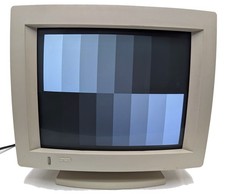
Vintage DEC Digital VR319-DA 19" High Resolution Monochrome CRT Monitor TESTED
$399.99

Vintage DEC LK201 Digital Equipment Corporation (DEC) LK201-AA Computer Keyboard
$149.99

Vintage DEC/Mostek memory systems MK 8015 AA-00 6805-08015 1100 REV C(B7)
$279.99

Vintage DEC Digital Starion 200 Desktop PC Powers On Boots To BIOS NO HDD - DW
$269.99



 Reply With Quote