

 Reply With Quote
Perhaps my side is what you are looking for.
http://www.wp-schulz.de/summary/summary-remaster.html


Knoppix (and Linux in general) is completely unknown to me. So please forgive me for my "greeness".
I have the system installed on the HD and setup the way I want. Now I want to make a CD out of this.
I have directions and I'm seeing chroot, scripts, etc... I think these are made for someone who already knows Linux. Unfortunately, thats not me.
Keeping in mind that I have absolutely no Linux experience, are there directions for idiots?
As a side note, I'm pleasantly surprised at how stable Knoppix is.
Perhaps my side is what you are looking for.
http://www.wp-schulz.de/summary/summary-remaster.html
I followed your directions and got the ISO created. However, the resulting file is too big to fit on a CD (it is 738 MB). I didnt add anything to the installation.
Any idea?
Did you use Knoppix DVD or CD for HD installation? If you really wants a new remasterd CD or DVD version you have to delete something which you don't need.
- Menu 'System Tools/ my Installation' (kn-what.sh) displays all packages and libraries with a short description. Other lists shows installed packages sorted by size and incomplete installed packages.
Use this suggestion to delete one or two big tools.
The preferred way nowadays isn't to burn a new CD/DVD, but to do a flash disk install using your new remastered version.
Thanks, I'll look for stuff to delete.
I understand that, but for this particular application I have to use a CD in a computer with no hard drive. There can be no writable medium in the system (hard drive, flash drives, etc...)
 Posting Permissions


Amiga Model 1080 RGB color CRT monitor - Parts Or Repair - Doesn’t Power On
$100.00

RGB2HDMI Amiga 500 UltraLong (Accelerator Friendly) HDMI Games, non-RTG A500
$50.00

Microbotics Starboard 2MB + SCSI Sidecar for Amiga 1000 Vintage Computer READ
$329.00

Amiga Emplant Emulator Card For Commodore Amiga 2000 4000 3000
$249.00
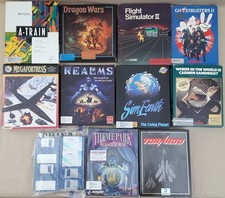
(10) BOXED Games for Commodore Amiga 500 600 1000 1200 2000 3000(T) 4000(T)
$329.98

Commodore Amiga 4000 Motherboard Rev B - untested
$225.00
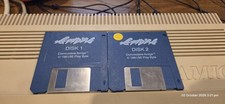
Apidya By Blue Byte ~ Original Amiga Game
$90.10
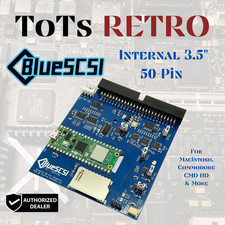
BlueSCSI v2 Internal 50-pin 3.5" SCSI Drive ,Wi-Fi,For Macintosh, Amiga, PC
$52.99

Best FlickerFixer RGB2HDMI Amiga HDMI Games, non-RTG A2000CPLDSlot v2.2
$75.00
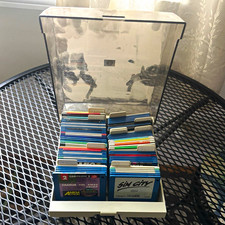
ALS Storage Box with Assorted Amiga Format 3.5" Floppy Disks
$199.00