

 Reply With Quote
I think you should write a shell script that instructs ARandR to use a special screen layout. Since Knoppix is intended to be portable you could place a suitable desktop file on you desktop.


All my personal settings save just fine except rotate screen. Does anyone know how I can save my Screen Layout Editor settings in persistence?
I think you should write a shell script that instructs ARandR to use a special screen layout. Since Knoppix is intended to be portable you could place a suitable desktop file on you desktop.
I do not know how to write scripts. If someone shows me what to type in terminal I can do that. I use Knoppix as my main OS on my home PC. It is a good OS and I really like it. I am using an NEC 24" monitor with a 16:10 aspect ratio. I prefer web browsing with my monitor in the vertical position because I do not have to scroll so much.Originally Posted by klaus2008

In this case you can create a shell script with the 'Screen Layout Editor'. Start ARandR from the 'Preferences' section of the menu. Apply all your screen settings. Then use 'Save As' from the 'Layout' menu. Navigate to your Desktop folder and enter a name. Click on the 'Open' button. A file will appear on your desktop. You can open this file with a text editor like leafpad.
Next time you boot up your system you can click on this file and execute it in order to restore your screen layout.
thank you!
Last edited by Werner P. Schulz; 10-20-2013 at 07:23 AM. Reason: full quote shorted
 Posting Permissions

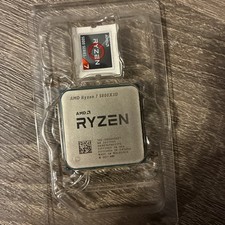
AMD Ryzen 7 5800X3D 8-Core 3.4GHz Socket AM4 CPU Processor 100-000000651
$299.99
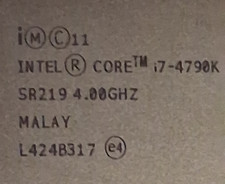
$55.00
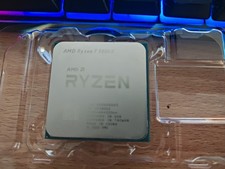
AMD Ryzen 7 5800X Desktop Processor (4.7GHz, 8 Cores, Socket AM4)
$172.00
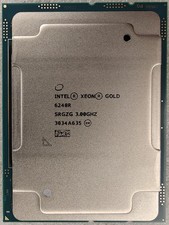
Intel Xeon Gold 6248R 3.0GHz 24-Core SRGZG 35.75MB LGA3647 Server CPU Processor
$225.00

Intel i7-8700 Coffee Lake 3.2GHz 6-Core Max Turbo 4.6GHz Processor
$69.99

Intel 4th Gen Core i7-4790 SR1QF 3.60GHz (Turbo 4.00GHz) 8M 4-Core LGA-1150 CPU
$39.99

Intel Core i7-7700T 2.9GHz 8MB Socket LGA1151 Quad Core Processor SR339
$39.99

Intel Core i7-9700 SRG13 3.0 GHz Desktop CPU
$80.00

Corsair RM750e 750W Fully Modular 80 Plus Gold ATX 3.1 PSU Certified Refurbished
$44.99

Intel Core i7-9700 3.0 GHz 8 Core Processor
$85.00