-
DisplayLink USB adapter - can only seem to use it with mplayer
Hi all,
Just fiddling with a displaylink usb adapter, and knoppix 7.2 detects it fine, and comes up with a green display on the monitor (which is good). However, I can't seem to get it to work as an extra monitor under xorg. If I specify it all by itself in an xorg.conf file, I can get xorg to come up on that monitor. Trying to add it as another screen with any other video card in xorg.conf seems to ignore it completely.
Code:
Section "Monitor"
    Identifier   "DisplayLinkMonitor"
EndSection

Section "Device"
    Identifier "DisplayLinkDevice"
    Driver        "fbdev"
    BusID         "USB"
    Option        "fbdev" "/dev/fb2"
EndSection


Section "Screen"
      Identifier "Screen0"
    Device "DisplayLinkDevice"
    Monitor "DisplayLinkMonitor"
    DefaultDepth 16
EndSection
Oh well, I guess I'll have to be content with playing videos on it with mplayer like so:
Code:
mplayer somefile.mp4  -vo fbdev:/dev/fb2
mplayer somefile.mp4  -vo fbdev:/dev/fb2 -zoom -x 1024 -y 768
mplayer somefile.mp4  -vo fbdev2:/dev/fb2
-
Senior Member
registered user
Trying to add it as another screen with any other video card in xorg.conf seems to ignore it completely.
Some people (e. g. https://wiki.archlinux.org/index.php/DisplayLink ) write
The DisplayLink device is normally only usable if it is set as screen0 and the internal display as screen1.
Did you try this?
-

Originally Posted by
klaus2008

Hi Klaus
(is this the *real* Klaus Knopper?)
Yes I tried it just about every way I could think of and still got wacky results. I think I'm going to go a bit insane if I don't take a break. The only way to get it to work is to specify it as the only device. Interesting how fbdev seems to ignore the BusID totally.
I even got this error at some point:
Cannot start in framebuffer mode. Please specify busIDs for all framebuffer devices
I could get fbdev to run with /dev/fb1 (my geforce 7300 pci-e), with /dev/fb0 (geforce mx420 pci) and /dev/fb2 (displaylink) but only with a single device. Trying to specify multiple fbdev devices with multiple xorg fbdev device sections seems to get ignored.
I'm actually typing this with X running on the displaylink and it runs awesome, with youtube running smoothly with the adobe flash plugin to iceweasel. I just wish I could get it run with my other video cards and not mutually exclusive.
I know that at some point in the future, all of this will work smoothly together, but it's so frustrating to see all of the pieces available, but unable to put them all together and integrated at once. Sooooo close... But I'm patient...
Don
-
some more things to fiddle with /dev/fb devices. I thought I'd try to get an SDL application running in an fbcon like dosbox.
From a vt text console (CTRL+ALT+F2) type
Code:
export SDL_VIDEODRIVER=fbcon
export SDL_FBDEV=/dev/fb0
export DOSBOX_SDL_USESCANCODES=false              (i needed this or i couldn't type properly in dosbox)
dosbox
with any luck dosbox should open on your /dev/fb0 device. Typing "exit" drops you out of dosbox.
I can get back to my x session with CTRL+ALT+F5 but can't seem to get the input focus back to whatever console screen the dosbox is on. but CTRL+C on the text console (CTRL+ALT+F2) screen kills dosbox.
for me: geforce 7300 is /dev/fb0 geforce mx420 is /dev/fb1 and displaylink usb is /dev/fb2
weirdly export SDL_FBDEV=/dev/fb2 to run it on the displaylink makes the dosbox display corrupted (but I'm running with X on the displaylink so maybe that's why)
still kind of fun to see it work.
Don
-
Interestingly, you can start up a second X session by typing this into an LXTerminal from my normal x session:
Code:
sudo xinit -- :1 -sharevts -novtswitch vt8 -config /home/knoppix/WORKING_UDLFB_XORG.CONF
(I know that running X as root isn't a good idea but I just wanted to see if it would work)
and an X window opens up on the displaylink and I can mouse over to it and type commands in the xterm.
so if I put the focus on the xterm on the displaylink and type "dosbox" and enter, dosbox runs on the displaylink. Pretty cool.
Now to figure out how to run this as an ordinary user because without sudo it complains that it doesn't have permission to open vt8 or the /var/log/Xorg1.log logfile.
Code:
Section "ServerLayout"
    Identifier     "X.org Configured"
      Option           "Xinerama" "on"
        Option           "Clone"      "off"
    Screen      0  "Screen0" 0 0

    InputDevice    "Mouse0" "CorePointer"
    InputDevice    "Keyboard0" "CoreKeyboard"
        Option            "AllowEmptyInput" "off"
EndSection

Section "Files"
    ModulePath   "/usr/lib/xorg/modules"
    FontPath     "/usr/share/fonts/X11/misc"
    FontPath     "/usr/share/fonts/X11/cyrillic"
    FontPath     "/usr/share/fonts/X11/100dpi/:unscaled"
    FontPath     "/usr/share/fonts/X11/75dpi/:unscaled"
    FontPath     "/usr/share/fonts/X11/Type1"
    FontPath     "/usr/share/fonts/X11/100dpi"
    FontPath     "/usr/share/fonts/X11/75dpi"
    FontPath     "/var/lib/defoma/x-ttcidfont-conf.d/dirs/TrueType"
    FontPath     "built-ins"
EndSection

Section "Module"
    Load  "dbe"
    Load  "dri"
    Load  "dri2"
    Load  "extmod"
    Load  "glx"
    Load  "record"
EndSection

Section "InputDevice"
    Identifier  "Keyboard0"
    Driver      "kbd"
EndSection

Section "InputDevice"
    Identifier  "Mouse0"
    Driver      "mouse"
    Option        "Protocol" "auto"
    Option        "Device" "/dev/input/mice"
    Option        "ZAxisMapping" "4 5 6 7"
EndSection

Section "Monitor"
    Identifier   "DisplayLinkMonitor"
EndSection

Section "Device"
    Identifier "DisplayLinkDevice"
    Driver        "fbdev"
    BusID         "USB"
    Option        "fbdev" "/dev/fb2"
EndSection


Section "Screen"
      Identifier "Screen0"
    Device "DisplayLinkDevice"
    Monitor "DisplayLinkMonitor"
    DefaultDepth 16
EndSection

Section "DRI"
    Mode    0666
EndSection
 Posting Permissions
- You may not post new threads
- You may not post replies
- You may not post attachments
- You may not edit your posts
-
Forum Rules


A8PicoCart Multicart for Atari 800xl /65xe / 130xe / XEGS
$16.95

Atari 130 XE/Atari 1050 Bundle W/ Cords And Extras (Powered On)
$300.00

GreaseWeazle v4 board USB floppy drive adapter Retro All Formats
$35.00

DEFECTIVE Atari 810 Vintage Computer Disk Drive powers on Unit Only Boo G3D
$49.29

Fujinet 1.7.1 Atari 400 800 800XL 130XE 65XE XEGS Assembled, Tested, Working
$99.99

ATARI Mouse with Adapter for ST, STE, Mega STE, TT Optical - USA Seller
$29.99
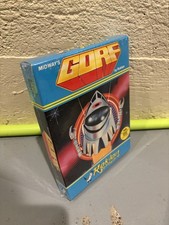
GORF Atari/Roklan 400/800 Cartridge Brand New In Box
$48.00
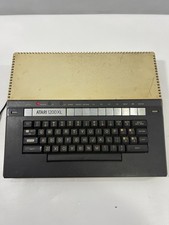
VTG Atari 1200XL Home Computer System 1200 XL “Powers On” Parts or Repair
$249.95
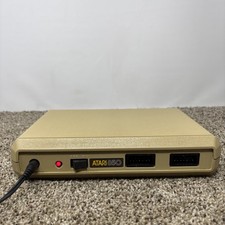
Atari 850 Interface Module For ATARI 400/800 Computer Vintage Tested
$60.00
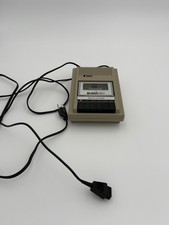
READ UNTESTED But Works Vintage Atari 410 Program Recorder
$34.50



 Reply With Quote