-
Senior Member
registered user
I think it is possible to find the driver files in the subdirectories of the windows system directory. But why don't you download the driver from HP's web site you mentioned above?
You could open the page Broadcom Wireless LAN Drivers in your web browser and download the file sp33008.exe. Once you have got the driver archive file you can try the following.
Create a new directory and copy the file sp33008.exe there.
Open an LXTerminal and change to that directory.
Use 7z to extract the files from sp33008.exe. You will find many new files in the directory including a .inf and some .sys files.
I hope that helps.
 Posting Permissions
- You may not post new threads
- You may not post replies
- You may not post attachments
- You may not edit your posts
-
Forum Rules


Mini Computer Vacuum USB Keyboard Cleaner PC Laptop Brush Dust Cleaning Kit NEW
$13.89

LEVOIT Cordless Vacuum Cleaner, Stick Vac with Tangle-Resistant Design, Up to...
$162.04

Cordless Air Duster & Vacuum Cleaner for Keyboard & PC Cleaning - 110000RPM Powe
$53.99

V3 Robot Vacuum and Mop Combo,Self-Charging,5000pa Strong Suction,WiFi/Alexa NIB
$82.00

US Mini Computer Vacuum USB Keyboard Cleaner PC Laptop Brush Dust Cleaning Kits
$13.89

2-in-1 Compressed Air Duster & Vacuum, Brushless Motor, 320000RPM
$37.99

Compressed Air Duster Rechargeable Computer Vacuum Cleaner for PC Keyboard Toys
$16.99
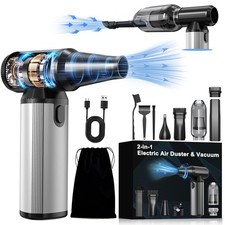
Compressed Air Duster & Vacuum 2in1, 320,000 RPM Powerful Brushless Motor
$69.61

Mini Computer Vacuum Cleaner & Compressed Air Duster 14500Pa, 110000RPM, Cordles
$53.99

Cordless Handheld Vacuum Cleaner Compatible with DeWalt 20V Battery
$107.67



 Reply With Quote