

(7.0.5 USB with 16G persistent image)
Hello again dudes
The most unexpected thing happened lastnight... I opened Synaptic Package Manager, & upgraded NetworkManager, then closed Synaptic. Nothing out of the ordinary.
Hours later, I booted back to Server 2008 R2. when I was done, I loaded knoppix64 up again as usual to mess around online.
I noticed that after Right-Clicking the network manager applet in the system tray, & bringing up the Wireless & LAN connections editor (Right-Click --> Edit Connections), all the
configured connections were greyed out. I could no longer use knoppix to connect to Access Points with MAC filtering activated - from the network manager system tray applet.
(I know I can use the terminal to change it)
My temporary workaround was to create a new file... Con-Editor.desktop, & add the following to it:
...then save it to the desktop. This launches the connections editor as root when clicked, & the buttons + settings become editable/clickable again.Code:[Desktop Entry] Name=Network Connections Comment=Manage and change your network connection settings Icon=preferences-system-network Exec=sudo nm-connection-editor Terminal=false StartupNotify=true Type=Application X-GNOME-Bugzilla-Bugzilla=GNOME X-GNOME-Bugzilla-Product=NetworkManager X-GNOME-Bugzilla-Component=general Categories=GNOME;GTK;Settings;X-GNOME-NetworkSettings; NotShowIn=KDE;
The upgrade broke permissions some how, & I have no idea how to re-set it, or how to set the upgraded NetworkManager to run as root, or
with special permissions as the original NetworkManager did (before the upgrade) automatically when knoppix is started.
Any help will be greatly appreciated.
ps: The network manager "nm-applet" can be started as root, but Right-Click --> Edit Connections starts the Connections Editor "nm-connection-editor" as knoppix, not root... even
though it was called from nm-applet which is running as root.So I'm lost again.
If anyone is confused... nm-applet is the network thingy in the system tray on the bottom right of the desktop, & from it, you can launch the connection editor.
(7.0.5 USB with 16G persistent image)
Last edited by DTeCH; 12-11-2013 at 10:23 PM.
 Posting Permissions


USB 3.0 Flash Drive 32GB 64GB 128GB Memory Stick Thumb Stick Lot Pack
$826.09

MICRON MTA36ASF4G72PZ-2G6E1 | 32GB PC4-2666V ECC RDIMM Server RAM
$184.95

x4 Intel 128GB NMB1XXD128GPS Optane Memory 200 Series PMEM Module 3200 DDR4 RAM
$329.99

SMART(Micron)SafeStor 32GB(1X32GB) 1RX4 NN4-3200AA(DDR4) HPE Server Memory
$159.98

Kingston 32GB 64GB 128GB 256GB USB 3.0 Flash Drive Thumb Memory Stick Pen lot
$285.90
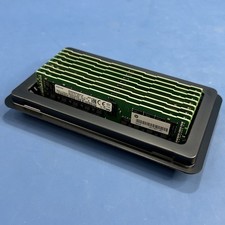
Samsung (8X32GB) 256GB 2Rx4 PC4-2933Y-RB2-12 Registered ECC Memory DDR4
$1649.99
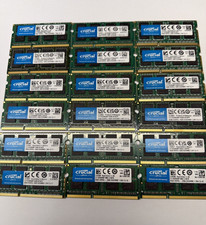
16GB(2x 8GB) Crucial DDR3L-1600 SODIMM / Lot of 2 8GB / Laptop RAM Memory / A25
$17.99
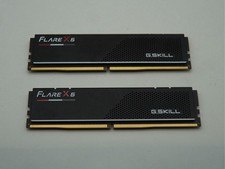
G.Skill Flare X5 32GB (2x16GB) (DDR5-6000 DDR5 RAM Memory Cl30-38-38-96 AMD EXPO
$419.95
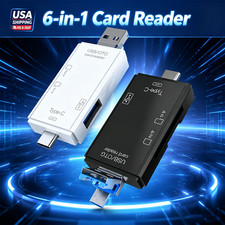
6 in 1 USB 3.0 Type C Card Reader SD Micro SD TF OTG Memory Adapter Laptop PC US
$3.95
32GB Kit 4X 8GB DELL PRECISION WORKSTATION T5500 T5600 T7500 T7600 Memory Ram
$44.99


 Reply With Quote