-
Need to mount hard drive to reset Windows password
I've been trying to follow these instructions: linuxquestions.org/questions/linux-distributions-5/resetting-windows-passwords-with-knoppix-325064/
I CANNOT figure out how to use Knoppix! can someone help? I am completely new to any Linux based stuff.
I managed to extract the chntpw program (but only because I gave up with the command line stuff and uploaded it to cloudconvert in order to convert it that way). And now I'm trying to mount drives and stuff. TOTALLY LOST. I am supposed to use something called Captive-ntfs, but I can't find it! When I click on the little symbol that is in the place of what the Windows Start Menu would normally be, I go to "Knoppix" and then there is no "Utilities". I can't find captive-ntfs. And I can't figure out how to search for programs on Knoppix either.
The other thing I figured out is that my partition is at /dev/sda1 ...whatever that means! So I've just been fiddling with commands. Totally lost.
Please... someone help... please put step by step instructions for a noob. I've accidentally locked myself out of my computer (long story).
-
The description you've found is very, very old and useless. And also forget chntpw; it is impossible to use it, if you never worked with Linux and the console tools and without the mouse.
But most Windows users never set a password for the hidden user Administrator (not the first user = admin). Therefore try for example
-

Originally Posted by
Werner P. Schulz

The description you've found is very, very old and useless. And also forget chntpw; it is impossible to use it, if you never worked with Linux and the console tools and without the mouse.
But most Windows users never set a password for the
hidden user Administrator (not the first user = admin).
Therefore try for example
Okay, so the reason why I needed to reset a windows password is because I really got myself into a pickle. LOL I have Windows 8 running, and I accidentally locked myself out of administration privileges like an idiot.I have one main account that has administrator privileges. I edited the registry so that a password is required upon UAC. I used the computer this way for a very, very long time. Then I decided to try something different. I enabled the Administrator account, logged into that and then made my regular account a Standard one. I put a password on the Administrator one.
Then I didn't want the Administrator account to show on the Welcome Screen, but I didn't want to disable it either.
So I edited the registry to hide the Administrator account from the welcome screen.
Then I logged out, and BINGO it worked!
Then I logged back in and tried to open something that uses the UAC, and it won't let me select ANY account so that I can put in my password. I COULD NOT get past the UAC!!!
I couldn't edit the registry because I need administrator privileges and I need to get past UAC to do that. So I can't delete the registry key to get me back to where I was!
That brings me to my next point...
I tried using Hiren's Boot CD, and it begins to boot into Mini XP, but then as the desktop screen for it shows up, a dialogue box pops up stating, "Security Accounts Manager initialization failed because of the following error: The media write protected." And then it tells me to reboot the system into safe mode. But I don't know how to reboot into safe mode in the mini xp version (or if it's possible)!
I tried the other option in Hiren's Boot CD to reset the password, but I can't get past the first option. I press enter, and it just asks me the same question again. Then I try pressing 1 and then enter, and it asks me the same question again. I try all kinds of numbers. 2, 3, 4.
I tried Trinity and it did the same thing that Hiren's password reset did.
I couldn't do a system restore (or so I thought) because I needed to get past the UAC. So FINALLY, I figured out that if I went to "Advanced Startup Options" in Windows 8, then went to "Advanced Startup" and clicked on "restart now", it would log me out and reboot me into some sort of startup manager. Then I could navigate to find the system restore option. After the restore... IT WORKED!
It got rid of the registry key I created and all was well again. 
 Posting Permissions
- You may not post new threads
- You may not post replies
- You may not post attachments
- You may not edit your posts
-
Forum Rules


Netac DDR4 32GB 16GB DDR4 3200MHz UDIMM C16 Desktop Internal Memory RAM Kit
$99.99
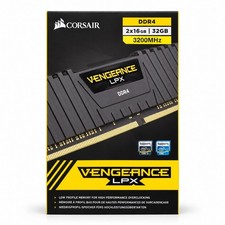
Corsair Vengeance LPX 32GB (2x16GB) DDR4 3200MHz CL16 CMK32GX4M2E3200C16
$169.99
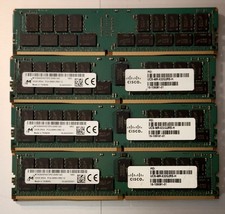
(LOT of 8) Samsung 32GB 2Rx4 PC4-2666V-RB2-12 DDR4 Cisco Server RAM Tested 100%
$1299.99

Major Brand 16GB (2x8GB) PC3-12800U DDR3-1600MHz DDR3-12800 DESKTOP RAM NON-ECC
$29.99

A-Tech 8GB DDR3 1600 PC3-12800 Laptop SODIMM 204-Pin Memory RAM PC3L DDR3L 1x 8G
$21.68

Samsung 8GB DDR4 SO-DIMM PC4-3200AA 260-Pin RAM M471A1G44BB0-CWE Module
$29.25

RAMAXEL Lenovo 32GB LPDDR5X CAMM2 7500MHz Laptop RAM | UNTESTED
$445.00

DDR4 Laptop RAM 4GB 8GB 16GB 32GB 2400 2666 3200 Samsung Hynix
$30.00
Corsair Vengeance RGB Pro 32GB (4x8GB) DDR4-3600 CL14 - CMW16GX4M2Z3600C14
$180.00
8GB DDR3 SODIMM RAM Upgrade Kit (2x4GB) for MacBook, iMac, Mac Mini - 1067MHz/10
$50.99



 Reply With Quote