-

Originally Posted by
Werner P. Schulz

The description you've found is very, very old and useless. And also forget chntpw; it is impossible to use it, if you never worked with Linux and the console tools and without the mouse.
But most Windows users never set a password for the
hidden user Administrator (not the first user = admin).
Therefore try for example
Okay, so the reason why I needed to reset a windows password is because I really got myself into a pickle. LOL I have Windows 8 running, and I accidentally locked myself out of administration privileges like an idiot.I have one main account that has administrator privileges. I edited the registry so that a password is required upon UAC. I used the computer this way for a very, very long time. Then I decided to try something different. I enabled the Administrator account, logged into that and then made my regular account a Standard one. I put a password on the Administrator one.
Then I didn't want the Administrator account to show on the Welcome Screen, but I didn't want to disable it either.
So I edited the registry to hide the Administrator account from the welcome screen.
Then I logged out, and BINGO it worked!
Then I logged back in and tried to open something that uses the UAC, and it won't let me select ANY account so that I can put in my password. I COULD NOT get past the UAC!!!
I couldn't edit the registry because I need administrator privileges and I need to get past UAC to do that. So I can't delete the registry key to get me back to where I was!
That brings me to my next point...
I tried using Hiren's Boot CD, and it begins to boot into Mini XP, but then as the desktop screen for it shows up, a dialogue box pops up stating, "Security Accounts Manager initialization failed because of the following error: The media write protected." And then it tells me to reboot the system into safe mode. But I don't know how to reboot into safe mode in the mini xp version (or if it's possible)!
I tried the other option in Hiren's Boot CD to reset the password, but I can't get past the first option. I press enter, and it just asks me the same question again. Then I try pressing 1 and then enter, and it asks me the same question again. I try all kinds of numbers. 2, 3, 4.
I tried Trinity and it did the same thing that Hiren's password reset did.
I couldn't do a system restore (or so I thought) because I needed to get past the UAC. So FINALLY, I figured out that if I went to "Advanced Startup Options" in Windows 8, then went to "Advanced Startup" and clicked on "restart now", it would log me out and reboot me into some sort of startup manager. Then I could navigate to find the system restore option. After the restore... IT WORKED!
It got rid of the registry key I created and all was well again. 
 Posting Permissions
- You may not post new threads
- You may not post replies
- You may not post attachments
- You may not edit your posts
-
Forum Rules

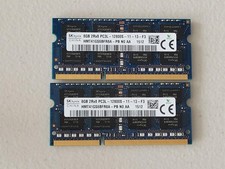
16GB Total of SK hynix PC3L-12800S 2 sticks of 8GB each = 16GB Laptop Memory
$27.95

SMART(Micron)SafeStor 32GB(1X32GB) 1RX4 NN4-3200AA(DDR4) HPE Server Memory
$159.98

SK Hynix 32GB 2RX4 PC4-2666V DDR4 RDIMM Server Memory RAM, HMA84GR7AFR4N-VK
$169.95

TF/SD Card Adapter Camera Reader Android Type-c For iPhone17 Pro Max Plusm lot
$573.98

USB 3.0 Flash Drive 32GB 64GB 128GB Memory Stick Thumb Stick Lot Pack
$826.09

Server Memory: Samsung 32GB 4DRx4 PC4-2133P ECC LRDIMM DDR4 M386A4G40DM0-CPB
$124.95
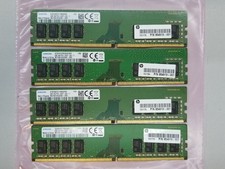
Samsung 32GB (4x8GB) DDR4 1Rx8 PC4-2400 Desktop RAM Memory M378A1K43CB2-CRC
$94.95
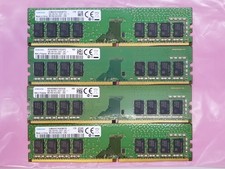
Samsung 32GB (4x8GB) DDR4 1Rx8 PC4-2400 288 Desktop RAM Memory M378A1K43CB2-CRC
$94.95

Micro SD Adapter To SD HC SDHC Memory Card Adapter Reader NEW
$1.39

5 in 1 Memory Card Reader USB 3.0 OTG Adapter SD Card Reader For iPhone/iPad LOT
$9.99



 Reply With Quote