
Originally Posted by utu

Hi. i did synclient -l | grep TouchpadOff and it returns TouchpadOff = 0
still i cannot touch and click on my touchpad


Hi. i did synclient -l | grep TouchpadOff and it returns TouchpadOff = 0
still i cannot touch and click on my touchpad
 Posting Permissions


OPNsense pfSense 8-Core Atom C3758 2.2GHz 8GB DDR4 64GB SSD 8x NIC QAT AES VPN
$115.00

Ubuntu Server 26.04.1 LTS Bootable USB Flash Drive – Latest September 2026
$13.99

Microsoft SQL Server 2025 Standard 32 Core Unlimited CAL Retail License Package
$299.00

Start9 Server Pure 32GB 4TB Intel i7 Node StartOS — Box + PSU
$649.00
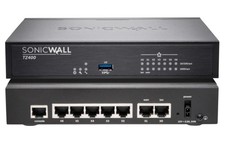
Dell SonicWall TZ400 Network Security Appliance Firewall New
$185.00

All New Ubuntu 26.04 LTS Linux Bootable USB Flash Drive
$15.95
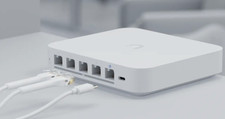
Ubiquiti UniFi Gateway Max UXG-Max
$199.00
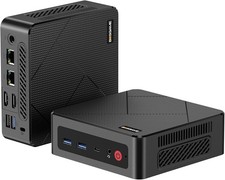
BOSGAME E4 Air Mini PC, AMD Ryzen 5 3500U 8GB DDR4 256GB SATA SSD
$199.00

KTN-STL3 EMC VNX 15-slot Disk Array Expansion, full 15 x 2tb drives 100% health
$360.00

NVIDIA Jetson TK1 + Intel NUC Compute Cluster Tray w/ Netgear 16-Port Switch
$499.99

 Reply With Quote