-
Senior Member

continuing boot problem with USBflash SD, microSD, and (sort of) LiveDVD
I spent several hours today trying to fix the sudden boot failure of my two day old microSD installation of 7.2. By trying different screen settings I was able to get a display a few times, but never one that fitted the desktop to the screen. Strangely, the monitor app in preferences would not allow me to adjust either screen dimensions or refresh rate, which Win8 tells me are 1920x1050 (among others) and 60Hz (65 at 1280x1024, IIRC). After a while, I couldn't get a readable display at all, but 8 overlapping desktops. Eventually it just refused to boot at all with a repetitive list of error messages.
I then tried an earlier SD install, and with that I got the steady display, as at the beginning with the microSD, but was just as unable to adjust it to fit the screen. The desktop was split so that the right side was showing on the left of the screen. Both installations showed the same error message, but the SD kept going a bit longer and so sometimes loaded.
I finally loaded the LiveDVD from which the two flash installs had been made. It displayed the same error message, but just kept going, and, unlike the two flash installs, it finally presented a desktop that fit the screen perfectly.
However, when I checked the monitor app in preferences, it presented the same options as with the other two, including the 77Hz refresh rate, with no alternate option other than "auto" (which had no effect).
I should add that both of these flash installs worked fine when first created. Unfortunately, this gave me no occasion to check the monitor adjustment app.
One other very strange development is that in both Windows and Knoppix, the 16GB microSD card shows only 3.8GB available. In fact, it looks like an 8GB card, and I had trouble distinguishing it from the 8GB SD card when both where mounted.
I can't recall how I installed the 8GB SD, but I'm quite clear that I used the P option for the 16GB card, although I confess I don't fully understand the pros and cons of the two approaches. In the installation size option, I chose to split it half and half, and it looks as though one of the halves has just disappeared. Unfortunately, I didn't pay any attention to this until after the crash described in an earlier post of today. So I don't know whether the 8GB were lost during installation (ie. Knoppix 7.2 can't handle a 16GB microSD card, and treats it as an 8GB card) or just a result of the system crash the followed my insertion of the SD card into the same card reader.
My big dilemma now is, whether I makes sense to continue using Knoppix, as it appears I'm apt to lose all of my settings and installations, as well as any logs saved within the Knoppix file.
Is there any way to save configuration and logs (such as the virus scan and quarantine logs and scan histories) to a hdd so that one can recover fully if one has to do a reinstall to flash?
 Posting Permissions
- You may not post new threads
- You may not post replies
- You may not post attachments
- You may not edit your posts
-
Forum Rules

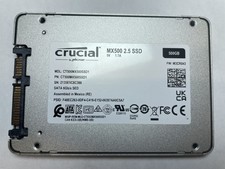
Crucial MX500 500GB 2.5" SATA III Internal SSD CT500MX500SSD1
$52.99

SSD 880EVO SATA III 2.5 4TB INTERNAL STATE DRIVE
$214.99
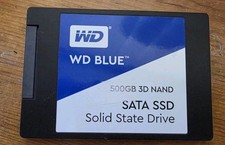
Western Digital Blue 3D NAND 500GB Internal 2.5" (WDS500G2B0A) SSD
$43.99

Samsung 860 EVO 250GB SSD MZ-76E250 2.5" SATA III Solid State Drive
$39.99

Western Digital WD Blue 3D NAND 500GB 2.5in SATA III Internal SSD WDS500G2B0A
$41.99
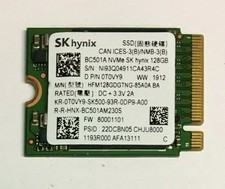
128GB SSD M.2 PCIE NVME Solid State Drive Mix Brand Samsung, WD, SK Hynix Kioxia
$16.59

Netac 2TB 1TB 512GB 256GB Internal SSD 2.5inch SATAIII Solid State Drive lot
$549.00

M.2 SATA SSD 2280 128GB 256GB 512GB major brands | Very Good health
$35.99
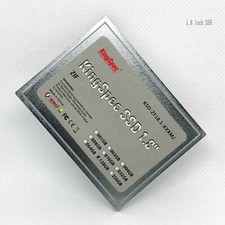
KingSPec 128GB (1.8''128GB SSD-ZIF) KSD-ZF18.1-XXXMS 1.8" CE SSD
$159.90

Samsung 850 EVO 250GB SATA III 2.5" Internal SSD (MZ7LN250HMJP) dell Lenovo hp
$32.99



 Reply With Quote