

 Reply With Quote
You can also use right mouse click on the device within the left side of PCManFM.


Hi all,
It would always bother me to just unplug my flash drives under linux/knoppix without cleanly unmounting them. Under windows you have the "Safely remove devices" on the taskbar. So I did a bit of searching and if you use the command line:
udisks --detach /dev/sdg
where /dev/sdg is the location of the flash drive, it will be detached and powered down (assuming you haven't still got it mounted.)
You can also use right mouse click on the device within the left side of PCManFM.
Because I don't fully trust any file managers for such tasks, I normally use the command line, with mount/umount, and sync. That's of course old-fashioned and awkward, but it works safely. In particular, running sync can give some unexpected results when you just thought everything was written to disk already. It wasn't.
If you try to unmount an USB device within PCManFM as I described you'll get this message, if there are any jobs not finished.
Remount.png
 Posting Permissions


2-Bay/4-Bay Hard Drive Enclosure for 3.5"/2.5'' SATA HDD/SSD 10Gbps USB-C 3.2
$75.99
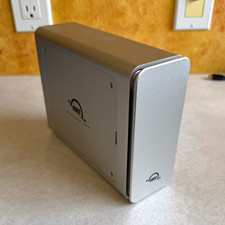
OWC Express 4M2 4x M.2 NVMe RAID Enclosure Aluminum w/ SoftRAID
$199.00

OWC Mercury Elite Pro 2 Bay RAID Enclosure with USB 3.2 for Dual 3.5 inch HDDs
$87.99

Broadcom 9600-24i RAID Controller PCIe Gen 4.1 Tri-Mode NEW 05-50111-01004
$649.99

Acasis USB 3.2 2 Bay HDD RAID Enclosure for 2.5/3.5" SATA Drives External Array
$55.00

MegaRAID 9580-8i8e 16-port 12G SAS/SATA/NVMe 8GB PCIe RAID - 05-50076-00
$1619.19

Dell PowerEdge HBA330 LP PCI-E 12GBs RAID SAS Controller Adapter J7TNV
$18.95

NVME M.2 Adapter Card PCIE X16 Splitter Expansion Controller 4-Disk Soft RAID
$24.43

Intel VROC Premium RAID Controller Card PCIe Add-On Module VROCPREMMOD
$265.00

EMC KTN-SL3 15-Bay Disk Array Enclosure w/2x 303-108-000E Cards, Dual PSU,No HDD
$239.99