-
Senior Member
registered user
Best way to run Windows 8.X: In a virtual machine?
Traditionally, multi-booting has been the preferred approach for the coexistence of Linux and Windows. However, it seems that, with Windows 8.X, Microsoft has adopted more of a no-compromise approach, and for me, that means trash Windows 8: Disable the uefi thing in BIOS, swap the whole disk, start afresh with a 500GB SSD disk and get Knoppix up and running.
In my standard Knoppix remastering, I usually have some fairly recent version of VMware Workstation, and this is my preferred way to run Windows. Using 64 bits kernel and SSD, speed is no significant problem with Windows versions up to and including Win 7. I haven't yet tried Windows 8 this way, but it seems to me that it may by far be the best way to run Win 8.X at present.
All that hassle with modifications to get an open system up and running on a completely Windows-infested PC: Is it really worth it? And do you really need several terabytes of local storage on the PC? I use a cheap and simple NAS with 2x4 TB disks, and feel extremely relieved to focus on data in actual use on the PC. Leaving the storage issues to the storage expert.
What am I missing? What are the real great arguments for dual-booting with that 8.X-thing?
And I completely avoid all the Windows Version Blues this way. I am happily running Windows XP on hardware where it cannot possibly install - runs better than ever.
-
Senior Member
registered user
Greetings, Capricorny; two questions for you along these lines:
1. Is it not possible to actually use Windows 8 or 8.1 as is and
mount some Linux system as a Virtual machine and ignore all the
uefi and secure boot stuff?
2. My reading of Klaus K's approach to Windows 8 is that he will work
with uefi as a useful upgrade, but wants nothing to do with secure
boot. If so, seems to me that only allows legacy bios operation
as the means of mounting Knoppix on (most or all) Windows 8 machines.
Is this your understanding? If so, this is not a useful dual boot
approach in my book.
Last edited by utu; 02-04-2014 at 04:32 PM.
-
Senior Member
registered user

Originally Posted by
utu

Greetings, Capricorny; two questions for you along these lines:
1. Is it not possible to actually use Windows 8 or 8.1 as is and
mount some Linux system as a Virtual machine and ignore all the
uefi and secure boot stuff?
2. My reading of Klaus K's approach to Windows 8 is that he will work
with uefi as a useful upgrade, but wants nothing to do with secure
boot. If so, seems to me that only allows legacy bios operation
as the means of mounting Knoppix on (most or all) Windows 8 machines.
Is this your understanding? If so, this is not a useful dual boot
approach in my book.
Hi utu!
1. Sure we could, and most will probably go by that route. Could even be rather attractive for quite a few people to escape from being coerced into The Windows Way 
But if I am not forced to run Win 8 natively, why should I let it loose on my good and innocent computers? It is also a question of resource management, new 64 bit systems with 16+ GB RAM can take on some serious tasks - how to approach that as efficiently and flexibly as possible? Methinks not by leaving the native resource handling to Win 8. But of course I may be wrong.
2. I haven't looked a lot into it, but yes, it could seem so. The real question here is, if there is at present any useful dual boot approach at all. I also must ask: Why bother? The whole concept of "hard disk install" seems like an anachronism to me for ordinary, non-server use.
For non-server use, I really can't see anything being able to beat the simple "compressed image union persistent image" paradigm of Knoppix et al, running other things in VMs. On the contrary, wrapping it all up this way has a lot of advantages, and whenever you need to store more than a select few GBs, they should probably not be integrated with your running system proper anyway. One main reason everything is still geared towards "hard disk install" as the "real" thing is of course that it is the easiest, most important and efficient form of vendor lock-in available, and most vendors, Linux distro makers inclusive, want that.
Of course, M$ has seen and felt this coming, which is why we get this "security" nonsense. With the advent of 64 bits CPUs, 4+ GB RAM and USB3, it became perfectly feasible to just boot and run a PC from a USB port, and with SSDs, running end-user applications in VMs is perfectly acceptable for most normal uses. This is of course horrible for OS vendors. Maybe for hardware vendors too. But I think there is a real conflict between M$'s insistence on complete control over the PCs and the hardware vendors' need for volume sales - which is facilitated by making PCs as versatile tools as possible, contrary to the direction of development dictated by Win 8.X.
Last edited by Capricorny; 02-04-2014 at 05:30 PM.
-
Senior Member
registered user
Hi, Capricorny.
I don't use or need a dual-boot approach, per se, in my accustomed use
of a computer. All I need is un-fettered access to the machine bios.
Up until Windows 8, I could boot into either Windows or Linux simply
by arranging the oem's bios selection as to which medium, hdd or usb gets
first choice on booting. No grubbing around either, since I patently
ignore the harmless options available on the USB's root. I just hit F12
if I've got the wrong medium selected as default to select the other
from among the oem's bios choices.
There is no honest reason to conflate uefi and secure boot as necessarily
intimately tied together. uefi seems like a genuinely useful upgrade
to an archaic efi scheme of boot management. Current uefi products
seem to be more grandiose than necessary, but the basic idea of improving
the status quo is well-founded. Secure boot seems to me to be a
conceptually-flawed, unattainable concept which has been co-opted
to further secure an OS market share monopoly already purportedly 90%
on a class of computer hardware heretofore based specifically on an
open-hardware concept.
I buy Windows computers because they offer good value in hardware plus
an installed, workable OS. Applications adequate to my needs and competence
are available free in the Open Source realm. I don't actually need
Windows as an OS, but having purchased it, I don't like having to
disregard its occasional use. I actually prefer Knoppix for my frequent
daily use since it fills my needs and should it need repair or replacement
I feel confident I can muddle through most any difficulty. I have no
such confidence that I might meet any similar difficulty which could
arise while using Windows.
If I have to make a choice of Windows or Knoppix, I will choose Knoppix.
If a computer offers Windows only with secure boot, then one without
Windows should be cheaper and more suited to my needs. I think someone's
secure boot market analysis on how to grab the last 10% of OS market share
has a big hole in it we may yet benefit-from.
Probably where we should be looking is where the uefi action is. This
might be a whole big new and interesting ballgame in what's going on
in the computing world.
-
Senior Member
registered user
I agree.
And there is indeed some action in the uefi field - typically it seems to imply some rethinking of a few Linux practices and tools.
But I for one am just happy to wait until things are more settled.
Until then, I rather ignore the issue and concentrate on other things, pure 64 bit Knoppix-like version is now most important to me.
I must be able to run 64 bit VMs reasonably fast.
-
Senior Member
registered user
An update on things UEFI, Secure Boot & Win8 for your amusement.
.
You might recall I now have two identically configured Dell Inspirons
One a 2009 Win7 and the other a 2013 Win8 computer.
The Win7 has dual pentiums, a boot menu that allows selection of boot
medium, and a legacy boot method. It also has three USB ports, two of
which are USB2, and an SD/SDHC port which acts as a USB port. For quite
some time I've used the USB2 and SD/SDHC ports for Linux LiveUSB
operation with a collection of SDs, SDHCs and Cruzer USBs.
The Win8 has dual celerons, no boot menu-but a Windows-To-Go option
which recognizes a plugged-in USB to be favored as a boot medium.
It also has three USB ports, two of which are USB3, and an SD/SDHC port
that does not act as a USB port. In further addition, this computer
has Secure Boot as an option and the choice of Legacy or UEFI boot
support.
I had overestimated the difficulty in bringing a Knoppix 7.4 LiveUSB
to the Win8 computer, and underestimated its inherent capabilites of
dual cpus and USB3 speeds. Having de-selected Secure Boot, leaving UEFI
support enabled, and opting for Windows-To-Go treatment of things
attached to a USB3 port, my trusty Knoppix 7.4.2 Cruzer LiveUSB2
works quite well, thank you.
All this without my really comprehending UEFI or Windows-To-Go, and
still not requiring any knowledge of dual booting procedures, per se.
I'm not sure a 16 Gb USB3 Cruzer will make much difference but for
$11 it's worth a look.
-
Senior Member
registered user
Originally Posted by
utu
.
You might recall I now have two identically configured Dell Inspirons
One a 2009 Win7 and the other a 2013 Win8 computer.
The Win7 has dual pentiums, a boot menu that allows selection of boot
medium, and a legacy boot method. It also has three USB ports, two of
which are USB2, and an SD/SDHC port which acts as a USB port. For quite
some time I've used the USB2 and SD/SDHC ports for Linux LiveUSB
operation with a collection of SDs, SDHCs and Cruzer USBs.
The Win8 has dual celerons, no boot menu-but a Windows-To-Go option
which recognizes a plugged-in USB to be favored as a boot medium.
It also has three USB ports, two of which are USB3, and an SD/SDHC port
that does not act as a USB port. In further addition, this computer
has Secure Boot as an option and the choice of Legacy or UEFI boot
support.
I had overestimated the difficulty in bringing a Knoppix 7.4 LiveUSB
to the Win8 computer, and underestimated its inherent capabilites of
dual cpus and USB3 speeds. Having de-selected Secure Boot, leaving UEFI
support enabled, and opting for Windows-To-Go treatment of things
attached to a USB3 port, my trusty Knoppix 7.4.2 Cruzer LiveUSB2
works quite well, thank you.
All this without my really comprehending UEFI or Windows-To-Go, and
still not requiring any knowledge of dual booting procedures, per se.
I'm not sure a 16 Gb USB3 Cruzer will make much difference but for
$11 it's worth a look.
Very interesting and quite encouraging! Thank you very much for sharing your experiences!
Maybe we don't really need to comprehend UEFI and WtG fully? 
 Posting Permissions
- You may not post new threads
- You may not post replies
- You may not post attachments
- You may not edit your posts
-
Forum Rules


Kingston 32GB 64GB 128GB 256GB USB 3.0 Flash Drive Thumb Memory Stick Pen lot
$285.90

Lot Of 8 Micron 8GB 2Rx8 PC4-2666V-RE2-11 ECC REG Server Ram MTA18ASF1G72PDZ-2G6
$210.00
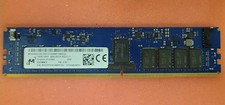
Micron MTA18ASF2G72XF1Z-2G9WP1ABVGD 16GB 1Rx4 NN4-2933Y DDR4 ECC NVDIMM
$74.50
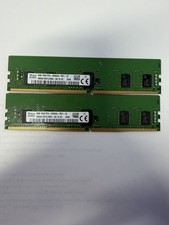
LOT OF 2 SK Hynix 8GB 1Rx8 PC4-3200AA ECC HMA81GR7CJR8N-XN
$89.95
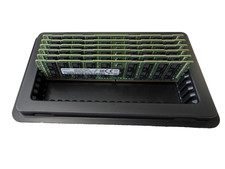
LOT OF 6 Samsung 64GB 4DRx4 PC4-2666V M386A8K40BM2-CTD6Q Server RAM
$1799.99

USB 3.0 Flash Drive 32GB 64GB 128GB Memory Stick Thumb Stick Lot Pack
$826.09
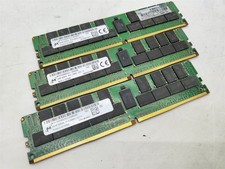
Lot of 3~BAD~NON-WORKING Micron 64GB 4DRx4 PC4-2666V-LE2 Server RAM Memory DDR4
$600.00
Lot of 2~BAD~NON-WORKING Micron 64GB 2Rx4 PC4-2933Y-RB3 Server RAM Memory DDR4
$400.00

LOT OF 4 Samsung 16GB DDR4-2666 ECC UDIMM 2Rx8 PC4-21300 M391A2K43BB1-CTDQ
$469.95

TF/SD Card Adapter Camera Reader Android Type-c For iPhone17 Pro Max Plusm lot
$573.98



 Reply With Quote