

Greating everyone,
I figured out a way to accomplish this task buy issuing 2 commands ,
code: sudo apt-get install fglrx-driver xserver-xorg-video-modesetting
Cause the other hook was pessing me off all the time currupting my fglrx driver i figured ou that this is the most easy way of doing it ... havent used any game yet but im still working forworth to solve my problem , that is not beeing able to play games on knoppix
Hope i helped if you cant use the code about try this one ::::::
code: sudo apt-get install fglrx-driver && sudo apt-get install 'fglrx-modesetting' that sometimes gives us error use the 'fglrx-legacy-modesetting'
thks bbif you have any questions or you fell and know you want to participate in this discustion go ahead , identify your problem and give some soluctions !
GAMES FTW
 Posting Permissions


ATARI XF551 DISK DRIVE WITH AC POWER ADAPTER AND PARALLEL PORT ADAPTER, UNTESTED
$250.00
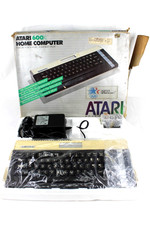
VTG Atari 600XL Home Computer System in Box ** Powers On ** Clean * Tested Works
$148.75

GreaseWeazle v4 board USB floppy drive adapter Retro All Formats
$35.00
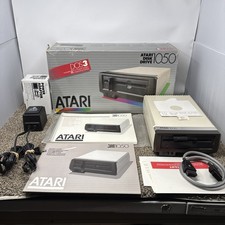
Atari 1050 Floppy Disk Drive Tested With All Cables Power And Data SIO In Box
$200.00
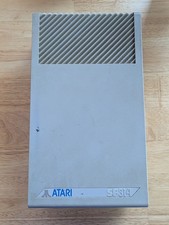
Vintage ATARI SF314 DS/DD 3.5" External Drive TESTED but can't read/write disks
$69.99

Fujinet 1.7.1 Atari 400 800 800XL 130XE 65XE XEGS Assembled, Tested, Working
$99.99
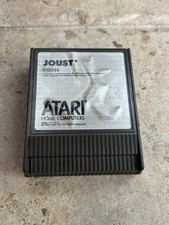
⭐️Atari RX8044 Joust Vintage Computer Game Cartridge⭐️Vintage 1983⭐️
$7.93
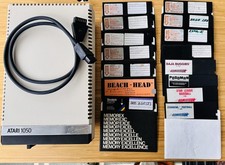
Vintage Atari 1050 Disk Drive w/ SIO Cable & 32 Games/Programs - UNTESTED
$67.76

Atari 400 Home Computer System includes Power Cord G2U
$159.99

DEFECTIVE Atari 810 Vintage Computer Disk Drive powers on Unit Only Boo G3D
$49.29


 Reply With Quote