

Greating everyone,
I figured out a way to accomplish this task buy issuing 2 commands ,
code: sudo apt-get install fglrx-driver xserver-xorg-video-modesetting
Cause the other hook was pessing me off all the time currupting my fglrx driver i figured ou that this is the most easy way of doing it ... havent used any game yet but im still working forworth to solve my problem , that is not beeing able to play games on knoppix
Hope i helped if you cant use the code about try this one ::::::
code: sudo apt-get install fglrx-driver && sudo apt-get install 'fglrx-modesetting' that sometimes gives us error use the 'fglrx-legacy-modesetting'
thks bbif you have any questions or you fell and know you want to participate in this discustion go ahead , identify your problem and give some soluctions !
GAMES FTW
 Posting Permissions


HP PROLIANT TPS-W003 MICRO- SERVER TOWER Gen 8, 16G RAM
$195.00

Supermicro 1U Network Server Appliance 16GB RAM 800GB SSD 6 LAN Ports Powers On
$450.00

Supermicro CSE-937 3U Storage Chassis No CPU No HDD No Ram Tested & Reset
$129.99

$280.00

HP ProLiant MicroServer Gen8 G1610T @2.3 GHz, 16GB, 712317-001 NO HDD/OS
$199.00
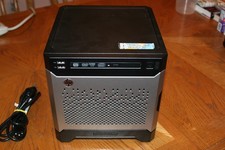
HP Proliant MicroServer Gen8, 4.5TB, (4) HDD, EXCELLENT COND.
$625.00

Supermicro 1027GR-TSF 1U Rackmount Server 2x Xeon 2.3GHz 128GB DDR3
$219.99

Supermicro 2U X10DRU-i 2x E5-2680 v3 2.5ghz 32gb Ram 240gb SSD 2x GPU *READ*
$369.99

Supermicro CSE-216 No CPU No Ram No HDD Tested & Reset
$149.99

Nasuni NF-50 Supermicro Server, Atom CPU C2558, @ 2.40GHz, 8GB RAM-No HDD/OS/AC
$187.50


 Reply With Quote