

 Reply With Quote
Greetings, jd.Originally Posted by jdblue23

Using pcmanfm file manager it's right-click > folder properties > permissions. But, I don't think this is new.


Hello everyone,
I've been searching the forums, and I cannot find this topic. I've downloaded the latest version of Knoppix version 7.5, and it's great I do have to say.
Here's my problem though. I remember from previous versions especially 6.2 when you wanted read/write permissions, you would just right click and untick the option. I can't find that option in the new version.
I just have eject for a USB and unmount. My 2TB HDD failed on me, so I took it to a repair man, and he said everything is gone. I knew it was there, but it was windows that wasn't recognizing it.
Therefore, I downloaded the latest version of Knoppix, loaded it up, plugged in my External, and it showed right up with all my files on it. I just get an input/output error on every file I try to move, even the smallest of documents.
I thought it might be that it's NTSF, and Knoppix prefers FAT32. That doesn't seem to be the case. I can view every file or video with Gnome with no problems. I am just unable to transfer them.
I apologize if anyone has asked this, and I appreciate the help tremendously in advance. Knoppix is wonderful, and I have watched it evolve over the years. Some people still don't know what it is when I mention it, so I always recommend it. Take care everyone.
JD
Last edited by Werner P. Schulz; 02-23-2014 at 12:52 AM. Reason: formatted by mod
Greetings, jd.
Using pcmanfm file manager it's right-click > folder properties > permissions. But, I don't think this is new.
I will try again, and I know it's something that I'm easily overlooking. Usually it would mount the drives and place them on the desktop. It only shows them within in the "Knopoix" folder on the desktop. My drive may be gone, but I just wish I could know for sure that I have write permissions. As I said, I can view, play my videos and open my documents. I am just not able to copy and paste them to a "healthy" drive. I apologize for the simple solution that I've turned into a complex one. Thank you utu for answering my question so quickly.
I still do not have the option of "Using pcmanfm file manager it's right-click > folder properties > permissions." I even tried it on a several small USB sticks both FAT32 and NTSF along with my internal HDD's. I only have "mount/unmount or eject USB." I downloaded a copy of the complete DVD and the CD version possibly thinking that was the problem. I have no idea what I'm doing wrong. It's been so easy to use in the past, and I can't find my older copy or a host of it. I'm not going to give up, but any help would be appreciated. Thank you again for the help and this great community. Take care.
JD
The simple way to copy files is using the filemanager PCManFM (the second icon from left in the panel). In the left part of PCManFM you'll see your 2TB HDD; with right mouse click on it you can try to mount it within Knoppix.
Open another instance of PCManFM and go to the partition and folder of your target drive where you want to move the files. Now you can "copy" files within the first instance of PCManFM and "insert" them within the second one.
In earlier versions of Knoppix you could see the external drives on the desktop; now you have to use PCManFM.
Last edited by Werner P. Schulz; 02-24-2014 at 05:17 PM.
 Posting Permissions


(New) AMD Ryzen 7 5700X 8 Core 16 Thread AM4 Unlocked 3.4 GHz CPU OEM Tray
$174.99

AMD Ryzen 7 PRO 8700GE 8-Core/16-Thread Up to 5.1GHz AM5 (FL1)
$175.00
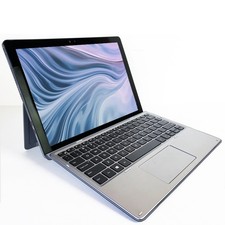
Dell Latitude 7200 Touch Tablet Laptop 12” Core i5 8GB RAM 256GB SSD Win 11 Pro
$239.99
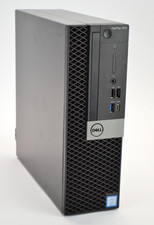
Dell Optiplex 7070 SFF i7-9700 8-Core 3.0GHz 16B Ram NO HDD NO OS
$199.99
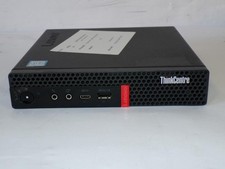
Lenovo ThinkCentre M720Q Core i5-8500T 2.10GHz 8GB 128GB SDD W11 Mini PC (Z3675)
$125.96
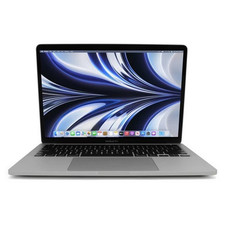
Apple MacBook Pro 13" M1 2020 A2338 8-Core Apple M1 8GB RAM 256GB SSD (Silver)
$399.99

AMD Ryzen 7 9850X3D 8-Core 16-Thread 5.6GHz 120W AM5 CPU 100-100001973WOF
$435.99
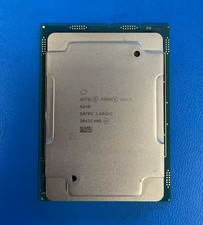
SRF8X Intel Xeon Gold 6240 18 Core 2.60GHz 24.75MB 150W Processor CPU
$19.99

Intel Core i9-9900 SRG18 3.10GHz 16MB 8-Core LGA1151 CPU Processor
$177.21

Dell OptiPlex 5070 SFF i7-9700 (8-Core) 3.0GHz 16GB 256 SSD Windows 11
$250.00