-
OK, here is what I have managed to do on my own. It occured to me that I might be able to edit the grub as the system was booting up, so I hit the e key as the grub was displaying and went into the grub, and created a new listing for the old programming. Using the information from the new operating system, I typed up the new entry editing it so it directed the computer at the first partition. I hit F10 and the computer booted into the old operation system, but, without an active internet connection for some reason. Anyway, after I was booted into it, I started mcedit, and to my great surprise there were no existing entries in the grub that mcedit brought up. Appearantly the drive actually has three different grubs, and none of the os's are directed at the one that is currently booting the system up with. I tried editing the blank one in the old operating system and when I rebooted the computer the grub that boots the system remains unchanged and the system is still not able to edit it from either side of the partitions. Appearantly when I used the grub repair tool to change the grub, it just created a whole new grub and deleted the directions of the old grub leaving it inplace but not accessible to the boot process, and the new installation also created its own grub when it was installed that didn't edit the original. That is why the new system wouldn't boot from the old grub. So, now we have three grubs one that is booting and isn't editable from either of the operating systems and two that the computer can't find to use to boot with.
Surely, there is a program that I can use that will detect all of the grub instances and give me the option of deleting those I don't want, and editing those I want to use on the systems?
Someone have anything that will help me resolve these complications?
Oh, and by the way, the entry I created in the bootable grub was temporary, and must be retyped each time to boot the old system.
 Posting Permissions
- You may not post new threads
- You may not post replies
- You may not post attachments
- You may not edit your posts
-
Forum Rules


DEC Digital DECmate III PC238 PDP-8 6120 RX50 Dual Floppy Vintage Computer
$649.95

Vintage DEC Digital Starion 200 Desktop PC Powers On Boots To BIOS NO HDD - DW
$299.99

Vintage DEC/Mostek memory systems MK 8015 AA-00 6805-08015 1100 REV C(B7)
$279.99
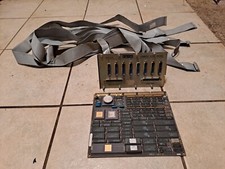
DEC DIGITAL VINTAGE DMB32 with Cab Kit
$150.00

Vintage DEC Digital Equipment Flip-Chip Module Lot Parts
$59.99

Vintage DEC Digital Equipment DELNI 8-Port Ethernet Local Network Hub VAXstation
$79.95

Vintage DEC Digital VR319-DA 19" High Resolution Monochrome CRT Monitor - Tested
$180.00
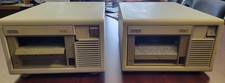
Vintage DEC (Digital Equipment Corp) TK-50 Tape Drive
$80.00

Vintage DEC Digital XMI-A1 5017293-01A1 LWPR BE3-0 VAX Circuit Board T2012
$74.99

Vintage DEC Digital T1043 DWMBB/B VAXBI XMI Adapter 5018232-01 C1 VAX Board
$99.99



 Reply With Quote