-
It's hard to see what's going wrong within your different grub without direct access to your computer.
- Start your new installation
- Open (as root) the file '/boot/grub/menu.lst
- Append in the "title" line: (started from new install)
- Open the file '/etc/fstab' and look for the other Knoppix installation; in my example:
Code:
# Added by Knoppix
/dev/sdb2 /media/sdb2
- Open (as root) the file '/media/sdbX/boot/grub/menu.lst'
- Append in the "title" line: (presumable old install)
- Notice all the root points (hd...) to paper
- Start your presumable old installation
- Can you see within the "title" line the entry: (presumable old install)?
 Posting Permissions
- You may not post new threads
- You may not post replies
- You may not post attachments
- You may not edit your posts
-
Forum Rules


Seagate ST500DM009 BarraCuda 500 GB 3.5" SATA III Desktop Hard Drive
$14.99

Western Digital HUS726T4TAL5204 4TB 7.2K SAS 12Gb/s 3.5" 512e HDD NetApp X375A
$49.00

5x HGST Ultrastar 4TB SAS 12Gb/s 7200RPM 3.5" HDD HUS726040AL5214 4Kn
$199.00

HGST 10TB Ultrastar SATA 6Gb 256MB 3.5" Enterprise HDD 0f27452 HUH73101ALE600
$170.00

Toshiba 14TB MG07 MG07ACA14TEY 7.2K RPM SATA 6Gb/s 512e 3.5" Enterprise HDD
$299.00

Seagate ST1000VM002 1TB 5900RPM 3.5" SATA 6GB/s HDD Video Hard Drive PC DVR
$24.99
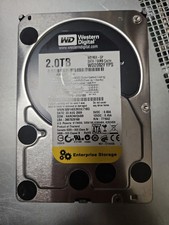
Western Digital 2TB 7200RPM 3.5" (WD2002FYPS) SATA tested 98%-99% health
$29.99

Seagate Exos ST10000NM002C 10TB CMR 7200RPM SATA6Gb/s 3.5" Enterprise Hard Drive
$279.99

Dell Constellation ES.3 3TB Enterprise-class Hard Drive (Wiped & Tested)
$39.00

Dell EMC WD-HITACHI H5H72101CLAR10T0 10TB 7.2K SAS 12Gb/s SED 3.5in A POH 0-50k
$189.99



 Reply With Quote