-
7.2 Flash Boot mount failure
Hi! So, besides rain for planting rice, I need to get Knoppix7.2 to boot from a flash drive. I downloaded the DVD, checked md5 and copied the iso image to a flash drive using an overlay option. Knoppix boots fine on my Toshiba laptop but hiccups on my PC, and, of course, I need it to work on my PC.
I boot using KNOPPIX64 or DEBUG64
Here's the boot error message I'm getting:
Compressed KNOPPIX image is broken: /mnt-system/KNOPPIX/KNOPPIX on /dev/sdc1 on /mnt-system type vfat (rw,relatime,fmask=0000,dmask=0000,allowutime=0022 ,codepage=850,iocharset=utf8,shortname=winnt,error s=remount-ro)
[ 15.639342] cloop: out of kernel mem for offsets
Could not mount /mnt-system/KNOPPIX/KNOPPIX. Starting debugging Shell . . .
sh: can't access tty: job control turned off
Here are my computer spec's
Motherboard: ASUS P8H61-M LE
CPU: Intel Core i5 2450 @ 3.10 GHz
On-Board Graphics: Intel HD 2500Graphics, 2 ports
Grahics Card: Power Color Radeon HD6670, 2 ports *****
Hard Drive for OS: 120GB Solid State SanDisk Extreme SSD SSDX120GG25
Hard Drive for work files: Western Digital 120GB
RAM: 8GB, 2 X 4GB Kingston DDR3 @ 1333 Mhz
Power Supply: 530 Watt Modular, Raidmaxx RX530ss
Optical Disk Drive: DVD/CD R-RW, LG MODISK SATA
Monitors:
Samsung 223BW 21.6" LCD / TFT active matrix
Samsung Syncmaster 793MG 17in. Flat panel SVGA CRT Monitor
LG E2342T 23" LCD/LED flat screen
Dell M783S 17in. Flat panel SVGA CRT Monitor
Radeon Display driver: 8.982.0.0000
/# fdisk -l results:
/dev/sda1 data storage drive 120 GB
/dev/sdb1 SSD reserve partition for booting 100MB
/dev/sdb2 ssd drive c: 120GB - 100MB
/dev/sdc1 flash drive KNOPPIX shows as boot device 8GB FAT32
Thanks for the help.
Geoffrey Wheeler, Ban Thin, Tambon Ban That, Phen District, Udon Thani Thailand
-
I updated the BIOS (to 4601 x64 9/8/2013), set it to Enable Multiple Monitors (I've got 4) and set Primary Graphics = PCIe (Radeon HD6670) and used the boot menu [F8]. There are 2 options for booting from the USB: UEFI and non-UEFI. UEFI errors, non-UEFI boots! I'm happy about that.
 Posting Permissions
- You may not post new threads
- You may not post replies
- You may not post attachments
- You may not edit your posts
-
Forum Rules


Commodore 64 Serial Cable 6PIN DIN 1541 1571 C64 128 C128 Disk Drive Printer USA
$10.49

Commodore VIC-20 Diagnostic Cartridge & Test Harness Set - USA seller
$39.99

TeensyROM+ TR+ v0.4 Cartridge for C64/128 - w/ Case & 32GB SD Preloaded
$89.50

Commodore OS USB | Bootable LIVE + Install | The Ultimate Gaming Linux OS | NEW
$11.99

Commodore 128 C128 Computer FOR PARTS / REPAIR Untested Missing Key No Cords
$149.99
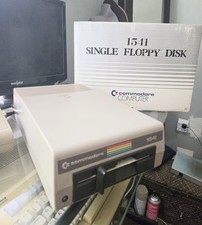
Commodore 1541 WORKING W/Cables - OEM Box & Head Protector - NICE Case
$149.00
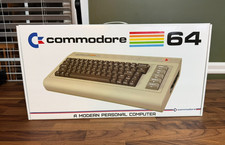
Commodore USA 64x Mini-ITX Barebones w/ Slot Load Blu-ray, Memory Card Reader ++
$449.99
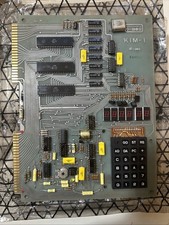
Vintage 1976 Commodore MOS KIM-1 Single Board Computer 6502 SBC w/ 4 Manuals
$1400.00

Commodore 64 Dead Test & Diagnostic Cartridge & Test Harness Set - USA seller
$39.99
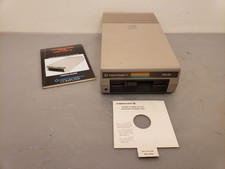
Vintage Commodore 1541 Floppy Disk Drive FDD C64 w/ Manual,insert Nice, **Tested
$140.00



 Reply With Quote