-
Floppy Boot Problems and Other - Help Appreciated
Hello,
I don't think this has been addressed before, I have looked over much of this board but haven't found what I am looking for.
I have really had a LOT of good luck with this linux installation, it identified my hardware better than windows did. It works amazing and I soon decided I would put it on my hard drive.
I had tried once before with slackware and their slackzip that could be put on a FAT32 drive, it worked well for a few weeks, and I got all my hardware working eventually unfortunately windows crashed and I had to reformat. This is my next attempt.
I just got a brand spanking new 80gb WD 7200rpm drive and decided I would move windows off my little 4 gig I was replacing. That freed up an entire drive for Knoppix. I got windows running on my now first drive, and ran the knx-hdinstall script to install on the 4 gig, it worked very well and some of my earlier experience helped. I got I finished the install easily and rebooted.
I was now presented with the lilo menu, containing both windows and linux. I was very pleased. I tried to boot windows but NOTHING happened, it just said "booting Windows(hda1)" and did not continue, however, linux boots fine.
I went into linux and searched this board and found this very useful article http://www.knoppix.net/forum/viewtop...t=lilo+windows. It explained that I should use GRUB, and what not, fine, I followed the instructions but soon realized I was supposed to put LILO on the linux partition. I reinstalled and did so, I made a boot disk but when I tried to boot with the disk I got this error, "Boot Failed" right at the begining before anything happened.
I tried several different things but they all failed. I took a different angle, I booted on the Knoppix cd (a very useful tool) and took a look at installing LILO into the MBR as well as the partition. I didn't know how this would work, I assumed it would work fine but I didn't get that far, I found this article http://www.knoppix.net/forum/viewtop...lilo+reinstall
that explained how to install lilo. Unfortunately when I try to chroot to /mnt/hdb1/ (which is mounted) I get a long error, it repeats
Code:
bash: /dev/null: Permission Denied
more times than will fit on a screen. At this point I went for help. I may be able to figue more out but its quite late and I'd like to see what people have to say, have I done anything wrong, what is causing these problems. How do I fix or circumvent them. Any help or suggestions you can give would be greatly appreciated. Oh, I'm pretty newbieish so a good explanation would be useful. Thanks so much for any help.
My system info is:
hda = Western Digital 80gb 7200rpm
hdb = Quantum Fireball 4gb
256 mb ram
Asus motherboard
if you need anthing else, just ask.
Similar Threads
-
By sdat1333 in forum Hdd Install / Debian / Apt
Replies: 2
Last Post: 11-19-2004, 11:50 PM
-
By doubled157940 in forum General Support
Replies: 4
Last Post: 12-02-2003, 06:23 AM
-
By rainco in forum General Support
Replies: 2
Last Post: 10-10-2003, 12:05 PM
-
By fez in forum General Support
Replies: 3
Last Post: 08-19-2003, 07:10 PM
-
By Ritchie in forum General Support
Replies: 0
Last Post: 07-29-2003, 10:43 AM
 Posting Permissions
- You may not post new threads
- You may not post replies
- You may not post attachments
- You may not edit your posts
-
Forum Rules


16GB KIT (2x8GB) DDR3 Gamer Desktop RAM PC3 MIXED BRANDS VIPER VENGEANCE FURY
$10.00

Netac DDR4 32GB 16GB DDR4 3200MHz UDIMM C16 Desktop Internal Memory RAM Kit
$99.99

MTC8C1084S1SC56BD1 Micron 16GB DDR5 1Rx8 PC5-5600B 5600Mhz SO-DIMM Memory
$149.99

A-Tech 8GB DDR3 1600 PC3-12800 Laptop SODIMM 204-Pin Memory RAM PC3L DDR3L 1x 8G
$21.68
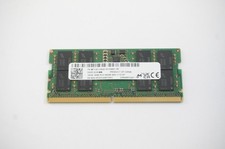
MTC8C1084S1SC56BD1-NF Micron 16GB DDR5 1Rx8 PC5-5600B 5600Mhz SO-DIMM Memory
$149.99

Major Brand 16GB (2x8GB) PC3-12800U DDR3-1600MHz DDR3-12800 DESKTOP RAM NON-ECC
$29.99

Samsung 32GB DDR4-2666V-2Rx4-RB2-12 RAM M393A4K40CB2-CTD6Q
$169.00
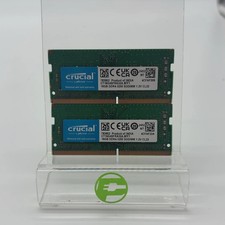
Crucial Laptop Ram 32GB (2x16GB) RAM DDR4 3200MHz CT16G4SFRA32A
$119.99

Corsair Vengeance DDR3 8GB 16GB 32GB 1866MHz PC3-14900 Desktop RAM Memory DIMM
$85.00
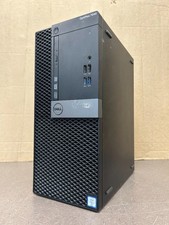
Dell Optiplex 7040 MT, i7-6700 3.40GHz, 16GB DDR4 RAM, NO HDD/OS #95
$65.00



 Reply With Quote