
If you start Knoppix from cd you know that all types of hdd (Partitions) are shown , right ? And now I installed Knoppix to hdd and booted it and my windows HDD are away !! I can't find them !! Is there a way to include them ?


If you start Knoppix from cd you know that all types of hdd (Partitions) are shown , right ? And now I installed Knoppix to hdd and booted it and my windows HDD are away !! I can't find them !! Is there a way to include them ?
See this thread the post by Fabianx is the one to look at. Or you can manually edit the /etc/fstab as root and remove the # that are in front of the lines knoppix created when it installed and right click on the desktop and create the icons.
 Posting Permissions


Yealink T48S VoIP/SIP Phone, 2 x Gigabit Ports PoE 7" Color SIP-T48S | TESTED
$34.95

SIM Bank 32 SIM Card Slots Ethernet SIM Server for GoIP
$400.00

Poly CCX 400 Desktop Business Media Phone VoIP 2200-49700-019
$49.99

Grandstream VoIP Phone Adapter ATA 1-Line Black Ethernet (RJ-45) Micro USB
$27.07

Yealink SIP-T33G IP Phone 4-LineSpeakerphone VoIP Desk Phone Black w/ Power Sply
$25.00

Grandstream HT701 1-Port FXS Analog Telephone Adapter ATA VoIP Gateway -Free S/H
$19.99
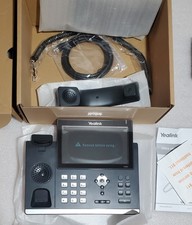
Yealink SIP-T48S Ultra-Elegant Gigabit IP Phone 16-Line 7in VoIP Phone
$89.00

Grandstream WP810 Portable Cordless Wi-Fi IP Phone
$49.28

Lot Of 5 Poly Edge E550 82M91AA IP Desktop Phone PoE New In Box
$1500.00

Cisco CP-8841 IP Phone Charcoal Handset And Stand Included
$27.99

 Reply With Quote