-
Identifying and browsing ntfs windows folders from live CD
I have a two-disk RAID1 system that had some problems. I have disabled RAID, removed one of the drives, cleaned it up, and placed it back into the system. RAID is still disabled, but this drive boots fine.
My original intent is to use Clonezilla to clone from the cleaned up drive to the suspect drive. Problem is, I need to know how my SATA0,SATA1 slots are assigned to sda, sdb when booted under Clonezilla, otherwise I might copy the dirty drive to the clean drive. From what I have read, it isn't automatically going to assign SATA0=sda,SATA1=sdb.
If I could browse the windows root folder of each drive, I could easily tell which was which. I can boot with Knoppix, and it does show the drives, but I am unable to mount the ntfs partitions in order to take a look at the files (fat32 mounts ok). I tried from both the desktop, and the console using ntfs-3d. I found the same problem with gparted live.
It seems like I was able to do this before. What am I missing?
 Posting Permissions
- You may not post new threads
- You may not post replies
- You may not post attachments
- You may not edit your posts
-
Forum Rules


LENOVO THINKPAD T14s GEN 2a Ryzen 7 PRO 5850U 1.9GHz 16GB 256GB TOUCH - NO OS
$299.95

Lenovo ThinkPad L14 Gen 3 Laptop 14” FHD Core i5 12th 16GB RAM 512GB SSD Win 11
$374.99
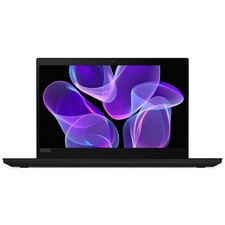
Lenovo Thinkpad T14 Gen 2 14" 16GB, Thunder Black
$313.00

Lenovo Thinkpad E15 Gen 2 8GB RAM 256GB SSD Intel Core [email protected] Laptop
$220.36

Lenovo Thinkpad T14 Gen 2i 14" 16GB 512GB, Black
$313.00
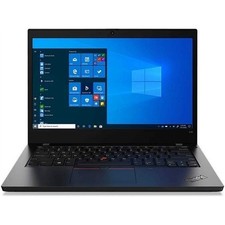
Lenovo ThinkPad L14 Gen 1 i5-10210U 16GB 512GB SSD Win 11 Pro Very Good
$229.99

Lenovo LOQ 15 15.6" FHD 144Hz 8-Core i5-12450HX 16GB 512GB SSD GeForce RTX 4050
$760.00

Lenovo Legion 5 Gaming 15.1" WQXGA OLED 165Hz Core i9-14900HX 16GB 1TB RTX 5070
$1439.00
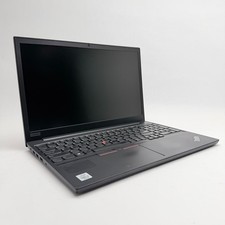
Lenovo Thinkpad E15 15.6" Laptop i5/i3 8GB RAM Up to 1TB SSD HDD Tested Working
$136.55
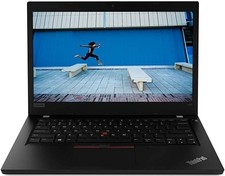
Lenovo ThinkPad L490 14" HD Laptop Intel Core i5 16GB RAM 128GB SSD Windows 11
$214.23



 Reply With Quote