

 Reply With Quote
See this thread the post by Fabianx is the one to look at. Or you can manually edit the /etc/fstab as root and remove the # that are in front of the lines knoppix created when it installed and right click on the desktop and create the icons.


If you start Knoppix from cd you know that all types of hdd (Partitions) are shown , right ? And now I installed Knoppix to hdd and booted it and my windows HDD are away !! I can't find them !! Is there a way to include them ?
See this thread the post by Fabianx is the one to look at. Or you can manually edit the /etc/fstab as root and remove the # that are in front of the lines knoppix created when it installed and right click on the desktop and create the icons.
 Posting Permissions


Intel Core i7-3770K 3.5 GHz Processor
$39.00

INTEL CORE I7-870 SLBJG 2.93GHZ LGA1156 4 CORE CPU PROCESSOR
$23.00

(LOT OF 20) Intel Core i5-8400 CPU 2.80GHz Desktop Processor (SR3QT)
$700.00

INTEL CORE I9-10940X X-SERIES PROCESSOR | 3.30GHZ | SRGSH
$179.99

AMD Ryzen 5 5500 Processor ( read Description)
$59.00

Intel Core i7-9700 Octa-Core 3 GHz Desktop Processor LGA 1151
$79.99

Intel Core i5-12500T SRL5W 2GHz 18MB 6 Core Socket LGA1700 Desktop CPU Processor
$114.99

Intel i7-8700 Coffee Lake 3.2GHz 6-Core Max Turbo 4.6GHz Processor
$67.99
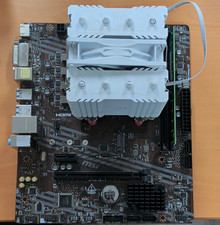
$70.00

INTEL CORE I9-10980XE PROCESSOR | 3.00GHZ | SRGSG
$299.99