
See this thread the post by Fabianx is the one to look at. Or you can manually edit the /etc/fstab as root and remove the # that are in front of the lines knoppix created when it installed and right click on the desktop and create the icons.


See this thread the post by Fabianx is the one to look at. Or you can manually edit the /etc/fstab as root and remove the # that are in front of the lines knoppix created when it installed and right click on the desktop and create the icons.
 Posting Permissions


OWC Mercury Elite Pro 2 Bay RAID Enclosure with USB 3.2 for Dual 3.5 inch HDDs
$87.99
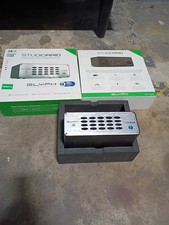
Glyph StudioRAID 28TB External RAID Hard Drive Thunderbolt 2 USB 3.0 7200RPM
$300.00

Broadcom 9600-24i Tri-Mode RAID Controller 4.0 NVMe SAS SATA NEW 05-50111-01003
$639.69

Intel VROC Premium RAID Controller Card PCIe Add-On Module VROCPREMMOD
$265.00

2-Bay/4-Bay Hard Drive Enclosure for 3.5"/2.5'' SATA HDD/SSD 10Gbps USB-C 3.2
$119.99

WAVLINK RAID 2 Bay Hard Drive Docking Station SATA 2.5/3.5'' SSD HDD Enclosure
$119.99

Dell PowerEdge HBA330 LP PCI-E 12GBs RAID SAS Controller Adapter J7TNV
$18.95

Acasis USB 3.2 2 Bay HDD RAID Enclosure for 2.5/3.5" SATA Drives External Array
$55.00
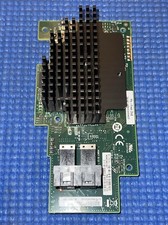
Intel® Integrated RAID Mezzanine Module RMS3HC080 SAS/SATA H24093-204
$24.97

Adaptec ASR-71605 16-Port 1Gbps PCIe RAID Card High Profile
$18.49

 Reply With Quote