-
Time zone change cannot be made permanent
I am in Knoppix 7.4 DVD on a USB key with a persistent oerlay of 4GB. I have lang=en (easy). I also have keyboard=fr, but only thanks to the Key Layout Handler (it seems impossible otherwise to make it permanent). Now, I also need tz=Europe/Paris. The cheatcode at boot is not memorized and is lost. On reboot, I am back to America/New_York. Also tz=Europe/Paris is given as UTC instead of UTC+2.The BIOS of my computer displays UTC and NTP for Windows changes that to UTC+2 for my Windows 7. NTP is installed in Knoppix 7.4 but I am not sure if it is running. Help please.
-
Sorry, I have to delete completely my posting from yesterday. I havn't found a solution for this problem.
If I use the cheatcode "knoppix tz=Europe/Paris", then Knoppix accept it. You can verify this with
The function "Set timezone" of the script '/etc/init.d/knoppix-autoconfig' works correct as you can see in '/etc/timezone' and the right file of '/usr/share/zoneinfo' is copied to '/etc/localtime'.
But with
Code:
cat /proc/driver/rtc; date
you'll see Linux doesn't care about '/etc/localtime.
Last edited by Werner P. Schulz; 08-10-2014 at 11:13 AM.
-
Thanks Werner. I am using LXDE and knoppix32 on a computer running Windows 7 Ultimate in 64-bit. The cheatcode : "knoppix32 tz=Europe/Paris" at boot retruns an error saying that kernel image knoppix32 is not found. Likewise the cheatcode "knoppix32" proposed in the list of cheatcodes. There is no syslnx.cfg file. I entered "tz=Europe/Paris" in syslnx32.cfg and syslnx64.cfg for both LABEL knoppix and LABEL knoppix64. The time zone shown is still "America/New_York" and the time is UTC. NTP says it queried "ntp.univ-angers.fr". Hope this "bug" (?) can be solved. There was no such problem with version 7.2.
-
Now I've found the error. Settings of timezone within Knoppix V7.4.0 doesn't work if in '/etc/adjtime' is the entry "LOCAL" instead of "UTC" (as in old Knoppix versions). Change this value, reboot and now Knoppix uses the value of '/etc/timezone'. You can also check it with
-
In /etc/adjtime, I typed UTC to replace LOCAL as you suggested. I left unchanged the entries "tz=Europe/Paris" made earlier in syslnx32.cfg and syslnx64.cfg. Rebooted and I am still in America/New_York. "timedatectl" reports as "local time" the current time in New York and UTC is correct. The cheatcode at boot: "knoppix tz=Europe/Paris" would give the correct time zone and time, but is not memorized. Some other setting(s) must be at fault. "America/New_York" wants to be the default time zone and refuses to be modified.
Last edited by philo; 08-10-2014 at 07:28 PM.
-
A post in a Knoppix Forum (Hdd Install/Debian/Apt) dated 31 Jan 2007 by onemyndseye and eentitled "[FIX] KNOPPIX not showing correct language / Timezone fix" porposed: (1) adding a few lines in the "localize" header of /etc/init.d/knoppix-autoconfig, and (2) creating a file "timezone" in /etc/sysconfig. I tried that. Reboted and it works. Is it good enough? http://knoppix.net/forum/showthread....l=1#post109153
-
There is no syslnx.cfg file.
The name of 3rd file is syslinux.cfg! Insert in this file your "tz" setting too.
It is dangerous to change somethings within '/etc/init.d/knoppix-autoconfig' - especially following a 7 years old posting. I hope you have a copy of the origin of this file.
-
I had Knoppix 7.4 installed by Universal-USB-Installer (UI) and UI places its own syslinux.cfg out of sight in a sub-folder.
Anyway, I did a fresh install with K's own Flash Install and created a new persistent img.
With the cheatcodes for keyboard=fr and tz=Europe/Paris in the thrre ". cfg" files concerned, AND the change in "/etc/adjtime", I now have everything working correctly (no need for Keyboard Layout Handler).
No doubt, other Knoppix users suffered from similar hiccups.
Thanks again.
 Posting Permissions
- You may not post new threads
- You may not post replies
- You may not post attachments
- You may not edit your posts
-
Forum Rules


IBM Power S822 POWER8 1x CPU 32GB DDR4 RAM 2U Rack Server No HDD.
$629.99

Lot of 2 IBM blade center Type H chassis 8852
$559.00

IBM 7915 AC1 M4 E27R704 Server Intel 2650V2 32GB RAM NO HDD w/ 2x 750w PSU
$200.00

IBM QRadar xx29 2x Xeon E5-2650v4 2x 900W PSU M5120 12x 3.5" Bay Server No RAM
$149.99

IBM 4262 SYSTEM x3200 Tower - HDD Wiped, NO OS
$80.00

IBM SYSTEM X3500 M3 SERVER 7380AC1 TOWER Server XEON E5620 8GB RAID SEE NOTES
$108.92

IBM Power 8 S822L Server 8247-22L POWER8 Enterprise 256GB RAM 2x 00KV626 CPU
$999.99

IBM X3650 M5 5462-AC1,2 X E5-2640V3 2.6GHZ 8C, 16 GB, DUAL 750W, 2 X 1TB SERVER
$349.99
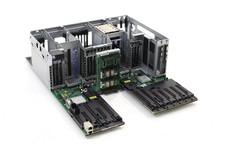
IBM System S822 Dual Socket Server Motherboard W/Cage FRU P/N: 74Y4343 Tested
$499.99
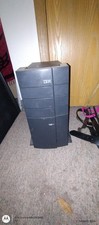
Ibm Computer Tower
$400.00



 Reply With Quote