

 Reply With Quote
Hello Stuart Kendrick,
I think the first serial port is called ttyS0.


I'm booting Knoppix on a board which does not have a VGA port.
How do I redirect the console out COM1?
By default, Knoppix boots as follows (thank you Werner for pointing me to the instructions on how to install Knoppix on this CF card):
======================================
PC Engines ALIX.2 v0.99m
640 KB Base Memory
261120 KB Extended Memory
01F0 Master 848A CF CARD
Phys C/H/S 15490/16/63 Log C/H/S 971/255/63 LBA
SYSLINUX 4.04 EDD 20110711 Copyright (C) 1994-2011 H. Peter Anvin et al
boot: knoppix
Loading linux......
Loading minirt.gz...ready.
======================================
But I see nothing further, after that last 'Loading minirt.gz...ready.' line. And hitting 'Enter' does not produce a result.
I tried adding 'console=tty0 console=ttyS0,38400n8' as cheat codes. Also, 'console=tty0 console=ttyS1,38400n8'.
DEFAULT knoppix
APPEND ramdisk_size=100000 lang=en vt.default_utf8=0 apm=power-off initrd=minirt.gz nomce libata.force=noncq hpsa.hpsa_allow_any=1 loglevel=1 tz=localtime console=tty0 console=ttyS1,38400n8
TIMEOUT 100
# TOTALTIMEOUT 20
# KBDMAP german.kbd
PROMPT 1
F1 boot.msg
F2 f2
F3 f3
[...]
But adding these two 'cheat code' does not change the behavior.
Is there a different 'cheat code' other than 'console' that I want to investigate?
--sk
Stuart Kendrick
Hello Stuart Kendrick,
I think the first serial port is called ttyS0.
I've tried a few variants, same behavior:
DEFAULT knoppix
APPEND ramdisk_size=100000 lang=en vt.default_utf8=0 apm=power-off initrd=minirt.gz nomce libata.force=noncq hpsa.hpsa_allow_any=1 loglevel=1 tz=localtime console=ttyS0,38400n8
DEFAULT knoppix 2
APPEND ramdisk_size=100000 lang=en vt.default_utf8=0 apm=power-off initrd=minirt.gz nomce libata.force=noncq hpsa.hpsa_allow_any=1 loglevel=1 tz=localtime console=ttyS0,38400n8
DEFAULT knoppix
APPEND ramdisk_size=100000 lang=en vt.default_utf8=0 apm=power-off initrd=minirt.gz nomce libata.force=noncq hpsa.hpsa_allow_any=1 loglevel=1 tz=localtime console=/dev/tty0 console=ttyS0,38400n8
DEFAULT knoppix
APPEND ramdisk_size=100000 lang=en vt.default_utf8=0 apm=power-off initrd=minirt.gz nomce libata.force=noncq hpsa.hpsa_allow_any=1 loglevel=1 tz=localtime console=tty0 console=ttyS0,38400n8
DEFAULT knoppix
APPEND ramdisk_size=100000 lang=en vt.default_utf8=0 apm=power-off initrd=minirt.gz nomce libata.force=noncq hpsa.hpsa_allow_any=1 loglevel=1 tz=localtime nomodeset console=ttyS0,38400n8
DEFAULT knoppix
APPEND ramdisk_size=100000 lang=en vt.default_utf8=0 apm=power-off initrd=minirt.gz nomce libata.force=noncq hpsa.hpsa_allow_any=1 loglevel=1 tz=localtime noddc nocomposite nodrm nofb nomodeset console=tty0 console=ttyS0,38400n8
DEFAULT knoppix
APPEND ramdisk_size=100000 lang=en vt.default_utf8=0 apm=power-off initrd=minirt.gz nomce libata.force=noncq hpsa.hpsa_allow_any=1 loglevel=1 tz=localtime noddc nocomposite nodrm nofb nomodeset console=ttyS0,38400n8
Puzzling isn't it? Serial consoles configuration is fairly documented ... I've been using this:
http://www.tldp.org/HOWTO/Remote-Ser...re-kernel.html
Other tips?
--sk
Are you sure that serial support has been compiled into the kernel?
I think it is also necessary to edit /etc/inittab if you want remote login using a serial port.
To create the CF disk, I booted a PC with Knoppix 6.7.0 and chose "Preferences... Install KNOPPIX to flash disk".
The PC Engines box into which I have inserted the CF disk does not have a VGA port, ergo my pursuing the serial console.
- How do I tell if serial support has been compiled into the kernel?
- Myself, I don't see a way to edit /etc/inittab until the box has booted (and I have a serial console from which to run "vi /etc/inittab" -- do you see a path toward doing this?
--sk
I also tried loading sshd on boot, by doing the following:
Adding 'myconfig=scan' to the Default APPEND list
Creating /KNOPPIX/knoppix.sh:
#!/bin/bash
cd /etc/ssh sudo
ssh-keygen -t rsa -f ssh_host_rsa_key -C '' -N ''
sudo chmod 600 ssh_host_rsa_key
sudo chmod 644 ssh_host_rsa_key.pub
sudo ssh-keygen -t dsa -f ssh_host_dsa_key -C '' -N ''
sudo chmod 600 ssh_host_dsa_key
sudo chmod 644 ssh_host_dsa_key.pub
/etc/init.d/ssh start
However, the box isn't requesting a DHCP address -- I make this claim based on the following evidence:
- Wireshark doesn't see any DHCP broadcasts on this subnet during the boot period
- My DHCP server doesn't register any additional addresses
So, I'm guessing that the Knoppix boot process is stalling somewhere. Which brings me back to wanting serial console access.
--sk
Hi Stuart Kendrick,- How do I tell if serial support has been compiled into the kernel?
now I am able to answer your question.
My first step was to run Knoppix 6.7.0 CD inside a virtual machine I usually use for Knoppix 7.2. There is a virtual HDD connected to this virtual machine. I created a new directory on this virtual HDD an copied the the kernel configuration file /boot/config-2.6.39.63 of Knoppix 6.7.0 into this directory. I downloaded the latest Linux source for kernel version 2.6 from kernel.org and the tar.xz archive in this directory.
I shut down Knoppix 6.7.0 and booted Knoppix 7.2.0 inside the virtual machine. My install of Knoppix 7.2.0 is already configured to compile Linux kernels from source. I changed to the directory I mentioned above and extracted the tar.xz archive. There was a new directory called linux-2.6.32.63. I copied the kernel configuration file of Knoppix 6.7.0 into this directory and gave it the new name .configThen I changed to this directory and issuedCode:cp config-2.6.39.63 linux-2.6.32.63/.configI think this is the easiest way to examine the kernel configuration of Knoppix 6.7.0. I found out that Knoppix 6.7.0 was not configured to use the serial port for console output.Code:make menuconfig
If you want to use serial port for console output you have to enable serial communications to the console. Support has to be compiled into the kernel. You cannot use a kernel module.
If you like to compile your own Linux kernel you will find the setting under: device drv → char → serial → 8250/16550 → Console
Klaus, thank you for going to all this trouble to investigate this issue on my behalf -- this is a deeper investigation than I would have had the skills to pursue.
I think at this point I am stuck -- what I really want to do is to use this Alix board to host the freely available WANem product (built on top of Knoppix 6.7.0) ... but the WANem source is not available to me. Sounds like my hardware will not support this project.
Thank you for bringing clarity to my situation.
--sk
 Posting Permissions


Lenovo ThinkStation P520c Intel Xeon W-2133 6-Core 3.60GHz -NO RAM/ HDD/ GPU/ OS
$127.54

Dell Precision Tower 7810 Xeon E5-2630 v3 @ 2.40GHz , 32GB Ram, NO HDD, NO OS
$239.99

Dell EMC PowerEdge R440 Xeon silver 4215 2.5GHz 16 GB ram 2x 550W PSU No HDD
$275.00

Intel Xeon Phi 5110P 60-Core 1.053GHz Coprocessor
$50.00

Dell Precision T5820 Workstation 3.70GHz W-2135 No RAM/ GPU/ HDD/ OS
$179.98

Intel Xeon E5-2699 V4 2.20GHz 55M 22-CORES LGA2011-3 Server Processor 145W SR2JS
$84.49

Intel Xeon E5-2690 v4 SR2N2 14 Core 2.6GHz 35MB LGA2011-3 CPU *km
$15.99
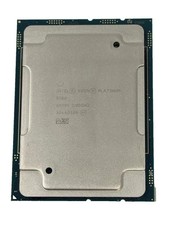
Intel Xeon Platinum 8268 2.9GHz 24-Core FCLGA3647 Processor | SRF95
$119.99

For Parts - Lenovo ThinkServer TS460 Part Number: 70TT-0020UX
$149.99

Dell Precision T1700 Workstation Intel Xeon 16G Ram 256GG SSD Nvidia 600 Win 10
$109.99