-
I am also having an issue using the flash-knoppix setup script... I am trying to put knoppix on a thumb drive... the only options that work are as follows:
r Allow installation only on removable devices.
sdb PNY USB 2.0 FD (62419.9MB)
p Installation on FAT32 with additional overlay partition.
Yes to format
this works fine, and I get a bootable thumb drive... but the whole point here is to make a "utility" drive so this doesn't really work as it creates a 4GB fat32 partition for Knoppix, and a ~55GB reiser partition... which is useless on anything NOT linux!
I guess I can delete the reiser partition and resize the fat32 partition, but then I loose the overlay option.
so what can I do to use the option of <4GB overlay file on the thumb drive using a ~64GB partition?
-
I am new to this forum so I would first like to say Hello to all. I realize that the request on this thread is for v7.4.0 while I am using v7.4.1, but I could find nothing in the version information that changed this issue. This post is meant (primarily) for Werner Schultz and "rudepeople". I will enumerate below:
I have successfully installed Knoppix 7.4.1 to an 8GB SDHC MicroDrive using a USB adapter several times now (effectively the same as a USB "thumb drive", "pen drive" or whatever one wants to call the device).
1) The Flash Card used was pre-formated (from the manufacturer) as FAT32. I used it the first time in its "out of the box" state with success and then while experimenting with installations, I manually removed the partition and reformatted using the freeware version of "MiniTool Partition Wizard Home Edition v8.1.1". USB installs have been successful using the same drive several times now.
2) To Werner, I have been using the install from "Start Menu => Knoppix => Install KNOPPIX to flash disk" I choose "r Allow installation only on removable devices" and use the overlay File option and NOT the Partition option just as you wish to do. When prompted at the end of the USB install for the size of the file, I move the slider to size it at 1024MB. This seems to create the Image file found at "/home/knoppix/Desktop/KNOPPIX/KNOPPIX/knoppix-data.img". It is sized appropriately at 1GB and Persistence works fine. This is probably too big (1GB), but I don't know what a reasonable size for it is yet. It seems that in another thread you may have addressed this so maybe you have some advice or observations for me?
3) To "rudepeople". As mentioned, the drive has been used successfully "out of the box" with subsequent repartitioning and reformatting done using "MiniTool". This install uses approx 4.5 GB (including the 1GB Image file) leaving approximately 3.5 GB of the FAT32 partition unused. I have copied 3+ GB of .jpg files (along with other files) to the drive, moved them, deleted them, copied them to other folders (while staying within the 3.5 GB space available) in order to test that the drive has been written to beyond the "end" of the drive as seen by the drives internal "usage smoothing" algorithm. I have created folders, copied, deleted, etc. in Win7 Ultimate x64 as well as within Knoppix itself. I can move the USB drive to another computer, boot it to Knoppix, and use the files as I wish. Like you, I intend to use the drive to carry additional tools with me as well. It seems to work fine.
Caveats and Observations:
1) In one install, I decided to use MiniTool to resize the remainder of the FAT32 partition and create another partition in the unused space created just to see what would happen. MiniTool let me shrink the FAT32 to within 1GB of the unused 3.5GB space which would allow me to create a second, separate partition of approximately 2.5GB. AT THAT POINT, before creating another partition in the now unused space, I remembered that Windows was only going to see the first partition of a USB drive anyhow, so I resized it back to the original full capacity. It ruined the ability of the drive to boot. Whatever it did, the drive was no longer able to boot Knoppix. I won't do that again.
I hope this helps and any and all advice or observations are welcome. Best of luck.
Mike
-
It is sized appropriately at 1GB and Persistence works fine. This is probably too big (1GB), but I don't know what a reasonable size for it is yet.
Hello Mike!
The size of the overlay (file or partition) depends on what you want to store of personal Linux stuff - configuration files, additional installed tools and so on. The remainig part within the FAT32 partition you can also use under Windows. I recommend to create a new folder in the directory 'mnt-system' and call it for example "privat_Windows".
The problem of flash disk install and option "overlay file" is also in Knoppix V7.4.2 if I try it in a HD install within VirtualBox. Therefore I burned a DVD and booted with it. This time my trial has been successful. I suppose it's a udev and/or timing problem because Knoppix from my VirtualBox installation reacts faster than from CD. Perhaps one or two "sleep 10" within the flash-knoppix script may solve the problem for any case.
-
Hi
You had a good luck! It seems,like for me (knoppx7 AND 6) the thumdrives boot but stops immediately with a message like this one:
"No directives or UI in configuration file".
This message appears on the web for other users and refers to "syslinux modifications" which do not work for me also.
I think, like Werner P Schulz, that there is a severe bug in the script included on theses versions.
Very curiously, installing on pendrives seems to depend on the KIND of Pendrive:
it works for some ones and not for others !!!!.
It seems that the script has been better "worked" for "SD-Cards" (essentially?)
Also (even though this point has nothing to do with the post) there are some other bugs in my version of 7.4.
For exemple,at the boot, when using some cheatcodes
"=" is obtained by "Shift + @"
"/" is obtained by "shift + 7" etc.. etc...
Bye
knp
 Posting Permissions
- You may not post new threads
- You may not post replies
- You may not post attachments
- You may not edit your posts
-
Forum Rules

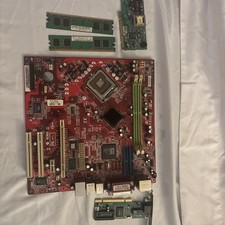
7248 Micro Star Vintage Computerboard Kit For Rebuild Including Accessories
$60.00

🔥 RARE VINTAGE HP 2112A 21MX M-SERIES 16-BIT MINICOMPUTER HP
$299.99

🔥 RARE VINTAGE HP 2113A 21MX 1000 E-SERIES MINICOMPUTER CHASSIS BACKPLANE
$249.00

Lot of 2 Vintage Plextor PX-43CS SCSI CD-ROM Caddy Drives + 4 Caddies Used
$55.99

Original Vintage Old Style STANDARD Black CD Jewel Case (Heavy Duty) 90g Lot
$316.95
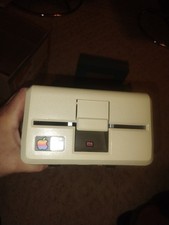
Vintage Apple III / External 5 1/4" Floppy Disk Drive A3M0004 - Untested
$120.00
Vintage Computer Manuals and Disks - Windows 3.1, Epson, Quicken, and more
$101.99
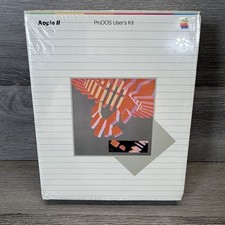
Vintage 1983 Apple II ProDOS User's Kit Computer Software NEW SEALED A2D2010
$64.95

Vintage Jetway J-620BF Socket 370 Celeron AT Motherboard SiS 620 Brand New
$75.00

HP 5060-8359 8K Semiconductor Memory Module 5080-9747 Vintage HP Computer
$224.72



 Reply With Quote