

 Reply With Quote
Greetings, don.Originally Posted by don999

I confirm that for my 64-bit Knoppix 7.4.0, alt-tab works ok with compiz (as a ring-switcher),
but alt-tab doesn't appear to do anything when using no3d cheatcode.


Hi all, Just got around to downloading 7.4 and am encountering problems with using Alt+tab to switch applications.
It worked in 7.2, but not 7.3 or 7.4.
I rely on this a keystroke a lot and it totally bugs me that it doesn't work. Note that I'm using knoppix64 and "no3d" so compiz isn't running.
I looked at the file ~/.config/openbox/lxde-rc.xml and it looked fine, the relevant part being:
<!-- Keybindings for window switching -->
<keybind key="A-Tab">
<action name="NextWindow"/>
</keybind>
<keybind key="A-S-Tab">
<action name="PreviousWindow"/>
<keybind key="C-A-Tab">
<action name="NextWindow">
<panels>yes</panels><desktop>yes</desktop>
</action>
</keybind>
and it all looks good, it just doesn't work.
Ctrl+Alt+Tab works (and does something that switches between Panel and pcmanfm???) ,
and Alt+Escape works fine (which can be used as a workaround...)
<!-- Keybindings for windows -->
<keybind key="A-F4">
<action name="Close"/>
</keybind>
<keybind key="A-Escape">
<action name="Lower"/>
<action name="FocusToBottom"/>
<action name="Unfocus"/>
</keybind>
<keybind key="A-space">
<action name="ShowMenu"><menu>client-menu</menu></action>
</keybind>
Can you help me figure this out?
Thanks, Don
Last edited by don999; 09-14-2014 at 03:27 PM.
Greetings, don.
I confirm that for my 64-bit Knoppix 7.4.0, alt-tab works ok with compiz (as a ring-switcher),
but alt-tab doesn't appear to do anything when using no3d cheatcode.
This problem may be due to Metacity getting crappier and crappier by each version, see Klaus' entry in http://knoppix.net/forum/showthread.php?30005-Knoppix-7-0-3-LXDE-Alt-F1-ignored-does-not-open-main-menu&p=127469
Please Klaus, make OpenBox replace Metacity for the no3d option. OpenBox is the defult window manager for LXDE.
Last edited by fredvej; 09-15-2014 at 05:59 PM.
Suggestions more likely to be heard at the developer's site:
https://lists.debian.org/debian-knoppix/2014/09/
I didn't know that there were technical problems for why the Alt+Tab doesn't work under the "no3d" cheatcode. That also explains why the printscreen key lost its screenshot capabilities.
I've gotten so used to the Alt+Tab keystroke that it feels so strange when it doesn't work. I'd use compiz if it weren't so ridiculous in some ways. I find it really jarring to move the mouse up in the corner and have my windows start flying around.
Don
Greetings, Don.
Have you tried using ccsm to disable scale and expo?
Hi Utu,
Thanks for your suggestion.
Yes, I could disable all of the compiz goodness but it's just so easy to type "no3d"
I kind of like everything to be set up to go and run from the "stock" setup so I don't have to fiddle too much. Sometimes I'll forget to type "no3d" and my windows will start flying around again while I hunt for the close box
Hi!
same trouble here, my computer is slow because of compiz, so I use no3d
but I can't use Alt-Tab any more...
any simple issue?
 Posting Permissions

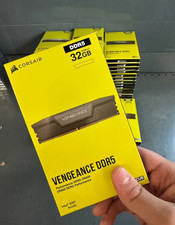
Corsair Vengeance DDR5 32GB (2x16GB) 6000MHz Desktop RAM Kit – New Sealed
$349.95

DDR4 Laptop RAM 4GB 8GB 16GB 32GB 2400 2666 3200 Samsung Hynix
$66.00

RAMAXEL Lenovo 32GB LPDDR5X CAMM2 7500MHz Laptop RAM | UNTESTED
$445.00
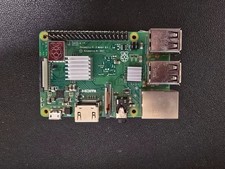
Raspberry Pi 3 Model B+ 1GB RAM WiFi Bluetooth Quad-Core SBC w Power Supply
$19.99

Crucial DDR3L 16GB 2 x 8GB 1600 MHz PC3L-12800 Laptop RAM Sodimm Memory 1.35V
$41.00

Micron Lot of 4 32GB (2x16GB) DDR4-3200 UDIMM Desktop RAM MTA16ATF2G64AZ-3G2J1
$250.00

A-Tech 8GB DDR3 1600 PC3-12800 Laptop SODIMM 204-Pin Memory RAM PC3L DDR3L 1x 8G
$21.68
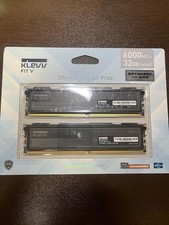
KLEVV FIT V DDR5 32GB (16GB x 2) 6000MT/s Desktop RAM - Brand New
$354.00

Corsair Vengeance LP White 16GB Kit (2x8GB) DDR3L 1600MHz RAM CML8GX3M2A1600C9W
$40.00

Micron MTC40F2046S1RC48BA1 DDR5 64GB (1x64GB) 4800MHz RDIMM ECC Server Memory
$2999.99
