-
Senior Member
registered user
Rebooted & did another geany re-install
.
Rebooted; Called-up Synaptic again; Did geany mark for re-installation; Did Apply.
Did not re-install geany-common.
geany now behaving and can read /init material.
Can't explain what was different the second time around.
-
Hi Werner,
I installed 7.4.1 on my HD and intend to use it on a daily base because it is the most complete an fastest Linux distro I found so far for my needs. I know it is not recommended, but K i sooo cool, thx a million to KK . Also, in this version, I find the Audio to work better than the previous one....
Since I am a bit more familiar with the apt ecosystem, I pay more attention on how to play with package vesioning so as not to break the system.
One application I could not manage to make work, however, is the Plex Media Server  .
.
Even though the pms service seems to run, I still can't fire up its interface on a navigator (e.g. 172.196.168:32400/web).
Could you please help? Thanks in advance
-

Originally Posted by
Werner P. Schulz

...
With the new version of the script I can still not do a flash disk install with the option "overlay image" by the usual way; it seems to be a udev problem. But strangely enough, the new option "
add the name of the .iso file as commandline parameter" (=>
Computers without DVD drive) can also handle with the option "overlay image".
On the face of it those instructions make no sense, as a working Knoppix installation is needed to access that script, together with a downloaded DVD. I see a reference to a post with a script attached in this thread - but that is not mentioned in the release notes/wiki page on installation of 7.4.1 on a flash drive. How do we know what's the latest version of the script? By the way does it install the whole Ariadne works and so on using many GB or is there an option to just install a minimal system to the flash drive? I have no idea what an overlay image is. Things seem to have got very complicated over the years!
-
Senior Member
registered user
.
FWIW, My experience with 7.4.1
----
1. Downloaded 7.4.1 iso; did testdvd & passed.
2. Used inert 7.4.0 LiveUSB formated with reiserfs as target;
3. Used 7.4.1 LiveCD Install to Flash using first option: carry over some personal stuff.
4. Booted 7.4.1 LiveUSB; did testdvd & passed.
----
Noted the following on 7.4.1 LiveUSB:
1. Reiserfs retained & working, but virtually empty at first.
2. Fat32 & Reiserfs parameters unchanged.
3. Mozilla bookmarks missing. These should be at ~/.mozilla.
4. Geany segfaulting; worked ok after re-install. Possibly mishandled ~/.config/geany.
5. Compiz has same problem as 7.4.0 not persisting changes.
6. Home-grown update*.tar.gz worked ok to re-constitute tweaks to files in:
/home/knoppix/, /etc/ and /mnt-system/.
7. Home-grown MakeOverlay worked ok to make read-only KNOPPIX1 overlay
from reiserfs /KNOPPIX-DATA.
8. Re-establishing syslog process used on 7.4.0 works ok with 7.4.1.
----
My suspicion is that using 7.4.1's built-in option to carry over any personal stuff
may be both incomplete and flawed. I'll probably not use that option next time.
Compiz difficulty could be overcome with some reasonable ccsm documentation.
----
I expected great things with a cheatcode labelled 'mkimage'.
I conclude it's only a miniscule change which might better be labelled 'enable persistence'.
-
I have no idea what an overlay image is. Things seem to have got very complicated over the years!
Please, have a look at Hardrive installation.
-

Originally Posted by
pgradone
Hi Werner,
I installed 7.4.1 on my HD and intend to use it on a daily base because it is the most complete an fastest Linux distro I found so far for my needs. I know it is not recommended, but K i sooo cool, thx a million to KK . Also, in this version, I find the Audio to work better than the previous one....
Since I am a bit more familiar with the apt ecosystem, I pay more attention on how to play with package vesioning so as not to break the system.
One application I could not manage to make work, however, is the Plex Media Server
.
Even though the pms service seems to run, I still can't fire up its interface on a navigator (e.g. 172.196.168:32400/web).
Could you please help? Thanks in advance
OK, I finally installed plexmediaserver following this guide here : http://ilovetechnique.wordpress.com/...ver-on-debian/
Code:
# echo "deb http://shell.ninthgate.se/packages/debian wheezy main" >> /etc/apt/sources.list
# curl http://shell.ninthgate.se/packages/shell-ninthgate-se-keyring.key | sudo apt-key add -
# apt-get update
# apt-get install plexmediaserver
However, the library directories I configured plexmediaserver with would not appear before mounting the appropriate drives they are on - which raises another fundamental question:
Since, unlike some "classic" Linux distributions I tried, Knoppix's /etc/fstab is being modified at boot time (therefore not persistent), how do I force mount my other hard drives at boot time?
Do I have to create a mount script myself in, say, /home/knoppix/.config/autostart/mount_my_other_hard_drives.desktop?
Where is the location of K's script creating /etc/fstab ? (in order to modify it eventually)
Last edited by pgradone; 09-23-2014 at 09:23 PM.
-
Where is the location of K's script creating /etc/fstab ?
You can find it within the init-file of the RAM disk "minirt.gz". Have a look at Remastering HowTo, how to decompress the RAM disk file and how to rebuild a new one.
 Posting Permissions
- You may not post new threads
- You may not post replies
- You may not post attachments
- You may not edit your posts
-
Forum Rules


Vintage Apple II Avant-Garde Creations Super Shape Draw And Animate 1981
$295.00
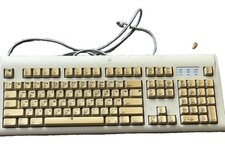
Vintage Apple Design Keyboard Model M2980 Macintosh 1994 Untested
$28.49

Vintage Apple Macintosh LC M0350 Desktop No Harddrive No Power Supply - Parts
$71.95

Retro Vintage Apple M0110A Compact Wired Mechanical keyboard for Macintosh Plus
$64.95
Lot of 64 Apple II IIe IIc 5.25” Floppy Disk Games Software Utilities Vintage
$39.00
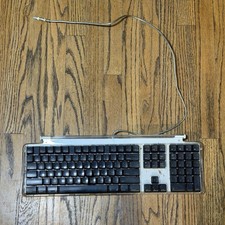
Vintage Apple Keyboard M7803 Mouse M5769 (NEEDS TO BE CLEANED)
$24.64

Vintage Apple Macintosh Plus 1MB - M0001A W/ Keyboard, 2 Mice, 800K HD, + More
$300.00

Vintage Apple Macintosh Plus Desktop Computer - M0001A
$150.00

Vintage Apple Monitor IIc 9" Green Monochrome 06/1985 A2M4090 October 1984 Stand
$275.00

Vintage Apple Multiple Scan 15av Display Monitor M4681
$299.99



 Reply With Quote